
 WhatsApp: +86 16626708626
 Email:
  Phone: +86 16626708626
Description
Key Technical Specifications
| Parameter | Specification Value |
| Manufacturer Model No. | PS3651A-T42 |
| Display Type | TFT Color LCD |
| Display Size | 12.1 Inches (246.0 mm W × 184.5 mm H) |
| Resolution | 800 × 600 pixels (SVGA) |
| Touch Screen Type | Resistive Film (Analog) |
| Processor | Intel Core Duo / Celeron M (Model dependent configuration) |
| Input Voltage | 24 V DC (19.2 to 28.8 V DC operating range) |
| Power Consumption | 130 W max |
| Serial Ports | COM1 (RS-232C), COM2 (RS-232C), COM3 (RS-232C/422/485) |
| Ethernet Interfaces | 2x 10BASE-T/100BASE-TX/1000BASE-T (RJ-45) |
| USB Ports | 4x USB 2.0 (Rear) |
| Expansion Slots | PCI Slot / CF Card Slot (Type II) |
| Enclosure Rating | IP65f / NEMA 4X / Type 12 (Front panel when mounted) |
| Cutout Dimensions | 301.5 mm W × 227.5 mm H |
Product Introduction & Supply Chain Strategy
The Pro-face PS3651A-T42 is an industrial 12.1-inch SVGA panel computer engineered for demanding automation environments requiring open Windows OS integration, dual Gigabit Ethernet networking, and multi-serial communications. Designed with an IP65f front bezel and a high-efficiency 24V DC power supply, it acts as a robust control platform for SCADA, data collection, and direct PLC interfacing.
Securing the PS3651A-T42 as New Surplus offers significant Total Cost of Ownership (TCO) savings while protecting plant operations from EOL hardware obsolescence. Because the PS3000 series is discontinued by Pro-face, acquiring unused surplus stock allows engineering teams to perform direct “like-for-like” hardware swaps without spending weeks re-qualifying industrial PCs, updating legacy Windows drivers, or re-engineering panel cutout dimensions.
Installation & Configuration Guide
Stage 1: Pre-Installation (Prep & Safety)
- Perform Lock-Out/Tag-Out (LOTO) procedures on the 24V DC power distribution block feeding the operator cabinet.
- Wear an ESD-grounded wrist strap connected to cabinet frame ground before touching internal electronics or connectors.
- Document and photograph all connected expansion cards, hard drive/CF card arrangements, DIP switches, and wiring harnesses on the old unit.
Stage 2: Removal
- Unplug the 24V DC main power connector and protective ground lead from the rear of the unit.
- Disconnect all peripheral cables, including COM ports, dual Ethernet RJ-45 lines, and USB hardware dongles.
- Loosen the panel-mounting clamps securing the PC bezel against the cabinet door.
- Carefully lift the unit forward out of the panel cutout, taking care not to scratch the display face or damage backplane ports.
Stage 3: Installation (Clone & Seat)
- Verify the front sealing gasket on the new PS3651A-T42 is intact and free of cracks to ensure NEMA 4X compliance.
- Transfer your existing CompactFlash card or storage drive (containing OS, WinGP, or SCADA runtime) to the new unit, or install a freshly cloned image.
- Insert the new IPC into the 301.5 mm × 227.5 mm cutout from the front of the enclosure.
- Fasten the mounting clamps evenly around the frame to ensure uniform compression against the cabinet door.
Stage 4: Power-On & Testing
- Measure the incoming power supply lines with a multimeter to verify a clean 24V DC supply (within 19.2 to 28.8 V DC).
- Reconnect power, ground, network, and serial cables to their assigned interfaces.
- Power on the system. Verify BIOS initialization, Windows OS boot, and clear SVGA display output.
- Calibrate touchscreen tracking using the installed Pro-face touch utility, then test SCADA communication links to connected PLCs.
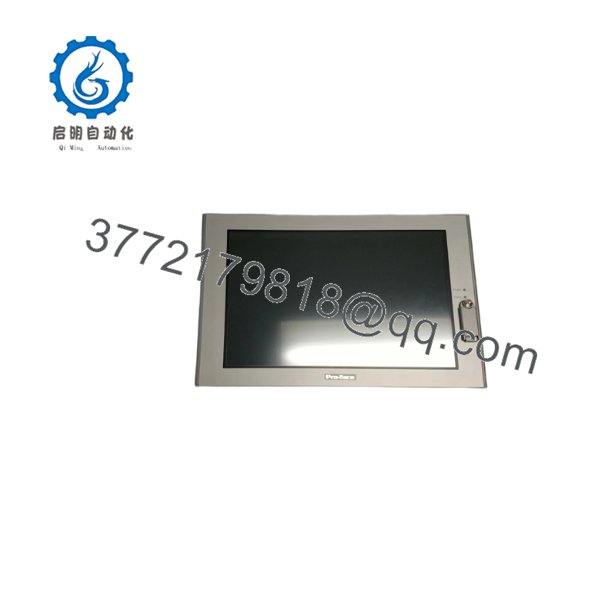
PS3651A-T42
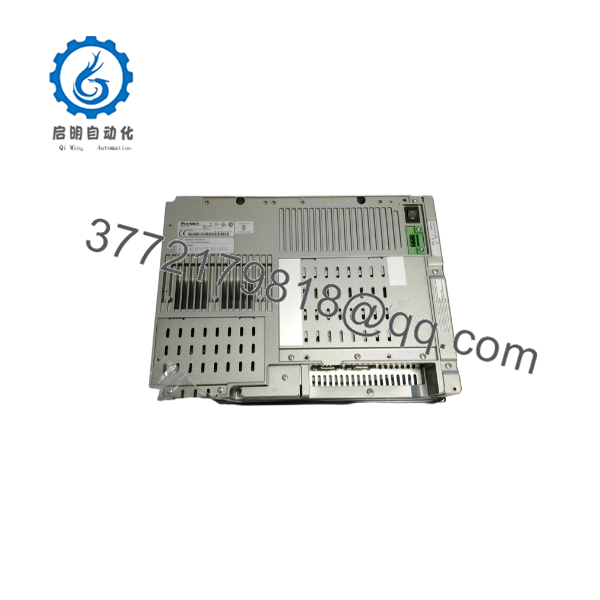
PS3651A-T42
Firmware/Software Versions & Upgrade Notes
- Operating System Support: The PS3651A-T42 natively supports Windows XP Embedded, Windows XP Professional, or Windows 2000 depending on installed system memory and storage configurations.
- HMI Runtime Software: Frequently used with WinGP runtime software or Pro-Server EX data collection platforms. Ensure runtime license keys (USB hardware dongles) are moved over to the replacement panel.
- Touch Panel Driver: Uses the Pro-face UPDD (Universal Pointer Device Driver). If re-imaging the operating system, always install the official Pro-face PS3000 series chipsets and touch drivers before deploying to production.
- Power Supply Integrity: Never connect 120V/240V AC line power directly to the PS3651A-T42. This model requires a dedicated 24V DC input; applying AC voltage will permanently damage the internal power board.
Frequently Asked Questions (FAQ)
What makes buying a New Surplus better than purchasing a refurbished industrial PC?
Industrial PCs run hot and operate in harsh conditions. Refurbished units frequently suffer from heat-stressed power supplies, aging LCD backlights, and worn storage drives that fail unexpectedly. Our New Surplus inventory consists of genuine, unused original units preserved in temperature-controlled reserves. You get 100% factory performance, uncompromised motherboard reliability, and a full operational lifespan at a fraction of the cost of a complete control system overhaul.
Is this Pro-face unit guaranteed to be brand new and genuine?
Yes. Every unit supplied is certified Original New Surplus. They have zero operational run hours, clean connector pins, pristine touch glass, and original manufacturer labels. Packaging is opened solely under ESD-safe warehouse conditions for incoming quality control verification.
Why is keeping a spare on-site critical for plant maintenance?
Because the PS3000 series is legacy, sourcing a clean, working panel PC during an emergency shut-down can take days or weeks. Storing a pre-configured spare on-site enables your maintenance team to swap storage drives and complete a full hardware replacement in under 30 minutes, preventing thousands of dollars in lost throughput.
Can I hot-swap the while the main cabinet is powered on?
No. You must shut off 24V DC power before removing or installing the IPC. Disconnecting DC power harnesses or serial communication lines while live can cause arcing, trip upstream circuit breakers, or damage sensitive COM port driver chips.
Does the retain BIOS settings during long periods of power storage?
Yes, system configuration settings are retained by an internal lithium CMOS battery. If the surplus unit has been stored in warehouse inventory for an extended period, verify or replace the CR2032 CMOS battery before installing the unit into active service to ensure system time and custom BIOS boot settings are preserved.



