
 WhatsApp: +86 16626708626
 Email:
  Phone: +86 16626708626
Description
3. Key Technical Specifications
| Parameter | Specification / Value |
| Power Supply Requirements | 24 V DC nominal (10 to 30 V DC supply range) |
| Current Load | 300 mA maximum at 24 V DC |
| EtherNet/IP Port | RJ45 Ethernet, 10/100 Mbps auto-sensing |
| PROFIBUS Port | DB9 Female connector, supports up to 12 Mbps baud rate |
| Operating Temperature | 0°C to +60°C (32°F to 140°F) |
| Storage Temperature | −40°C to +85°C (−40°F to 185°F) |
| Relative Humidity | 5% to 95% non-condensing |
| Isolation Rating | 1500 V RMS optical isolation on PROFIBUS port |
| Configuration Interface | Serial RS-232 configuration port (RJ45 connection) |
| Enclosure / Mounting | Anodized aluminum housing, 35 mm DIN-rail mountable |
4. Product Introduction & Supply Chain Strategy
This product is a Brand New Surplus unit. It is not used, not pulled from a decommissioned plant, and not refurbished. All modules undergo rigorous quality verification to ensure OEM-level reliability. The ProSoft 5204-DFNT-PDPMV1 serves as a high-speed communication bridge, allowing EtherNet/IP control systems (such as Allen-Bradley ControlLogix) to interface directly with downstream PROFIBUS DP field devices and drives without requiring physical PLC rack slot additions.
Maintaining a New Surplus unit on-site mitigates the risk of catastrophic downtime associated with obsolete hardware failures. Purchasing this gateway as New Surplus provides a complete 10 to 15 year operational lifespan with zero previous backplane thermal stress, unlike second-hand alternatives. Refurbished communications cards frequently suffer from degraded optocouplers and dried-out electrolytic capacitors that cause intermittent dropped packets. Investing in factory-verified surplus eliminates those failure vectors, protecting your facility against thousands of dollars per hour in unscheduled downtime while keeping your total cost of ownership low.
5. Installation & Configuration Guide
Stage 1: Pre-Installation (Prep & Safety)
- Disconnect all primary power to the control cabinet using lock-out/tag-out (LOTO) protocols.
- Put on a grounded ESD wrist strap connected to cabinet earth ground.
- Document and photograph existing DIP switch positions, network address settings, and cable connections on the target module.
Stage 2: Removal
- Unclip the removable power terminal block from the top of the unit.
- Carefully detach the RJ45 Ethernet cable and the DB9 PROFIBUS connector to prevent mechanical strain on internal solder joints.
- Disengage the DIN-rail retention clip using a flathead screwdriver and lift the unit straight off the rail.
Stage 3: Installation (Clone & Seat)
- Set all configuration hardware DIP switches on the new 5204-DFNT-PDPMV1 to mirror the original unit exactly.
- Snap the unit onto the 35 mm DIN rail, verifying that the metal grounding clip securely contacts the rail.
- Reconnect the PROFIBUS DB9 cable and RJ45 Ethernet cable, tightening terminal screws to 0.5 Nm.
Stage 4: Power-On & Testing
- Re-apply 24 V DC power to the terminal block and verify the power rail reads between 21.6 V and 26.4 V DC with a multimeter.
- Observe the diagnostic LEDs: the PWR LED must light solid green, and the ETH/PROFIBUS status LEDs should cycle to indicate active traffic without blinking red error codes.
- Ping the module’s assigned IP address from your engineering station to confirm active network handshake.
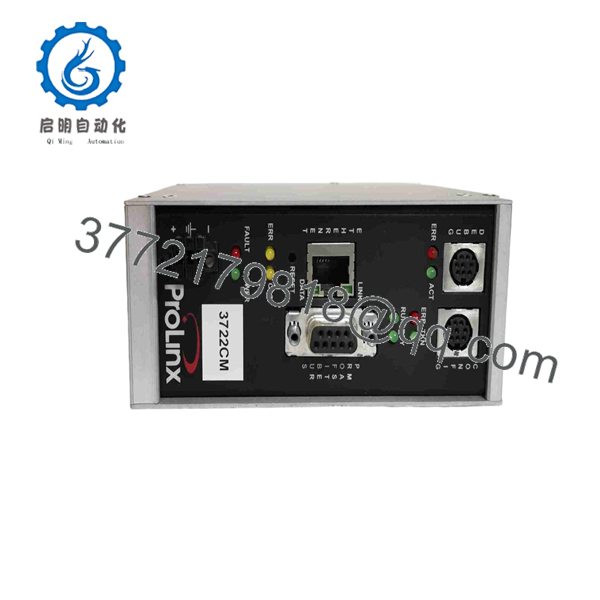
5204-DFNT-PDPMV1
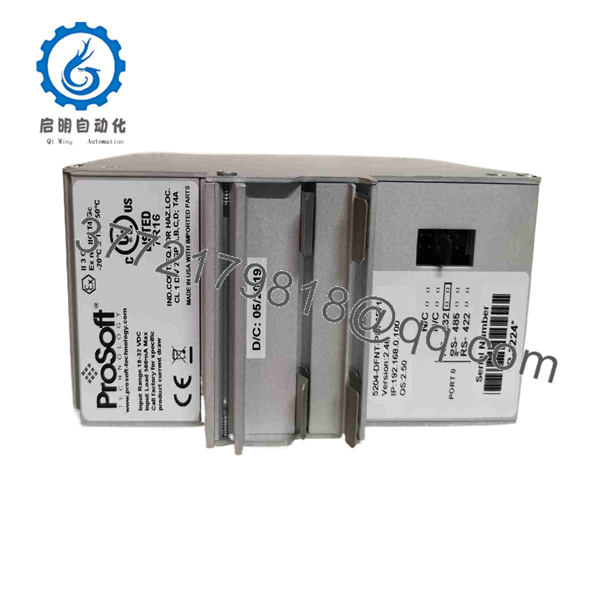
5204-DFNT-PDPMV1
6. Firmware/Software Versions & Upgrade Notes
- Recommended Firmware Version: V3.04 or higher for stable packet routing and extended I/O mapping capability.
- Configuration Software: PCB (ProSoft Configuration Builder) V4.4.x or later.
- Compatibility Caveats: Firmware versions prior to V2.10 do not support extended PROFIBUS diagnostics and may drop connection when paired with newer CompactLogix L3x series controllers.
- Risk Warning: Never perform a firmware update while the gateway is active in a running control loop. A power interruption or network drop during flash writing will corrupt the bootloader, rendering the unit unresponsive and requiring factory recovery.
7. Frequently Asked Questions (FAQ)
Is this unit truly brand new, or is it a pull from a working system? This module is genuine New Surplus stock. It has never been installed in an industrial cabinet, exposed to plant environments, or used in production. We do not sell used, repaired, or pull-off components.
Why is New Surplus priced higher than refurbished modules online? Refurbished modules are used components that have experienced thousands of operational hours under heat and electrical stress. While cheap upfront, they carry a high failure rate due to aged internal capacitors and degraded isolation circuitry. Our New Surplus pricing guarantees 100% factory lifespan, zero operating hours, and OEM-level reliability at a fraction of original list price.
Can I hot-swap this gateway while the control panel is energized? No. Unplugging or inserting the 24 V DC power terminal while live can cause voltage spikes that damage the internal transceiver chips. Always isolate 24 V DC power before removing or attaching wiring blocks.
Does this gateway retain its network configuration if power is lost? Yes. All IP addresses, PROFIBUS baud rates, and slave mapping configurations are saved to non-volatile flash memory onboard the module. It retains all parameters indefinitely through power cycles without needing a backup battery.
What warranty comes with this module? We supply a full 1-year functional replacement warranty on all New Surplus inventory. If the unit experiences a hardware failure under normal operating parameters, we replace it immediately from our dedicated stock.



