WhatsApp: +86 16626708626
 Email:
 Phone: +86 16626708626
Description
Key Technical Specifications
| Parameter | Value |
|---|---|
| Model | MVI56-ADM |
| Manufacturer | ProSoft Technology |
| Compatible platform | Rockwell Automation ControlLogix 1756 chassis |
| Function | Executes user-developed C applications and transfers data with the ControlLogix processor |
| Chassis slots required | 1 |
| Application ports | 2, independently controlled by the user application |
| Application-port interfaces | RS-232, RS-422, or RS-485, jumper selectable |
| Configuration port | CFG, RS-232 only |
| Port connectors | RJ45 with supplied DB-9 male adapter cables |
| Serial baud rate | 110 to 115,200 baud, protocol dependent |
| Serial format | 5, 6, 7, or 8 data bits; 1 or 2 stop bits; none, odd, or even parity |
| Handshaking | Full hardware handshaking; configurable RTS on/off delay |
| Isolation | 500 V optical isolation from backplane on application ports |
| Backplane data transfer | Input image: 250 words; output image: 248 words |
| Typical backplane update | 2 to 10 ms, depending on scheduled scan rate and communication load |
| System RAM | 1 MB |
| OS flash memory | 1 MB |
| Application storage | Industrial-grade CompactFlash card, up to 2 GB |
| Operating system | DOS 6-XL |
| Development language | C, using a 16-bit DOS-target compiler |
| Backplane current load | 800 mA at 5 V DC; 3 mA at 24 V DC |
| Operating temperature | 0 to +60°C |
| Storage temperature | −40 to +85°C |
| Relative humidity | 5% to 95%, non-condensing |
| Shock rating | 30 g operational; 50 g non-operational |
| Vibration rating | 5 g from 10 to 150 Hz |
| Firmware/configuration | Configuration text file downloaded to module; sample ladder logic and configuration files provided |
The MVI56-ADM is essentially the ProSoft equivalent of the discontinued Rockwell 1756-MVI, with additional ProSoft libraries for database setup, debug access, backplane access, and serial-port control.
Product Introduction
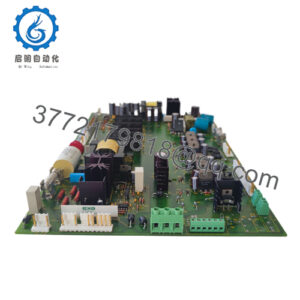
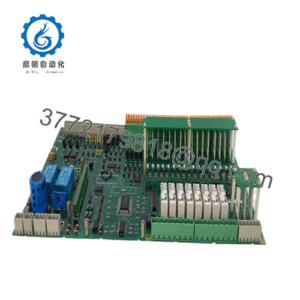
The ProSoft MVI56-ADM is a single-slot Application Development Module for Rockwell Automation ControlLogix 1756 chassis. It lets engineers run custom C applications directly in the ControlLogix platform, integrating nonstandard serial devices, proprietary protocols, and custom data-handling logic with the PLC processor.
It provides two isolated application ports configurable for RS-232, RS-422, or RS-485, plus a dedicated RS-232 configuration/debug port. The module exchanges a 250-word input image and 248-word output image with the processor over the backplane, typically updating in 2–10 ms.
Troubleshooting Quick Reference
| Symptom | Possible Cause | Relevance to this Part | Quick Check Method | Recommendation |
|---|---|---|---|---|
| Module not recognized in RSLogix/Studio 5000 | Missing EDS file, wrong slot, or chassis configuration issue | ✅ High | Verify module slot, import the ProSoft EDS file, and confirm the module appears as an I/O module | Correct chassis configuration before replacing the MVI56-ADM |
| “Device not available” on backplane open | Backplane driver not installed or not started in the C application | ✅ High | Confirm MVI56DD.exe is installed/started in config.sys; verify the application calls the backplane driver correctly |
Install/start the driver before replacing hardware |
| No serial communication | Wrong RS-232/422/485 jumper setting, wiring fault, or baud/parity mismatch | ✅ High | Check PRT1/PRT2 jumper positions, cable pinout, baud rate, parity, data bits, and stop bits | Match port jumpers and serial settings to the field device |
| One application port works, other does not | Port-specific jumper, wiring, or application-code issue | ✅ High | Swap known-good serial devices between PRT1 and PRT2; review C code for port initialization | Isolate the fault to port hardware, wiring, or application logic |
| Data does not update in processor tags | Ladder copy logic, module scheduling, or backplane image configuration issue | ✅ High | Verify scheduled connection, input/output image sizes, and ladder MOV/COP instructions | Correct ladder data transfer and module scheduling |
| Application will not boot | Missing, damaged, or unsupported CompactFlash card | ✅ High | Inspect CompactFlash seating; verify it is an approved industrial-grade card and contains the application image | Replace with a ProSoft-approved industrial CompactFlash card |
| Module loses configuration after power cycle | CMOS/RTC backup battery issue or configuration not saved to CompactFlash | ✅ Medium | Check battery-backed settings and confirm the configuration file is stored correctly | Replace the module or restore configuration from a known-good image |
| Module overheats | Excessive chassis load, blocked airflow, or high ambient temperature | ✅ Medium | Measure chassis temperature and verify 800 mA at 5 V DC backplane load is included in the power budget | Improve cabinet cooling or redistribute chassis load |
❗ Do not assume the MVI56-ADM has failed because a serial device stops communicating. Incorrect port jumpers, a damaged DB-9/RJ45 adapter, wrong serial settings, or a C-application error cause most communication faults.
If the fault remains after checking the EDS/chassis configuration, CompactFlash card, port jumpers, serial wiring, and ladder data transfer, contact technical support with photos of the module, jumper settings, RSLogix I/O tree, and application/configuration files.
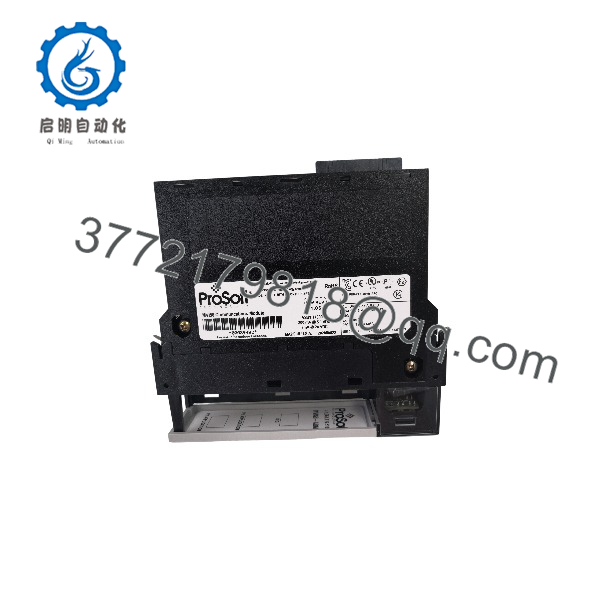
MVI56-ADM
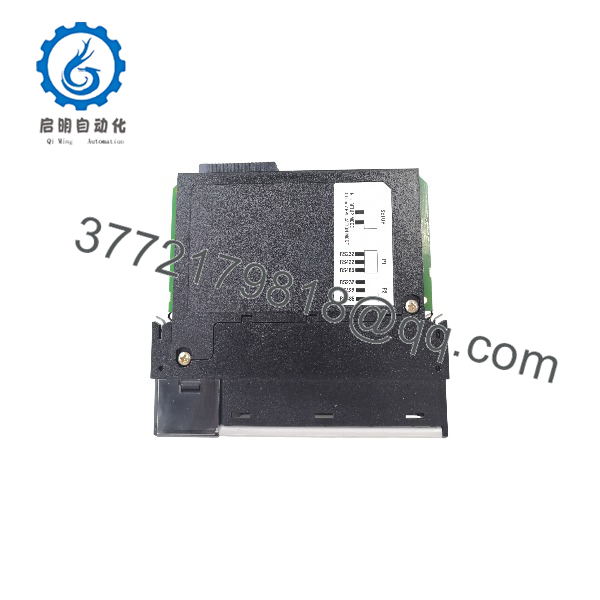
MVI56-ADM
Frequently Asked Questions
Can I use the MVI56-ADM for Modbus RTU?
Technically yes, if you write or obtain a C application that implements Modbus RTU. However, for standard Modbus serial integration, ProSoft recommends the purpose-built MVI56-MCM instead; it reduces development and commissioning effort.
Can I use it for barcode scanners, scales, or serial printers?
You can, but ProSoft recommends the MVI56-GSC or MVI56E-GSC for straightforward ASCII serial devices. The MVI56-ADM is better suited to custom protocols, proprietary devices, or applications requiring custom C logic.
Is the MVI56-ADM the same as a Rockwell 1756-MVI?
Essentially yes. ProSoft states that the MVI56-ADM is essentially the same product as the discontinued 1756-MVI, with additional ProSoft libraries for database, debug, backplane, and serial-port access.
Does it require a CompactFlash card?
Yes. The module requires an industrial-grade CompactFlash card for the application image and storage. ProSoft recommends specific tested cards, available through ProSoft or approved suppliers; do not use an unqualified consumer card.
Can I hot-swap the MVI56-ADM?
No. Although ControlLogix supports some module removal/installation workflows, this legacy module runs a custom application and holds active serial communications. Power down or follow a controlled removal procedure, then verify the application and backplane connection after reinstallation.
What compiler do I need?
Use a 16-bit DOS-target C compiler and the ProSoft ADM development tools. The module runs DOS 6-XL, so modern 32-bit or 64-bit compilers are not directly compatible.
Why is New Surplus less expensive than factory-new stock?
New Surplus means genuine ProSoft inventory manufactured earlier but not installed or commissioned. We inspect, document, and functionally verify each unit before shipment. It is not used, repaired, or refurbished stock unless clearly stated on the product page.