WhatsApp: +86 16626708626
 Email:
 Phone: +86 16626708626
Description
Key Technical Specifications
| Parameter | Value |
| Backplane Current Load | 800 mA at 5 V DC; 3 mA at 24 V DC |
| Operating Temperature | 0 to 60°C (32 to 140°F) |
| Storage Temperature | -40 to 85°C (-40 to 185°F) |
| Relative Humidity | 5% to 95% non-condensing |
| Ethernet Port | 10/100 Mbps RJ45 connector, auto-crossover detection |
| Application Port | RS-232 DB9 for configuration and local diagnostics |
| Enclosure Type | Standard ControlLogix single-slot wide module |
| LED Indicators | Module Status, Backplane Transfer, Application Status, Ethernet Activity |
| Max Client Connections | Up to 30 simultaneous client connections |
| Conformal Coating | Standard IPC-A-610 Class 2 protection |
Product Introduction & Supply Chain Strategy
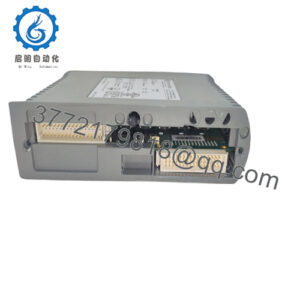
The ProSoft Technology MVI56-MNET is a reliable Ethernet communication module designed to link Rockwell Automation ControlLogix processors with Modbus TCP enabled devices such as smart meters, drives, and remote I/O drops. It acts as both a client and a server, managing data flow seamlessly across standard Ethernet infrastructures to support plant-wide automation networks.
Acquiring this module as genuine New Surplus guarantees long-term operational integrity and shields your facility from the high Total Cost of Ownership (TCO) tied to premature hardware failure. Refurbished Ethernet cards frequently contain degraded MAC chips and worn physical layer components that cause sporadic connection timeouts. Keeping an authentic, factory-fresh spare module in stock eliminates unnecessary downtime and protects your network reliability.
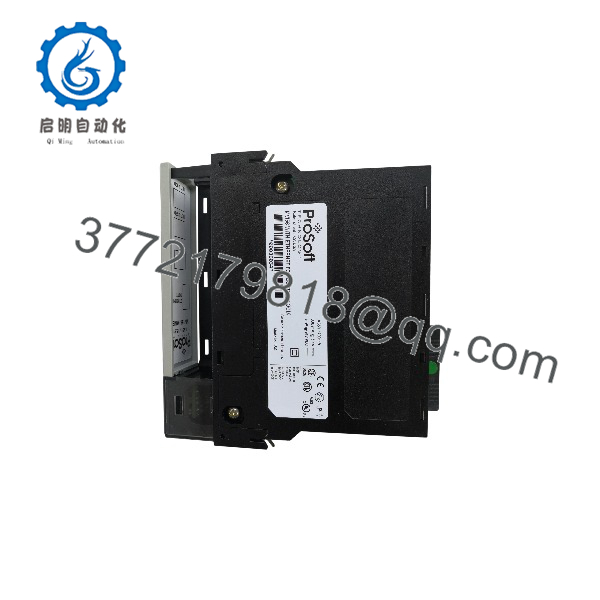
MVI56-MNET
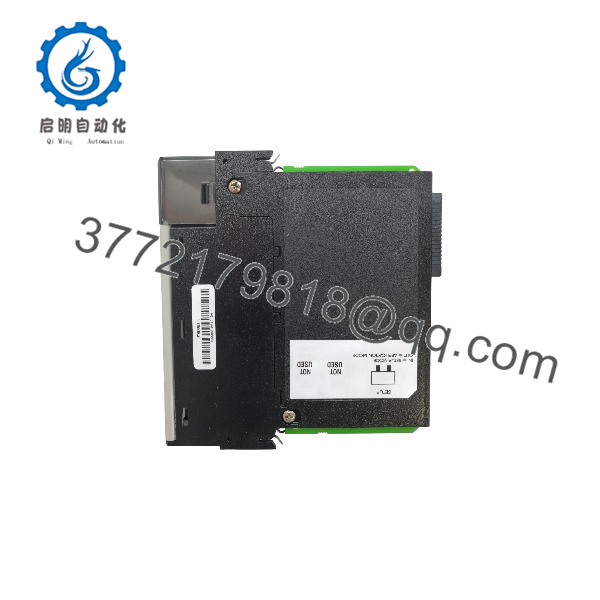
MVI56-MNET
Installation & Configuration Guide
1.Pre-Installation (Prep & Safety):Tools needed: ESD wrist strap, Ethernet cable, screwdriver.
Execute a lock-out/tag-out (LOTO) procedure on the ControlLogix chassis power supply. Put on a grounded ESD wrist strap before touching electronic components. Save a backup copy of your PLC program and note the current IP address settings.
Verification: Confirm chassis power LEDs are fully off and backplane voltage reads 0 V DC on a multimeter.
2.Removal:Hardware extraction.
Unplug the Ethernet patch cable and configuration cable from the front panel. Depress the top and bottom locking tabs and pull the MVI56-MNET straight out of the chassis slot.
Verification: Visually inspect the exposed backplane pins inside the slot to ensure they remain straight and undamaged.
3.Installation (Clone & Seat):Hardware mounting.
Align the new surplus module with the chassis slot guides and push it straight in until the top and bottom latches click securely into place. Reconnect the Ethernet cabling.
Verification: Check that the module is completely flush with adjacent cards and locking tabs are fully engaged.
4.Power-On & Testing:System startup.
Restore power to the ControlLogix chassis. Observe the startup LED sequence to confirm backplane communication and Ethernet link status. Ping the module’s IP address from your engineering station to verify network connectivity.
Verification: Confirm that the OK LED glows solid green and network link/activity LEDs flash properly.
Firmware/Software Versions & Upgrade Notes
- Recommended Firmware: Version 1.04 or later provides stable TCP connection handling and resolves minor memory allocation bugs found in early releases.
- Compatibility Notes: Compatible with ControlLogix processors supporting ladder logic integration via ProSoft Configuration Builder (PCB) or traditional message instructions.
- Upgrade Risk Warning: Always verify the IP address and subnet mask settings following any firmware transfer or hardware replacement to prevent IP address conflicts on the plant network.
Frequently Asked Questions (FAQ)
Is this MVI56-MNET module genuinely new and unused?
Yes. This unit is a Brand New Surplus item, delivered in original OEM packaging with pristine backplane pins and zero operating hours.
Why choose New Surplus over refurbished hardware?
Refurbished communication modules often have degraded electronic components that lead to intermittent network drops and plant interruptions. New Surplus provides 100% OEM reliability, avoiding costly emergency downtime.
What warranty comes with this module?
Every unit is backed by a full 1-year replacement warranty, ensuring total peace of mind for your spare inventory.
Can I hot-swap the module in an active rack?
While ControlLogix supports Removal and Insertion Under Power (RIUP), it is best practice to power down the rack or isolate dependent network traffic during installation to prevent transient communication faults.
How do I configure the IP address on a replacement unit?
You can assign the IP address using ProSoft Configuration Builder (PCB) connected via the front RS-232 application port or through pre-configured network parameters.