
 WhatsApp: +86 16626708626
 Email:
  Phone: +86 16626708626
Description
Key Technical Specifications
| Parameter | Specification Value |
| Catalog Number | MVI56E-MCMR |
| Backplane Compatibility | Allen-Bradley ControlLogix (1756 Local or Remote Chassis) |
| Backplane Current Load | 800 mA @ 5.1 V DC; 3 mA @ 24 V DC |
| Communication Ports | 2 Serial Ports (RJ45 connectors with DB-9M adapter cables) |
| Serial Protocols Supported | Modbus RTU Master/Slave, Modbus ASCII Master/Slave |
| Electrical Interface | Software/Jumper Configurable RS-232, RS-422, or RS-485 |
| Isolation Voltage | 500V Optical Isolation from backplane |
| Baud Rates | 110 baud to 115.2 kbps |
| Internal Database | 5,000 16-bit registers (user-assignable Read/Write) |
| Ethernet Configuration Port | 10/100 Base-T (RJ45) for CIPconnect and diagnostics |
| Configuration Storage | Non-volatile CompactFlash Personality Module |
| Operating Temperature | 0°C to 60°C (32°F to 140°F) |
Product Introduction
The ProSoft MVI56E-MCMR is a single-slot ControlLogix in-chassis communication module that acts as a gateway between ControlLogix processors and serial Modbus RTU or ASCII devices. Featuring two independently configurable serial application ports, it allows your PAC to continuously poll field instruments, power meters, drives, or third-party PLCs without needing external stand-alone gateways.
Unlike the standard MVI56E-MCM, the “MCMR” variant is engineered specifically with a reduced data block size (42 words). This reduced schedule makes it the industry-standard choice for remote 1756 racks linked across ControlNet or lower-bandwidth networks where backplane data footprint must be minimized. Equipped with ProSoft’s non-volatile Personality Module, ladder logic Add-On Instructions (AOI), and backward compatibility with legacy MVI56 cards, it ensures rapid replacement and zero downtime during upgrades.
Troubleshooting Quick Reference
| Symptom | Possible Cause | Relevance to this Part | Quick Check Method | Recommendation |
| Module OK LED Off / Unlit | Missing backplane power or rack failure | ❌ Low | Measure 5.1V DC backplane power using a multimeter or check rack power supply output. | Verify 1756-PA72/PB72 power supply before replacing module. |
| ERR LED Steady Red | Internal RTC or hardware configuration error | ✅ High | Read module error code on the 4-character scrolling display on the front panel. | Reseat the card or cycle power. Replace if error code persists across reboots. |
| P1 / P2 TX Flashes, RX Dead | Field wiring mismatch or incorrect terminating resistor | ❓ Medium | Measure voltage across RS-485 (+) and (-) lines; verify 120Ω termination resistors are present. | Swap TX/RX wiring pins or adjust terminal configuration. |
| ControlLogix I/O LED Yellow | Reduced Block AOI mismatch in RSLogix 5000 | ✅ High | Check controller tags for Local:X:I.Data array size matching the MCMR AOI specification. |
Ensure you imported the MCMR Add-On Instruction, not the standard MCM AOI. |
| No Comms via Config Port (E1) | IP subnet mismatch or network isolation | ❌ Low | Run ProSoft Discovery Service (PDS) tool or ping default IP address. | Use a direct Ethernet crossover connection to assign a local IP. |
Note: If you are experiencing persistent comms failures, collect your ProSoft Configuration Builder (PCB) diagnostic logs and contact our engineering support team.
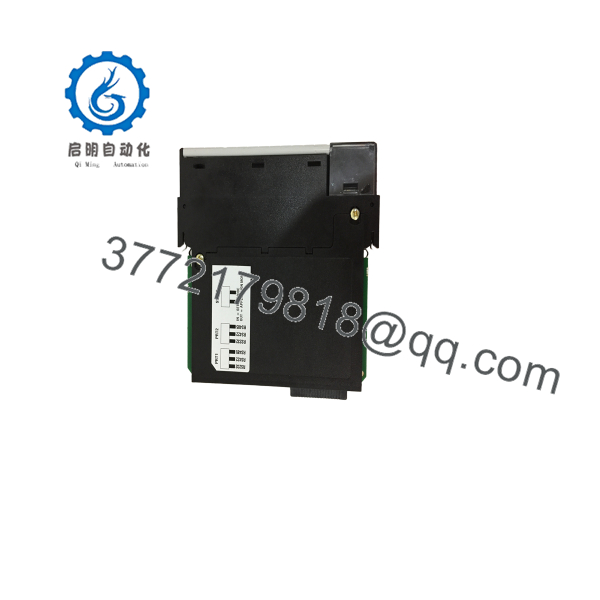
MVI56E-MCMR
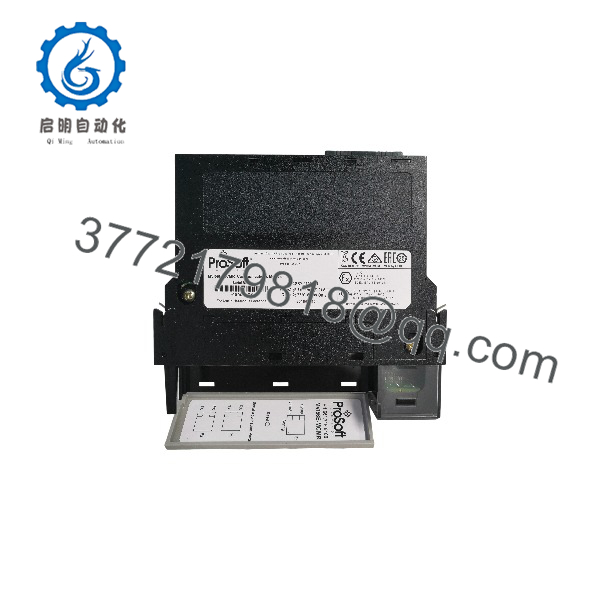
MVI56E-MCMR
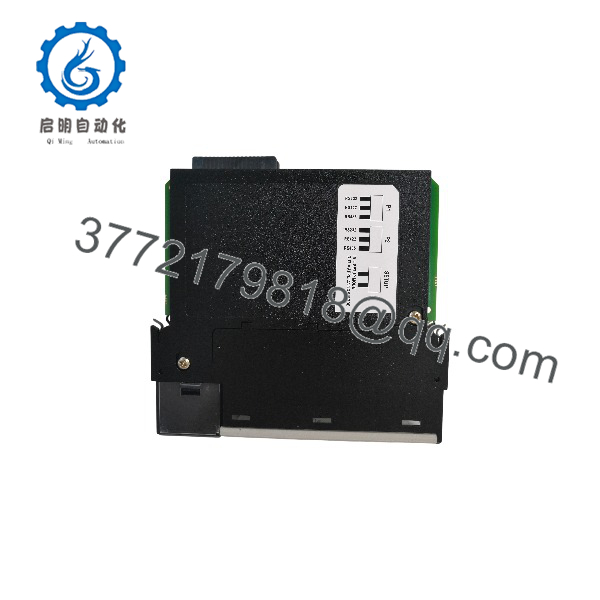
MVI56E-MCMR
Frequently Asked Questions (FAQ)
Q: What is the main difference between the MVI56E-MCM and the MVI56E-MCMR?
A: The difference comes down to backplane I/O block size. The standard MVI56E-MCM transfers large 250-word data blocks per scan, which works great in local ControlLogix racks. The MVI56E-MCMR uses a reduced 42-word data block. This reduced footprint prevents scheduled network saturation when placing the module in remote I/O chassis connected via ControlNet or lower-bandwidth links.
Q: Can I swap an old MVI56-MCMR with a new MVI56E-MCMR without rewriting my ladder logic?
A: Yes. The “E” (Enhanced) version is built to be 100% backward-compatible with legacy MVI56-MCMR hardware. The backplane register structure and I/O image match, so you do not need to rewrite your RSLogix 5000 / Studio 5000 routines or change controller tag layouts.
Q: Do I need to reconfigure the new unit from scratch if my old module dies?
A: Not if you utilize the Personality Module. The MVI56E-MCMR features a micro CF personality card that stores all port, baud rate, and Modbus command settings. If the module hardware suffers physical damage, pull the CF card out of the damaged unit, slide it into the replacement unit, and power it up. It will boot using the exact configuration stored on the card.
Q: Does this module support hot-swapping (RIUP)?
A: Yes, the module supports Remove and Insert Under Power (RIUP). However, pulling a serial communications card under power will interrupt all Modbus traffic on those ports and cause communication timeout faults on connected master/slave devices. Always lock out or disable serial polling in your program before removing the card in live process environments.
Q: How do I know if this unit is New Surplus vs. Refurbished?
A: We provide total transparency on condition. “New Surplus” units are unused OEM factory-sealed or opened original packages sourced from plant spares. “Refurbished” units are fully dismantled, chemically cleaned, subjected to component-level burn-in on an active 1756 ControlLogix test bench, and sealed in ESD packaging. Every single shipment includes an official serial-tracked QA Test Report.
SOP Quality Control Process
1. Inbound Inspection & Traceability
- OEM label, serial tag, and barcode authenticity verified against factory databases.
- Inspection for mechanical damage, terminal pin bending, PCB hairline cracks, and UV yellowing.
- Visual check of the Personality Module slot and RJ45 port pins.
2. Live Bench & Functional Testing
- Installed on an active Allen-Bradley 1756-A7 chassis powered by a 1756-PA72 rack PSU.
- Communications handshake verified using ProSoft Configuration Builder (PCB) over Ethernet port E1.
- Both Serial Application Ports (P1 and P2) populated with loopback/slave test fixtures; continuous 24-hour Modbus RTU transaction burn-in at 115.2 kbps.
- Scrolling 4-character LED validated for error code diagnostic functionality.
3. Electrical Parameter & Safety Checks
- Isolation testing across communication port channels (500V DC optical isolation check).
- Ground continuity verified with a Fluke 115 multimeter across chassis mounting clips and ground planes.
4. Firmware & Configuration Verification
- Firmware version documented. Upgraded to latest stable ProSoft release if required.
- Non-volatile Personality CF card tested for read/write integrity.
5. Final QC & Packaging
- Unit wrapped in anti-static ESD shielding bag with desiccant.
- Packed in heavy-duty double-wall corrugated boxing with custom foam inserts.
- Signed QA Pass certificate attached with full serial tracking details.
Technical Pitfall & Survival Guide
- ❗ Firmware Mismatch Pitfall: Upgrading from older MVI56 to MVI56E cards usually goes smoothly, but firmware revisions can alter register status maps. Always pull the setup file (
.PND) off the old module using PCB before decommissioning it. - ❗ RS-485 Termination Errors: RS-485 networks require 120Ω terminating resistors at both physical ends of the line. Skipping termination resistors causes signal reflection, leading to high CRC error rates and intermittent comms loss at baud rates above 19200.
- ❗ Wiring Pinout Mix-ups: ProSoft uses RJ45 physical ports for serial connections, requiring the supplied RJ45-to-DB9 adapters. Do not plug standard Ethernet cables into ports P1/P2—pinouts differ and connect to serial transceivers, which can damage networked Ethernet cards.
- ❗ ESD Hazard: Industrial communication cards contain unshielded CMOS components. Always wear a grounded ESD wrist strap during handling. Touching the edge connectors without proper grounding can static-discharge 4kV onto the backplane bus logic, ruining the module before it’s even racked.



