
 WhatsApp: +86 16626708626
 Email:
  Phone: +86 16626708626
Description
Key Technical Specifications
| Parameter | Value |
|---|---|
| Platform | Single-slot 1756 ControlLogix backplane |
| Ethernet Port (E1) | 10/100 Base-T, RJ45 connector for CAT5 cable, with Link and Activity LED indicators and auto-crossover cable detection |
| Max Connected S7 PLCs | Up to 20 Siemens S7-200, S7-300, S7-400, S7-1200, and S7-1500 CPUs as Ethernet servers |
| Register Mapping | User-definable module data memory mapping of up to 5,000 16-bit registers |
| Supported Register Types | DB, Inputs, Outputs, Flags, Counters, Timers |
| Backplane Current Load | 800 mA @ 5 Vdc, 3 mA @ 24 Vdc |
| Operating Temperature | 0 °C to 60 °C (32 °F to 140 °F) |
| Storage Temperature | -40 °C to 85 °C (-40 °F to 185 °F) |
| Shock | 30 g operational, 50 g non-operational |
| Vibration | 5 g from 10 Hz to 150 Hz |
| Humidity | 5% to 95% RH, no condensation |
| Diagnostics | Battery Status (ERR), Application Status (APP), and Module Status (OK) LEDs, plus 4-character alpha-numeric scrolling LED display |
| Configuration Storage | Personality Module — non-volatile industrial-grade Compact Flash (CF) card storing network and module configuration, enabling quick in-the-field replacement by transferring the CF card |
| Data Transfer Method | Add-On Instructions (AOI) used for data transfer between module and processor |
| Weight | 1.36 kg / 3.00 lbs (verify against datasheet — some distributor listings show conflicting figures) |
⚠️ Cross-check backplane current load, dimensions, and firmware compatibility against the current ProSoft MVI56E-SIE datasheet before ordering — ProSoft updates this document periodically and revision-specific values can shift.
Product Introduction
The MVI56E-SIE is a single-slot InRAx communication module built by ProSoft Technology for the Rockwell Automation ControlLogix platform. It functions as an Ethernet client, letting a ControlLogix processor read and write data directly from Siemens S7-200, S7-300, S7-400, S7-1200, and S7-1500 CPUs operating as Ethernet servers — with commands enabled and disabled from ladder logic so a single module supports multiple applications without reconfiguration.
What separates this from a generic S7 gateway is the configuration workflow: it uses ProSoft Configuration Builder (PCB), a graphical tool for managing configuration files and viewing diagnostics over the module’s Ethernet port, and the Personality Module CF card lets a tech swap a failed unit and restore configuration in the field without reprogramming from scratch. That last detail matters more than it sounds — on a plant floor at 2 AM, a five-minute CF card swap beats a 45-minute manual reconfiguration every time.
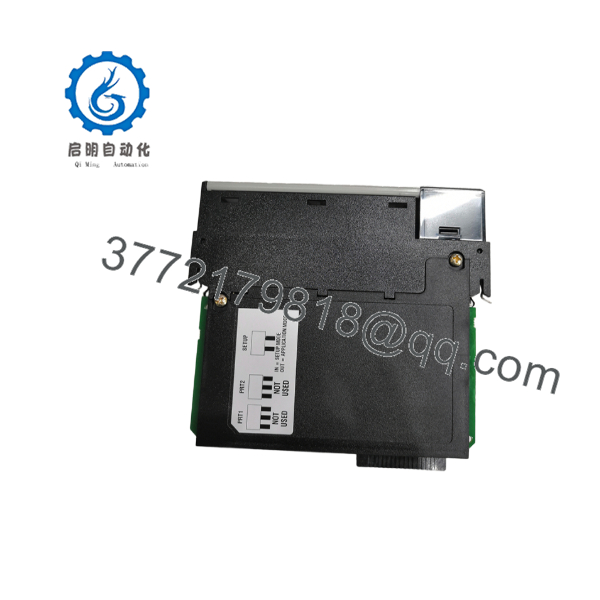
MVI56E-SIE
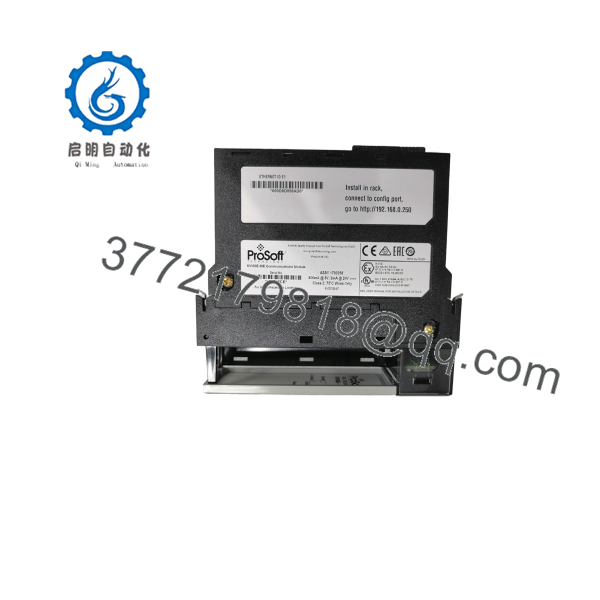
MVI56E-SIE
Installation & Configuration Guide
Stage 1: Pre-Installation Preparation (~10 min)
⚠️ Safety First: Notify operations of the downtime window, confirm the process is in a safe state, lock out/tag out the ControlLogix chassis power, and wait 5 minutes for backplane capacitor discharge before touching anything.
Tools Required: ESD wrist strap, PH1 screwdriver, digital multimeter, wire labels, smartphone for reference photos.
Data Backup: Export the current ladder logic and AOI configuration from RSLogix 5000 / Studio 5000. Document the module’s IP address, node configuration, and S7 CPU rack/slot mapping. If the old module still boots, pull its configuration off the CF card as a backup before removal.
Stage 2: Removing the Old Module (~5 min)
- Remove the front bezel/cover.
- Label every wire before disconnecting — do not force spring or screw terminals.
- Release the DIN rail/rack locking tabs and pull the module straight out to avoid bending backplane pins.
- Inspect the backplane connector for bent pins, dust, or corrosion.
⚠️ Keep the old module on the bench until the replacement is confirmed running — you may need to pull its CF card for reference.
Stage 3: Installing the New Module (~10 min)
- Ground yourself with the ESD strap. Confirm the replacement is genuinely MVI56E-SIE, not a similarly-numbered variant (MVI56E-MNET, MVI56E-MCM, etc. are NOT interchangeable — different protocols entirely).
- Configuration clone (critical): If migrating from an older MVI56-SIE or a different CF card, transfer or rebuild the IP address, backplane switch/node settings, and S7 rack/slot mapping exactly as documented in Stage 1.
- Seat the module in the rack — listen for the locking tab click and confirm full seating against the backplane connector.
- Reattach labeled wiring using a properly torqued screwdriver, not force.
Self-Checklist: [ ] IP/config matches backup [ ] CF card seated [ ] Wiring reattached per labels [ ] Locking tabs engaged
Stage 4: Power-On & Testing (~10 min)
Pre-Power Check: Multimeter check across the 5V and 24V backplane rails for shorts before re-energizing the chassis.
- Power up the rack only — leave Siemens-side field devices isolated until comms are confirmed.
- Watch the OK/APP/ERR LEDs and the 4-character scrolling display for boot status.
- Connect via Ethernet using ProSoft Configuration Builder, confirm the assigned IP address and firmware revision match what you documented.
- Download the backed-up ladder logic/AOI if this is a fresh module rather than a CF transfer.
- Dry-run test read/write against one S7 CPU before bringing the full 20-device network online.
⚠️ Troubleshooting Note: If the ERR LED stays solid and the S7 side won’t establish a session, check the S7 CPU’s Ethernet access protection level and the module’s configured rack/slot addressing before assuming a hardware fault — this is a far more common cause of failed handshakes than a defective module.
Frequently Asked Questions (FAQ)
Can the MVI56E-SIE be hot-swapped under power?
No. Don’t pull this module live. It’s backplane-powered and hot removal risks damaging both the module’s backplane connector and the ControlLogix chassis pins behind it. Kill chassis power, wait for capacitor discharge, then swap.
Is the obsolete, and is “new” stock actually new?
ProSoft still lists this as an active catalog product with current datasheets and downloads, so it’s not formally end-of-life as of this writing — but availability and lead time shift, so confirm current status before committing to a project timeline. “New” surplus stock means factory-sealed or pulled-but-unused units sourced through the secondary channel, not counterfeit or gray-market boards; ask for serial number and packing list verification if you need that assurance in writing.
Will I lose my ladder logic or AOI configuration when I swap the module?
Not if you plan ahead. Your ladder logic and AOI live in the ControlLogix processor, not on the itself — so a straight module swap doesn’t touch your Logix program. What you can lose is the module-side configuration (IP address, S7 rack/slot mapping, node settings) if you don’t back it up or transfer the CF card first. Document it before you pull the old unit.
Does the support S7-1500 CPUs, or just the older S7-300/400 line?
Yes, per ProSoft’s current documentation the module supports S7-200, S7-300, S7-400, S7-1200, and S7-1500 as Ethernet servers. That said, always verify your specific S7-1500 firmware version and access-level security settings against the module’s user manual — Siemens has tightened default Ethernet access protection on newer CPU firmware, and that’s a more common cause of failed connections than an actual compatibility gap.
What’s the difference between and other MVI56E modules like MVI56E-MNET or MVI56E-MCM?
They’re not interchangeable. talks to Siemens S7 CPUs over their native Ethernet protocol. MVI56E-MNET is Modbus TCP/IP. MVI56E-MCM is Modbus RTU/ASCII serial. Same backplane form factor and similar LED/CF card architecture, completely different wire-level protocol — ordering the wrong suffix is a common and entirely avoidable mistake.
Why is your price lower than list, and what condition am I actually getting?
Units sourced through the surplus/secondary market carry lower overhead than new-build OEM pricing, which is where the margin comes from — not from a lesser product. State plainly at time of quote whether the specific unit is factory-sealed new surplus or refurbished-and-tested, and provide serial number, firmware version read at inspection, and test report on request.



