WhatsApp: +86 16626708626
 Email:
 Phone: +86 16626708626
Description
Key Technical Specifications
| Parameter | Specification |
|---|---|
| Manufacturer | ProSoft Technology |
| Model | MVI56E-SIE |
| Module type | Siemens Industrial Ethernet Client Communication Module |
| Host platform | Rockwell Automation ControlLogix |
| Backplane compatibility | Single-slot 1756 chassis |
| Ethernet interface | 10/100 Mbps, RJ45, auto-crossover detection |
| Communication protocol | Siemens Industrial Ethernet |
| Operating mode | Client (master) |
| Maximum client connections | 20 |
| Commands per client | Up to 16 |
| Supported PLC families | Siemens S7-200, S7-300, S7-400, S7-1200, S7-1500 |
| Supported data areas | Data blocks (DB), inputs, outputs, flags, counters, timers |
| Data memory mapping | Up to 5,000 user-defined 16-bit registers |
| Data transfer to processor | Scheduled I/O data with Add-On Instructions |
| Network configuration | ProSoft Configuration Builder; ProSoft Discovery Service |
| Remote diagnostics | CIPconnect through compatible ControlLogix communication modules |
| Status indicators | ERR, APP, OK LEDs and four-character scrolling display |
| Backplane current draw | 800 mA at 5 VDC; 3 mA at 24 VDC |
| Operating temperature | 0°C to 60°C (32°F to 140°F) |
| Storage temperature | −40°C to 85°C (−40°F to 185°F) |
| Relative humidity | 5–95%, non-condensing |
| Shock resistance | 30 g operational; 50 g non-operational |
| Vibration resistance | 5 g from 10–150 Hz |
| Configuration backup | Nonvolatile CompactFlash personality module |
Specifications are based on ProSoft Technology’s product page and user manual. Actual data capacity and update performance depend on configuration, command scheduling, and the target PLC.
Product Introduction
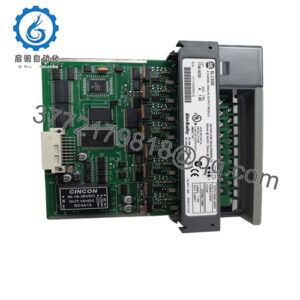
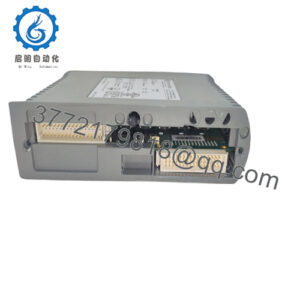
The ProSoft MVI56E-SIE connects Rockwell Automation ControlLogix controllers with Siemens PLCs over Siemens Industrial Ethernet. Designed as a client-only communication module, it initiates read and write requests to supported Siemens S7 controllers operating as servers. The module supports up to 20 client connections, allowing one ControlLogix system to exchange data with multiple Siemens PLCs without requiring a separate communication module for every connection.
For plants using both Rockwell and Siemens automation platforms, the MVI56E-SIE can support data exchange between PLCs, coordinated machine operations, and supervisory control. Its configurable data mapping, scheduled I/O transfer, and diagnostic display help engineers integrate the module into existing ControlLogix applications. Before commissioning or replacing an installed unit, verify the Siemens PLC model, data addresses, connection configuration, update requirements, and compatibility of the existing ControlLogix program.
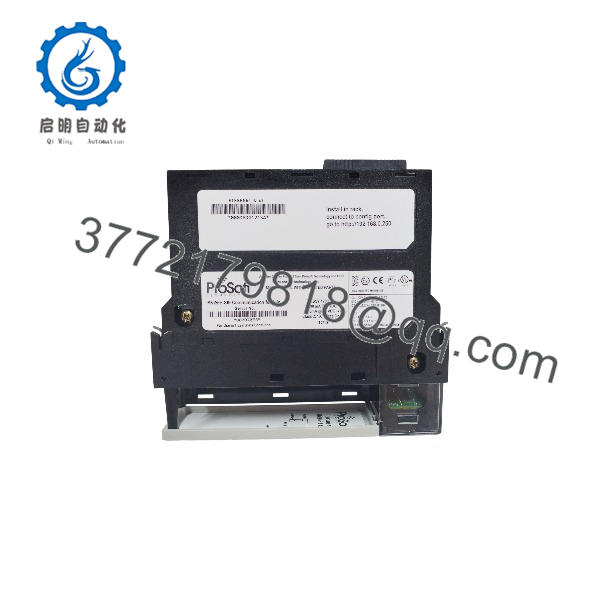
MVI56E-SIE
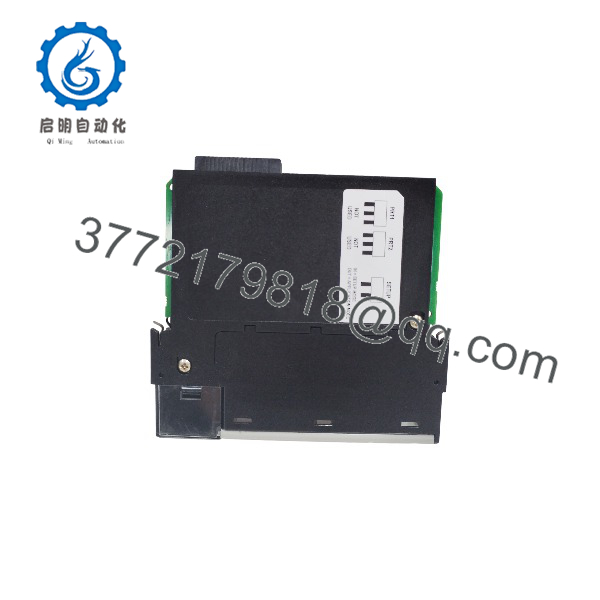
MVI56E-SIE
Installation & Configuration Guide
Estimated durations are planning estimates and are not manufacturer-prescribed installation times.
Stage 1 — Verify compatibility and back up the application
Estimated time: 15–30 minutes
- Confirm the module nameplate identifies the unit as MVI56E-SIE.
- Verify the ControlLogix chassis, slot availability, and controller firmware requirements.
- Back up the ControlLogix project, module configuration, Add-On Instructions, and relevant ladder logic.
- Identify each Siemens PLC, its IP address, and the required data areas.
Stage 2 — Install the module and establish Ethernet connectivity
Estimated time: 15–30 minutes
- Place the control system in a safe state and follow site lockout/tagout procedures.
- Install the module according to the applicable ControlLogix hardware instructions.
- Connect the Ethernet cable to the module’s designated RJ45 port.
- Confirm IP addressing, subnet settings, network routing, and connectivity to the Siemens PLCs.
Stage 3 — Configure client connections and data mapping
Estimated time: 30–90 minutes
- Open ProSoft Configuration Builder and configure the module.
- Define client connections for the target Siemens PLCs.
- Set up the required read and write commands, including the relevant data areas and addresses.
- Map the module data to the ControlLogix application using the supported Add-On Instructions and ladder logic.
- Verify command enable/disable behavior and the expected data update rate.
Stage 4 — Commission and validate data exchange
Estimated time: 30–60 minutes
- Check the module status LEDs and scrolling diagnostic display.
- Verify that each configured Siemens PLC responds to client requests.
- Test representative read and write operations using approved test values.
- Confirm the data appears in the correct ControlLogix tags and that stale or failed communications are handled correctly.
- Save the validated configuration and document the final network and data mappings.
Commissioning caution: Confirm Siemens data addressing and data-type interpretation before enabling writes to production equipment. Successful network connectivity does not by itself confirm that the PLC data mapping is correct.
Frequently Asked Questions
Q1: What is the ProSoft MVI56E-SIE used for?
It enables a Rockwell Automation ControlLogix processor to communicate with Siemens S7 PLCs using Siemens Industrial Ethernet. The module acts as the client and initiates data exchange with Siemens PLCs configured as servers.
Q2: Which Siemens PLC families are supported?
ProSoft lists the Siemens S7-200, S7-300, S7-400, S7-1200, and S7-1500 families. Confirm the specific CPU model and its supported communication settings before implementation.
Q3: How many Siemens PLCs can the module communicate with?
The module supports up to 20 client connections, with up to 16 commands per client. The practical number of devices and achievable update rate depend on the configured commands and network response times.
Q4: Can the MVI56E-SIE act as a Siemens Ethernet server?
No. It is documented as a client-only module. It initiates data requests to Siemens devices that operate as servers; it is not intended to expose the module itself as a Siemens PLC server.
Q5: What software is required to configure the module?
ProSoft Configuration Builder is the documented configuration tool. ProSoft Discovery Service can help locate the module on the network and assign a temporary IP address. ControlLogix Add-On Instructions are used for data transfer between the module and processor.
Q6: What should be checked when replacing an existing MVI56E-SIE?
Verify the module model, configuration backup, Siemens PLC addresses, client command list, ControlLogix ladder logic or Add-On Instructions, and data mapping. Confirm that the replacement’s firmware and configuration are suitable for the installed application.
Q7: What are the key hardware requirements?
The module requires a single slot in a compatible 1756 ControlLogix chassis and an Ethernet connection to the Siemens network. Its documented backplane current draw is 800 mA at 5 VDC and 3 mA at 24 VDC. Confirm chassis power capacity before installation.