WhatsApp: +86 16626708626
 Email:
 Phone: +86 16626708626
Description
Key Technical Specifications
| Parameter | Value |
| Backplane Current Load | 400 mA at 5 V DC; 0 mA at 24 V DC |
| Operating Temperature | 0 to 60°C (32 to 140°F) |
| Storage Temperature | -40 to 85°C (-40 to 185°F) |
| Relative Humidity | 5% to 95% non-condensing |
| Communication Port | One isolated DB9 or screw terminal RS-232/422/485 serial port |
| Configuration Port | Mini-USB Type B for local configuration and diagnostics |
| Enclosure Type | Standard Rockwell Automation CompactLogix single-slot module |
| LED Indicators | Module Status, Backplane Transfer, Application Status, Port Rx/Tx |
| Baud Rate | 110 to 115,200 bps |
| Conformal Coating | Standard IPC-A-610 Class 2 protection against corrosive environments |
Product Introduction & Supply Chain Strategy
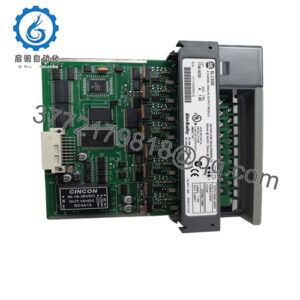
The ProSoft Technology MVI69E-MBS is a compact communication module engineered for Rockwell Automation CompactLogix controllers. It enables seamless integration with Modbus RTU and ASCII serial devices, allowing controllers to communicate reliably with drives, meters, and instrumentation. Its compact footprint and high-speed backplane transfer make it a staple for discrete and process automation applications.
Sourcing this unit as genuine New Surplus protects your plant against the high TCO of unexpected hardware failures. Refurbished serial communication cards often contain degraded transceivers and failing optocouplers that cause intermittent data drops. Maintaining an authentic, factory-fresh spare module on your shelf guarantees rapid restoration during unexpected faults and removes operational vulnerabilities.
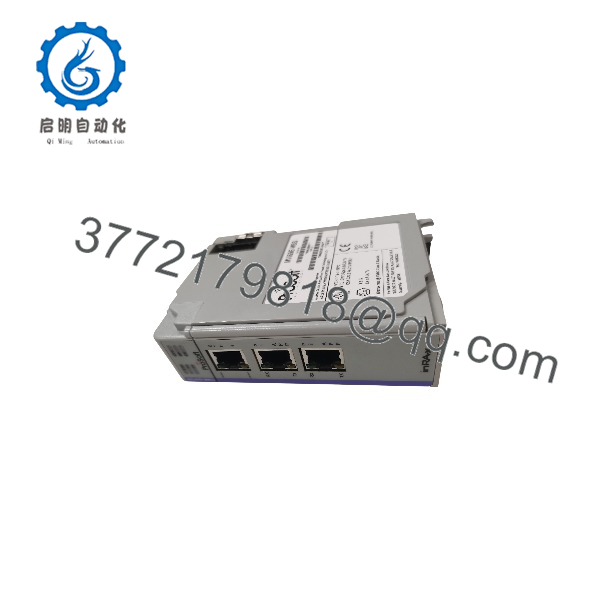
MVI69E-MBS
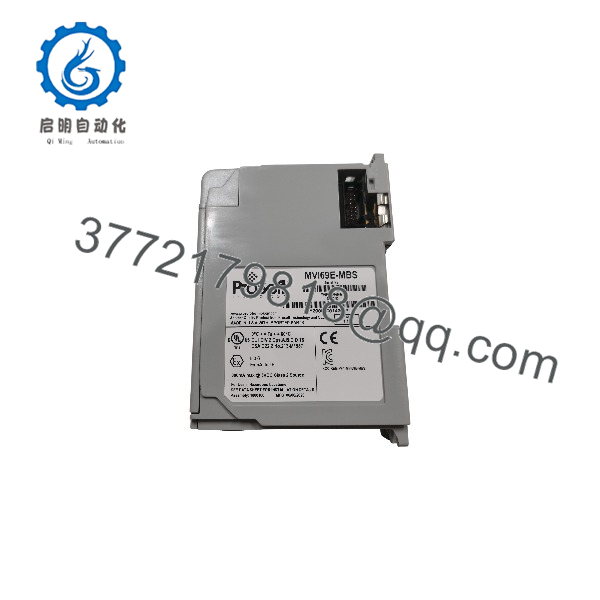
MVI69E-MBS
Installation & Configuration Guide
1.Pre-Installation (Prep & Safety):Tools needed: ESD wrist strap, Serial cable, screwdriver.
Execute a lock-out/tag-out (LOTO) procedure on the CompactLogix system power supply. Put on a grounded ESD wrist strap before handling electronics. Save a backup copy of your Studio 5000 / RSLogix 5000 controller project.
Verification: Confirm chassis power LEDs are fully off and system voltage reads 0 V DC.
2.Removal:Hardware extraction.
Disconnect the serial communication cable and USB configuration cable from the front panel. Pull the locking tab on the module and carefully slide the MVI69E-MBS straight out of the CompactLogix rack slot.
Verification: Visually inspect the backplane connector pins inside the chassis slot to ensure they remain straight and undamaged.
3.Installation (Clone & Seat):Hardware mounting.
Align the new surplus module with the chassis slot guides and push it straight in until the locking mechanism clicks securely into place. Reconnect the serial communication cabling.
Verification: Check that the module is flush with adjacent cards and the locking latch is fully engaged.
4.Power-On & Testing:System startup.
Restore power to the CompactLogix chassis. Observe the startup LED sequence to verify successful backplane communication and serial activity. Download or verify the application configuration via Studio 5000 Logix Designer.
Verification: Confirm that the OK LED glows solid green and port Rx/Tx LEDs flash rhythmically under active data polling.
Firmware/Software Versions & Upgrade Notes
- Recommended Firmware: Version 2.01 or later ensures optimal backplane driver stability and addresses memory management bugs found in legacy revisions.
- Compatibility Notes: Compatible with CompactLogix controllers supporting Add-On Profiles (AOP) within Studio 5000 Logix Designer.
- Upgrade Risk Warning: Avoid updating module firmware during active production cycles. Always perform offline configuration transfers to prevent unexpected serial communication interruptions.
Frequently Asked Questions (FAQ)
Is this MVI69E-MBS module genuinely new and unused?
Yes. This unit is a Brand New Surplus item, delivered in original OEM packaging with pristine backplane pins and zero operating hours.
Why choose New Surplus over refurbished alternatives?
Refurbished modules frequently feature worn electronic components that cause erratic serial communication dropouts. New Surplus provides 100% OEM reliability, avoiding costly emergency downtime.
What warranty comes with this module?
Every unit is backed by a full 1-year replacement warranty, ensuring total peace of mind for your spare inventory.
Can I hot-swap the module in an active rack?
While CompactLogix backplanes support Removal and Insertion Under Power (RIUP), it is best practice to power down the rack or place dependent serial loops in manual mode during installation to prevent transient communication faults.
How do I configure the module parameters?
You can configure the module using ProSoft Configuration Builder (PCB) via the front mini-USB port or through the Add-On Profile (AOP) configuration parameters inside your Studio 5000 project file.