WhatsApp: +86 16626708626
 Email:
 Phone: +86 16626708626
Description
Key Technical Specifications
| Parameter | Value |
|---|---|
| Model | MVI69E-MBTCP |
| Manufacturer | ProSoft Technology |
| Compatible platform | Rockwell Automation CompactLogix 1768 / 1769 chassis |
| Function | Modbus TCP/IP interface between CompactLogix processor and Ethernet network |
| Chassis slots required | 1 |
| Ethernet port | 1 × 10/100 Mbps auto-negotiating RJ45 |
| Modbus role | Modbus TCP/IP Client (master), Server (slave), or both simultaneously |
| Client connections | Up to 20 simultaneous |
| Server connections | Up to 20 simultaneous; 10 MBAP and 10 Encapsulated Modbus |
| Client command list | Up to 16 commands per client connection |
| Available data | Up to 10,000 words |
| Backplane I/O size | 60, 120, or 240 16-bit integers |
| Supported function codes | 1, 2, 3, 4, 5, 6, 8, 15, 16, 17, 22, and 23 |
| Floating-point support | Enron, Daniel, and other configurable floating-point implementations |
| Configuration software | ProSoft Configuration Builder (PCB) |
| CompactLogix integration | Add-On Profile (AOP) and Add-On Instruction (AOI) |
| Configuration storage | Configuration retained in the CompactLogix processor’s MBTCP.CONFIG tag |
| Backplane current load | 500 mA maximum at 5 V DC |
| Power-supply distance rating | 4 slots; use first two slots for L43 and L45 installations |
| Operating temperature | 0 to +60°C |
| Storage temperature | −40 to +85°C |
| Relative humidity | 5% to 95%, non-condensing |
| Mounting | Standard 1769 single-slot DIN-rail module |
| Compatibility requirement | CompactLogix processors with 1769 I/O bus capability version 16 or later; MicroLogix 1500 not supported |
The MVI69E-MBTCP supports both Modbus TCP/IP client and server operation through one Ethernet port. It also provides Legacy Mode for migrating an older MVI69-MNET installation without changing existing ladder logic.
Product Introduction
The ProSoft MVI69E-MBTCP is a single-slot enhanced Modbus TCP/IP communication module for Rockwell Automation CompactLogix 1768/1769 controllers. It exchanges data between the CompactLogix backplane and Modbus TCP/IP devices such as drives, meters, RTUs, remote I/O, and third-party PLCs.
It can operate as a Modbus client, server, or both simultaneously, supporting up to 20 client and 20 server connections. Its Add-On Profile and Add-On Instruction reduce commissioning effort in Studio 5000, while the 10,000-word database supports substantial data exchange with Modbus TCP/IP networks.
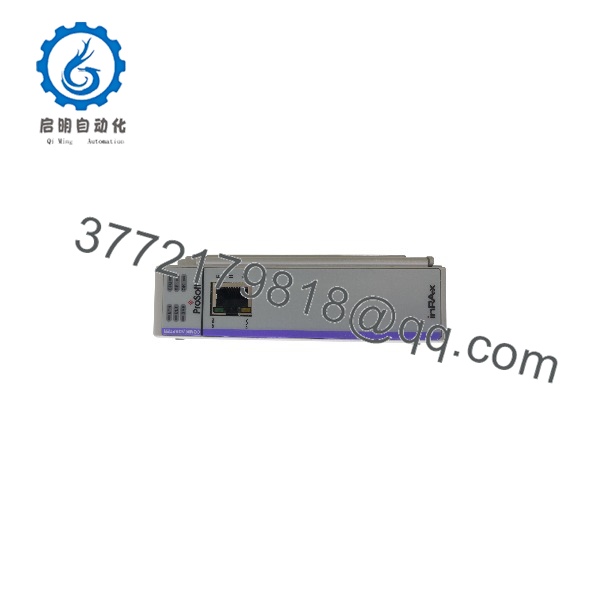
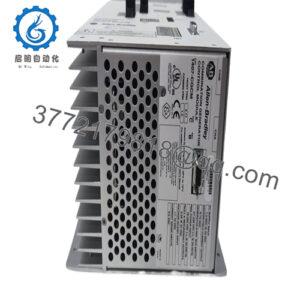
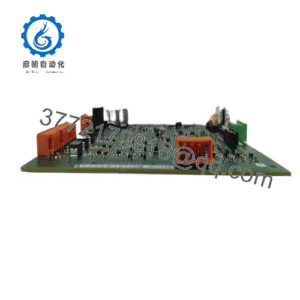
MVI69E-MBTCP
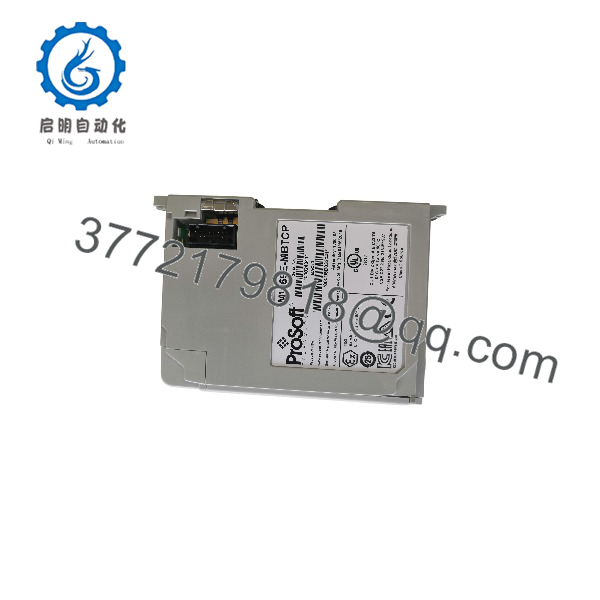
MVI69E-MBTCP
Troubleshooting Quick Reference
| Symptom | Possible Cause | Relevance to this Part | Quick Check Method | Recommendation |
|---|---|---|---|---|
| Module not recognized in Studio 5000 | Missing AOP/EDS file, wrong slot, or chassis configuration issue | ✅ High | Verify slot number, install the ProSoft AOP/EDS, and confirm the module appears in the I/O tree | Correct chassis configuration before replacing the MVI69E-MBTCP |
| No Ethernet link | Cable fault, switch port issue, or incorrect IP configuration | ✅ High | Check link/activity LEDs; verify IP address, subnet mask, and gateway; test with a known-good cable | Correct IP/network settings before replacing the module |
| Client cannot reach Modbus server | Wrong server IP, port, unit ID, or firewall/routing issue | ✅ High | Ping the server from the same network; verify Modbus TCP port 502, server IP, and unit ID | Correct client connection settings before replacing hardware |
| Server cannot be reached by SCADA | Server connection limit reached or incorrect client configuration | ✅ High | Review active connections and confirm the remote client’s IP, port, and unit ID | Reduce connections or correct client configuration |
| Data does not update in controller tags | AOI logic, I/O size mismatch, or incorrect register mapping | ✅ High | Verify AOI status, configured I/O size, register addresses, and ladder data-transfer logic | Correct AOI and register mapping before replacing the module |
| Invalid or shifted floating-point values | Mismatched floating-point word order or Enron/Daniel format | ✅ High | Compare raw register words with the expected value; verify floating-point format configuration | Set the correct floating-point implementation |
| Module loses configuration after power cycle | Configuration not downloaded or controller configuration tag issue | ✅ Medium | Confirm MBTCP.CONFIG tag exists and contains the downloaded configuration |
Re-download configuration using ProSoft Configuration Builder |
| Module overheats or faults | Excessive chassis load, blocked ventilation, or high ambient temperature | ✅ Medium | Measure chassis temperature and verify 500 mA at 5 V DC backplane load is included in the power budget | Improve cabinet cooling or redistribute chassis load |
❗ Do not assume the MVI69E-MBTCP has failed because a Modbus device stops responding. Wrong IP settings, incorrect unit ID, firewall rules, register-offset mismatches, or floating-point word-order differences cause most Modbus TCP faults.
If the fault remains after checking the AOP/EDS configuration, Ethernet settings, Modbus client/server configuration, register mapping, and AOI logic, contact technical support with photos of the module, Studio 5000 I/O tree, PCB configuration, and network diagnostic data.
Frequently Asked Questions
Can the MVI69E-MBTCP act as both Modbus client and server?
Yes. It can operate as a Modbus TCP/IP client, server, or both at the same time. It supports up to 20 client connections and up to 20 server connections simultaneously.
How many Modbus devices can it communicate with?
It supports up to 20 simultaneous client connections and up to 20 simultaneous server connections. Each client connection can contain up to 16 configurable Modbus commands.
Does it support floating-point data?
Yes. It supports floating-point data movement, including configurable Enron, Daniel, and other implementations. This is useful for flow meters, weighing systems, and other devices that use nonstandard floating-point word ordering.
Can I migrate from an MVI69-MNET without rewriting ladder logic?
Yes. Legacy Mode allows the MVI69E-MBTCP to replace an existing MVI69-MNET module without changes to existing ladder logic. It requires compatible firmware and ProSoft Configuration Builder version 4.4.24.20.0302 or later.
Does the Ethernet port support EtherNet/IP?
No. The single Ethernet port is for Modbus TCP/IP application data and module diagnostics/configuration. It is not an EtherNet/IP I/O communication port.
Can I hot-swap the MVI69E-MBTCP?
No. Although it is a 1769 module, removing it while active can interrupt Modbus TCP connections and processor I/O data exchange. Follow a controlled removal procedure, then verify the module status, configuration tag, and AOI status after reinstallation.
Why is New Surplus less expensive than factory-new stock?
New Surplus means genuine ProSoft inventory manufactured earlier but not installed or commissioned. We inspect, document, and functionally verify each unit before shipment. It is not used, repaired, or refurbished stock unless clearly stated on the product page.