WhatsApp: +86 16626708626
 Email:
 Phone: +86 16626708626
Description
Key Technical Specifications
| Parameter | Value |
|---|---|
| Model | MVI94-MCM-MHI |
| Manufacturer | ProSoft Technology |
| Compatible platform | Rockwell Automation FLEX I/O 1794 adapter/base |
| Function | Modbus RTU/ASCII master/slave interface between FLEX processor and serial devices |
| Chassis slots required | 1 FLEX I/O module slot |
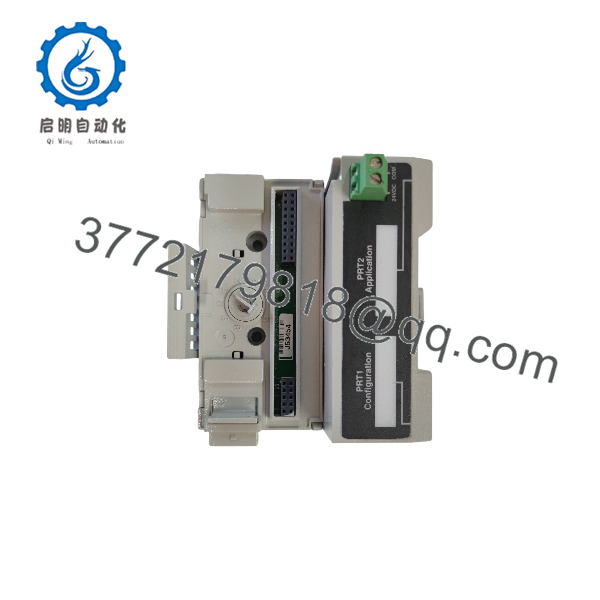
| Configuration/debug port | PRT1, Mini-DIN RS-232 with hardware handshaking |
| Application port | PRT2, Mini-DIN RS-232/422/485, jumper selectable |
| Port isolation | PRT2 provides 500 V optical isolation from the backplane |
| Serial protocols | Modbus RTU Master/Slave and Modbus ASCII Master/Slave |
| Modbus function codes | 1, 2, 3, 4, 5, 6, 15, and 16 |
| Baud rate | 110 baud to 115,200 baud |
| Data bits | 7 or 8 |
| Stop bits | 1 or 2 |
| Parity | None, even, or odd |
| Error checking | Modbus RTU: CRC-16; Modbus ASCII: LRC |
| Register capacity | Up to 5,000 user-mapped 16-bit registers |
| Master commands | Up to 100 commands per port |
| Floating-point support | Enron Modbus floating-point transactions |
| Backplane current load | 20 mA at 5 V DC |
| External power supply | 12 to 24 V DC, 340 to 170 mA |
| Operating temperature | 0 to +55°C |
| Storage temperature | −40 to +85°C |
| Relative humidity | 5% to 95%, non-condensing |
| Shock rating | 30 g operational; 50 g non-operational |
| Vibration rating | 5 g from 10 to 150 Hz |
| Dimensions with base | 94 × 94 × 69 mm |
| LED indicators | Module status, backplane transfer status, application status, and serial activity/error status |
The MHI suffix identifies a Mitsubishi Heavy Industries-specific variant of the MVI94-MCM. It retains the standard Modbus RTU/ASCII master/slave functionality while supporting the MHI-specific application requirement.
Product Introduction
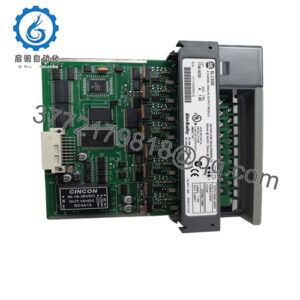
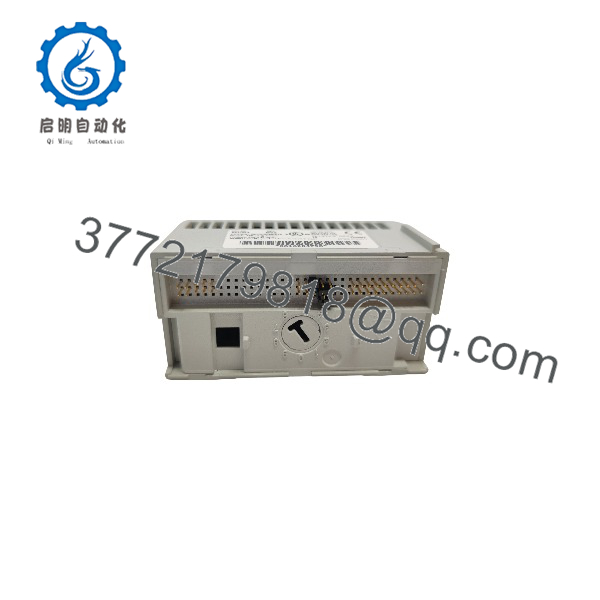
The ProSoft MVI94-MCM-MHI is a single-slot Modbus master/slave communication module for Rockwell Automation FLEX I/O 1794 systems. It lets a FLEX processor exchange data with Modbus RTU or ASCII instruments, drives, PLCs, and other serial devices through an isolated RS-232, RS-422, or RS-485 application port.
It supports up to 5,000 user-mapped registers, up to 100 master commands per port, and Enron floating-point transactions. The module operates asynchronously from the FLEX processor, so Modbus network activity does not block processor scanning.
MVI94-MCM-MHI
MVI94-MCM-MHI
Troubleshooting Quick Reference
| Symptom | Possible Cause | Relevance to this Part | Quick Check Method | Recommendation |
|---|---|---|---|---|
| Module status LED off | External 12–24 V DC supply loss, wiring fault, or module fault | ✅ High | Measure 12–24 V DC at the module power terminals; inspect FLEX base seating and fuses | Restore external supply or correct wiring before replacing the module |
| No Modbus communication | Wrong RS-232/422/485 jumper, wiring fault, or baud/parity mismatch | ✅ High | Check PRT2 jumper position, Mini-DIN cable pinout, baud rate, parity, data bits, and stop bits | Match port jumpers and serial settings to the field device |
| Master polls but device does not respond | Wrong slave address, function code, register address, or cable fault | ✅ High | Use a Modbus analyzer or serial sniffer; verify slave ID, function code, and starting address | Correct master command configuration before replacing hardware |
| Slave device cannot access data | Incorrect slave ID, register mapping, or write protection | ✅ High | Confirm slave ID, register offsets, and read/write permissions in the configuration file | Correct slave mapping and access settings |
| Data does not update in FLEX processor | Configuration file, I/O mapping, or ladder data-transfer issue | ✅ High | Verify module configuration, register mapping, and FLEX processor I/O data transfer | Correct configuration and ladder logic before replacing hardware |
| Invalid or shifted floating-point values | Enron floating-point format mismatch | ✅ Medium | Compare raw register words with the expected value; verify Enron floating-point configuration | Set the correct Enron floating-point format |
| Communication drops intermittently | RS-485 termination, shield/ground issue, or excessive polling load | ✅ Medium | Inspect RS-485 termination and shield grounding; review polling interval and command list | Correct bus termination and optimize polling configuration |
| Module overheats | Excessive ambient temperature, blocked ventilation, or excessive external load | ✅ Medium | Measure module and enclosure temperature; verify external power supply rating | Improve cooling or reduce load before replacing the module |
❗ Do not assume the MVI94-MCM-MHI has failed because a Modbus device stops responding. Wrong slave ID, incorrect register offset, reversed RS-485 wiring, or a bad Mini-DIN cable causes most serial communication faults.
If the fault remains after checking the external power supply, port jumpers, serial wiring, Modbus register mapping, and FLEX I/O configuration, contact technical support with photos of the module, jumper settings, configuration file, and FLEX processor diagnostics.
Frequently Asked Questions
Can the MVI94-MCM-MHI act as both Modbus master and slave?
Yes. The application port can be configured as a Modbus master or slave. A master port can issue up to 100 commands, while a slave port allows a remote Modbus master to access the module’s data.
Does it support Modbus TCP/IP?
No. The MVI94-MCM-MHI supports Modbus RTU and Modbus ASCII over its serial application port. It does not provide Modbus TCP/IP, EtherNet/IP, or PROFINET communication.
What is the difference between MVI94-MCM and MVI94-MCM-MHI?
The MHI suffix identifies a Mitsubishi Heavy Industries-specific variant. The base communication hardware and Modbus RTU/ASCII master/slave functionality are similar, but the MHI version is intended for MHI-specific application requirements. Verify the exact suffix and firmware before substitution.
How many Modbus registers can it handle?
It supports up to 5,000 user-mapped 16-bit registers for transfer between the FLEX processor and the Modbus network.
Does it require external power?
Yes. In addition to 20 mA at 5 V DC from the FLEX backplane, it requires an external 12–24 V DC supply drawing approximately 340 mA at 12 V DC or 170 mA at 24 V DC.
Can I hot-?
No. Removing it while active can interrupt Modbus communications and FLEX processor data exchange. Isolate the external supply and follow a controlled removal procedure, then verify module status and configuration after reinstallation.
Why is New Surplus less expensive than factory-new stock?
New Surplus means genuine ProSoft inventory manufactured earlier but not installed or commissioned. We inspect, document, and functionally verify each unit before shipment. It is not used, repaired, or refurbished stock unless clearly stated on the product page.