
 WhatsApp: +86 16626708626
 Email:
  Phone: +86 16626708626
Description
- Key Technical Specifications
| Parameter | Specification |
| Backplane Current Load | 800 mA @ 5 V DC |
| Operating Temperature | 0 to 60°C (32 to 140°F) |
| Storage Temperature | -40 to 85°C (-40 to 185°F) |
| Relative Humidity | 5 to 95% RH (non-condensing) |
| Communication Port | DB9 Female (Profibus DP RS-485 port) |
| Configuration Port | RJ45 RS-232 serial configuration port |
| Protocol Supported | Profibus DP V1 Master (Class 1 and Class 2) |
| Baud Rates | 9.6 kbps to 12 Mbps (auto-detect or user-configured) |
| Max Network Nodes | Up to 125 slave devices |
| Data Memory Buffer | 1536 bytes read data / 1536 bytes write data |
| Status LEDs | Module Status (OK), Bus Status (ERR), DB9 Comms (TX/RX) |
| Dimensions & Weight | Single Quantum slot width; 0.55 kg (1.2 lbs) |
- Product Introduction
The ProSoft PTQ-PDPMV1 is a single-slot Profibus DP Master communication module built specifically for Schneider Electric Quantum PLC backplanes. It allows Quantum processors to interface directly with up to 125 Profibus DP slave devices—such as variable frequency drives, motor management systems, and field I/O blocks—without requiring external protocol converters or third-party gateways.
This module acts as an internal backplane slave to the Quantum CPU while operating as a full-featured Class 1/Class 2 Profibus Master on the field network. By transferring up to 1536 bytes of input and output data directly across the backplane, it maintains deterministic control cycles even at maximum 12 Mbps fieldbus transmission rates. Plant engineers specify the PTQ-PDPMV1 when expanding legacy Quantum architectures into modern, distributed Profibus DP field networks.
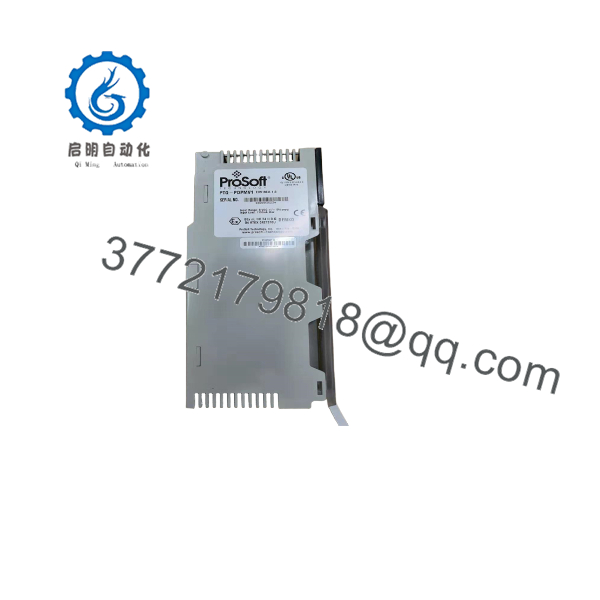
PTQ-PDPMV1
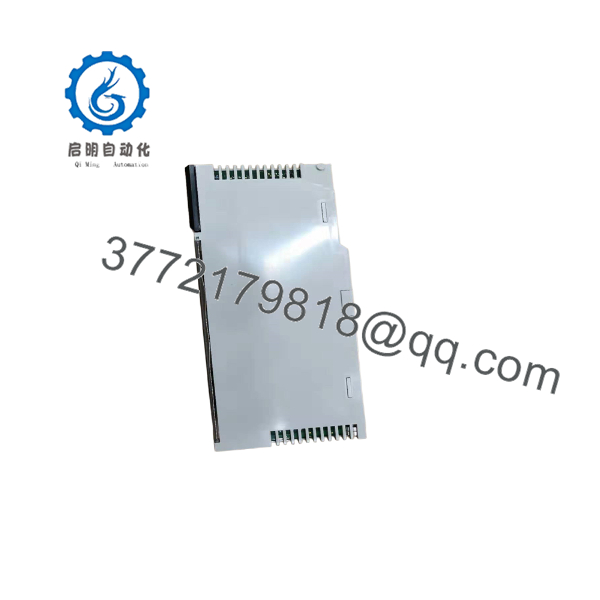
PTQ-PDPMV1
- Troubleshooting Quick Reference
| Symptom | Possible Cause | Relevance to this Part | Quick Check Method | Recommendation |
| Module OK LED OFF | Backplane power missing or internal hardware failure | ✅ High | Measure 5 V DC supply across Quantum backplane rails | Verify backplane PSU. If backplane voltage is normal, module internal fuse or power supply stage is dead. Replace module. |
| BUS ERR LED Solid Red | Bus fault, shorted line, or missing terminating resistor | ✅ High | Measure RS-485 line resistance between pins 3 and 8 with power isolated | Verify active termination resistors at both physical ends of the Profibus cable segment (should read ~110 Ω total line impedance). |
| COM LED flashing amber / timeout | Slave device address mismatch or physical wire swap | ❌ Low | Connect via serial RJ45 config port and run PCB diagnostics tool | Confirm slave addresses in ProSoft Configuration Builder match field device DIP switches. Swap A/B lines if polarity is flipped. |
| Configuration transfer fails | Wrong serial baud rate or bad cable pinout on config port | ❌ Low | Check serial cable wiring (null modem requirement) | Ensure RJ45-to-DB9 cable matches ProSoft pinout. Use default 115,200 baud setting in ProSoft software. |
- Frequently Asked Questions (FAQ)
Q: Is the PTQ-PDPMV1 hot-swappable in a running Quantum rack?
A: No, do not pull or insert this module while the backplane is powered. Swapping cards on an active Quantum rack risks arching the backplane connector pins and causing an immediate CPU halt or backplane latch-up. Always isolate power to the rack before physical installation or removal.
Q: Can I load the module configuration directly through the Quantum CPU via Unity Pro / Control Expert?
A: No. While the Quantum CPU handles cyclic I/O data transfer over the backplane, the PTQ-PDPMV1 network configuration (slave addresses, GSD files, bus speed) must be downloaded through the module’s dedicated RJ45 serial config port using ProSoft Configuration Builder (PCB) software.
Q: What is the primary cause of communication loss on initial commissioning?
A: Reversing the Profibus line polarity (A vs B lines) or leaving off the termination resistors. Profibus line A is negative (green wire) and line B is positive (red wire). Also ensure the DIP switches on your DB9 connectors have active termination turned ON at the two end nodes of the cable run and turned OFF for all intermediate nodes.
Q: How does this unit differ from older PTQ-PDP cards?
A: The PTQ-PDPMV1 adds full Profibus DP-V1 functionality, including acyclic messaging (Class 1 and Class 2). This allows you to read/write complex parameters, diagnostics, and HART field device data on the fly without stopping cyclic I/O scans.
Q: What condition is this unit in, and how do I know it works?
A: We supply this module as New Surplus / Factory Sealed or fully tested Refurbished stock. Every unit undergoes live backplane testing on a genuine Quantum rack, complete with 12 Mbps Profibus load simulations and a 500V Megger insulation check before entering inventory. A formal test report is shipped in the box with your module.



