
 WhatsApp: +86 16626708626
 Email:
  Phone: +86 16626708626
Description
3. Key Technical Specifications
| Parameter | Value |
|---|---|
| Part Number | 9460/12-08-11 |
| Manufacturer | R. STAHL |
| Series | IS1 Remote I/O |
| Module Type | Analog Input Module (AIM08) |
| Number of Channels | 8 |
| Input Type | Ex i, for 2-wire transmitters |
| Max. Output Voltage (Uo) | 26.2 V |
| Max. Output Current (Io) | 86 mA |
| Max. Output Power (Po) | 561 mW |
| Application Zones | 1, 2, 21, 22 |
| Ex Interface Zones | 0, 1, 2, 20, 21, 22 |
| Gas Explosion Protection | II 2 (1) G Ex ib [ia Ga] IIC T4 Gb |
| Dust Explosion Protection | II (1) D [Ex ia Da] IIIC |
| Ambient Temperature | –20 °C to +65 °C |
| Installation | Class I Div 1/2 & Class II/III Div 1/2 (NEC 500) |
| Compatible CPU | 9440 series (e.g., 9440/15-01-11) |
| Net Weight | approx. 0.321 kg |
4. Product Introduction
The R. STAHL 9460/12-08-11 is an 8-channel analog input module from the IS1 Remote I/O family. It is designed for intrinsically safe connection of 2-wire transmitters in hazardous areas (Zones 1, 2, 21, 22).
This module sits on the BusRail together with a 9440-series CPU & Power Module and converts the field analog signals into digital data for the control system. It provides the necessary Ex i barriers so that field devices in Zone 0 can be connected safely.
Engineers use this module when they need compact, certified analog inputs for pressure, temperature, level, or flow transmitters in process plants, without running long intrinsically safe cable runs back to the control room.
5. Troubleshooting Quick Reference
| Symptom | Possible Cause | Relevance to this Part | Quick Check Method | Recommendation |
|---|---|---|---|---|
| Channel shows open circuit | Broken field wire or transmitter failure | ✅ High | Measure loop resistance / current at terminal X1 | Repair field wiring or replace transmitter |
| Channel shows short circuit | Shorted cable or transmitter fault | ✅ High | Disconnect field wires and re-check | Isolate and repair short |
| No data from any channel | Module not recognized by CPU | ✅ High | Verify BusRail seating and CPU status LEDs | Reseat module; check CPU configuration |
| Incorrect reading / offset | Wrong transmitter type or scaling | ✅ Medium | Confirm 2-wire vs 4-wire configuration and range | Correct configuration parameters |
| Module LED indicates fault | Internal module fault or power issue | ✅ High | Check supply from CPU module and ambient temperature | Replace module if fault persists after power cycle |
| HART communication missing | HART not enabled or wrong module variant | ✅ Medium | Confirm module type and host HART mapping | Use correct HART-capable variant if required |
If problems remain after these checks, record the exact LED status, channel numbers affected, field device type, and photos of the terminal wiring before contacting support.
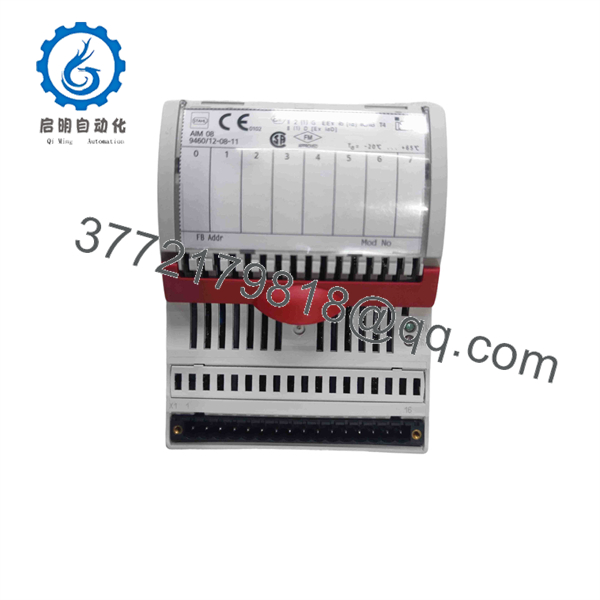
9460/12-08-11
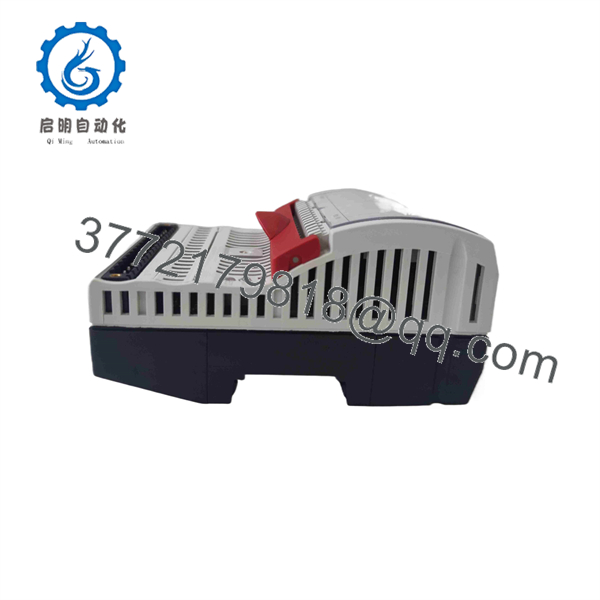
9460/12-08-11
6. Frequently Asked Questions (FAQ)
Q: What type of transmitters does the 9460/12-08-11 support?
It is designed for 2-wire transmitters. For 4-wire transmitters a different variant (e.g., 9461 series) is normally required.
Q: Can this module be installed in Zone 1?
Yes. It is certified for Zones 1, 2, 21 and 22, and the field circuits can extend into Zone 0.
Q: Does it support HART?
This specific 9460/12-08-11 is the standard analog input version. HART-capable versions exist in the 9461 series. Confirm the exact requirement before ordering.
Q: Is the module hot-swappable?
Hot-swap capability depends on the overall IS1 station configuration and the CPU/socket used. In many Zone 1 installations hot-swap is supported when the correct socket is used.
Q: How many of these modules can one CPU support?
A single 9440-series CPU can typically support up to 16 I/O modules in total (mixed types), subject to power budget.
Q: What is the difference between 9460/12-08-11 and 9461/12-08-11?
9460 is the standard 8-channel analog input for 2-wire transmitters. 9461 is the HART version of the same form factor.
Q: What should I document before replacing a failed module?
Note the exact channel assignments, transmitter types and ranges, any configuration parameters, and take clear photos of the field wiring on terminal X1. This prevents most post-replacement scaling or wiring errors.



