
 WhatsApp: +86 16626708626
 Email:
  Phone: +86 16626708626
Description
Key Technical Specifications
| Parameter | Value |
|---|---|
| Manufacturer | Radisys |
| Model | EXP-MX200 |
| Product Family | EXP-MX |
| Product Type | VMEbus mass storage module |
| Mechanical Format | 6U VME |
| Hard Disk Interface | IDE |
| Hard Disk Capacity | 235 MB |
| Floppy Drive | 3.5-inch floppy drive |
| VMEbus Slots | 3 slots when configured as documented |
| Compatible System Context | Radisys EPC-5A and related VME-based systems |
| Hard Disk Spare Part | Radisys P/N 85-0041 |
| Lifecycle Consideration | Legacy / obsolete technology |
The Radisys documentation lists the EXP-MX200 as a three-slot VMEbus module in the EPC-5A subsystem configuration. The associated MX200/MX200A drive configuration is specified as 723 cylinders, 13 heads, 51 sectors, and 235 MB capacity.
The original spare-parts documentation identifies 85-0041 as the 200 MB IDE hard disk used with the EXP-MX200 and EXP-MX200A.
Product Introduction & Supply Chain Strategy
The Radisys EXP-MX200 is a legacy VMEbus mass-storage module used in Radisys embedded computer systems. It combines a floppy drive with an IDE hard disk and provides approximately 235 MB of configured disk capacity. Its documented application includes EPC-5A VME-based systems.
For maintenance teams supporting legacy VME equipment, New Surplus inventory is strategically useful because the storage technology itself is obsolete. Holding one complete EXP-MX200 as buffer stock can reduce exposure to long sourcing cycles and unexpected system downtime. Before procurement, verify the installed system, disk configuration, and BIOS parameters against the replacement unit.
Installation & Configuration Guide
Stage 1: Pre-Installation — Preparation & Safety
- Follow the plant’s lock-out/tag-out (LOTO) procedure before removing the module.
- Shut down the host VME system and remove power from the chassis.
- Wear a grounded ESD wrist strap when handling the EXP-MX200.
- Photograph the existing module, cable routing, drive connections, and chassis position.
- Record the existing disk configuration and BIOS settings before replacement.
- Confirm that the replacement is the same configuration rather than an MX100, MX500, or later variant.
Stage 2: Removal
- Verify that the VME chassis is fully de-energized.
- Release the module’s retaining hardware.
- Pull the board/module straight outward using the designated ejector handles.
- Do not twist the assembly while extracting it.
- Avoid contact with VME backplane pins and connector contacts.
- Place the removed module in an ESD-safe package for diagnosis or archival storage.
Stage 3: Installation — Clone & Seat
- Inspect the replacement module for bent connector contacts or shipping damage.
- Confirm the hard-disk and floppy-drive configuration.
- If configuration jumpers or drive-selection settings are present, reproduce the original configuration exactly.
- Align the module with the correct VME card guides.
- Push the module straight into the backplane.
- Use the ejector mechanism to seat the module fully.
- Secure the retaining hardware without excessive torque.
- Verify that no cable is trapped against the chassis or adjacent boards.
Stage 4: Power-On & Testing
- Inspect the chassis for loose hardware before energizing it.
- Power the VME system and monitor the supply rails.
- Observe the module and host-system startup sequence.
- Enter the system BIOS if required and verify the disk definition.
- The EXP-MX documentation specifies that the EXP-MX series uses an AT drive definition for drive C:.
- For an /MX200A configuration, verify the expected 235 MB disk parameters if manual BIOS entry is required.
- Confirm that the operating system recognizes the disk.
- Test floppy-drive access if the application requires it.
- Verify application startup and any stored control-system files before returning the equipment to service.
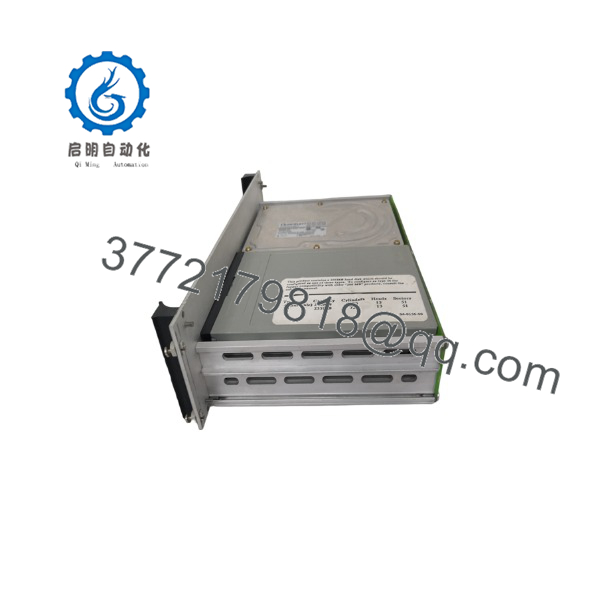
EXP-MX200
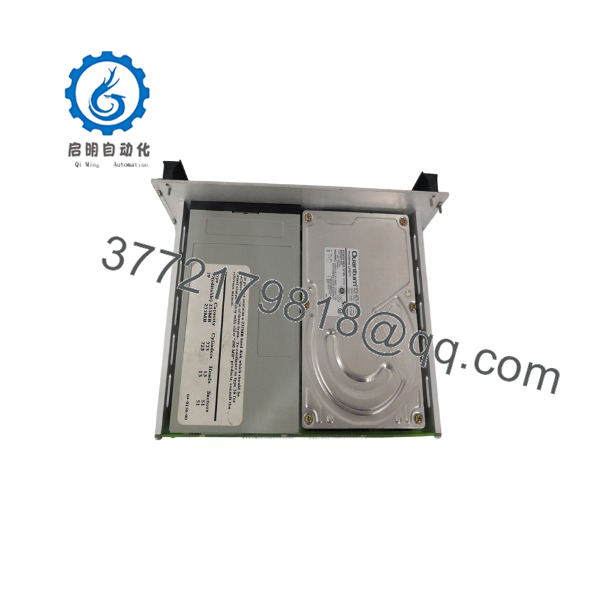
EXP-MX200
Firmware/Software Versions & Upgrade Notes
- Firmware: No spec firmware revision is established by the available documentation.
- BIOS: The storage subsystem depends on the host system’s BIOS disk configuration. The documentation specifies AT for the EXP-MX series.
- geometry: 723 cylinders, 13 heads, 51 sectors, approximately 235 MB.
- Manual drive configuration: If the required drive type does not appear in the BIOS list, the documentation states that user-defined BIOS types such as types 48 and 49 may be available.
- Upgrade warning: Do not change BIOS disk geometry or replace the original storage medium with a different drive type simply because it has a larger capacity. Legacy operating systems may depend on the original geometry and disk layout.
- Data retention: Before replacin, make a verified backup or sector-level image of the existing disk whenever the operating system and application permit it.
For this legacy platform, configuration compatibility matters more than nominal disk capacity. A replacement that physically fits but changes the expected BIOS geometry or software environment can prevent the host system from booting.
Frequently Asked Questions (FAQ)
Is a controller or a storage module?
It is a mass-storage module, not a conventional PLC I/O controller. Radisys documentation describes the EXP-MX family as VME-based mass-storage hardware, with using an IDE hard disk and floppy drive.
What is the disk capacity of?
The documented /MX200A configuration provides approximately 235 MB of disk capacity. The documented geometry is 723 cylinders, 13 heads, and 51 sectors.
Is still a current product?
It is a legacy technology. Current commercial listings describe as a Radisys product, while technical documentation identifies its obsolete IDE/floppy storage architecture. For plants still operating compatible VME systems, planned buffer stock is advisable.
Can I substitute an EXP-MX500 fo?
Do not assume direct interchangeability. The EXP-MX family contains different storage capacities and configurations. The uses a documented 235 MB configuration, while the MX500 uses a different drive configuration. Verify the host BIOS, operating system, physical configuration, and application requirements before approving a substitute.
Does replacing the module erase the application?
The risk depends on whether the application and operating-system files reside on the installed hard disk. Before replacement, back up or image the existing disk whenever practical. Do not assume that installing a physically identical module automatically transfers the original application environment.
Can be hot-swapped?
Do not treat it as a hot-swappable module. The available documentation does not establish hot-swap operation for. Power down the VME system and follow the host chassis manufacturer’s removal procedure unless your specific system documentation explicitly permits live replacement.
What should I stock for a le system?
For a production-critical VME system, I would normally classify the comp as a critical slow-moving spare. A practical starting point is Min 1 / Max 1 complete unit per critical system, with additional buffer stock where a single storage-module failure can stop production and replacement lead time is uncertain. The objective is not to accumulate obsolete hardware; it is to cover lead time variability and avoid an EOL-related stock-out.



