
 WhatsApp: +86 16626708626
 Email:
  Phone: +86 16626708626
Description
Key Technical Specifications
| Parameter | Value |
| Manufacturer | Reliance Electric / Rockwell Automation |
| Part Number | 57C416 |
| System Architecture | AutoMax DCS / Programmable Controller System |
| Module Type | Remote I/O Head / Communications Processor |
| Network Interface | R-Net / Remote I/O Dual Coaxial Channels |
| Backplane Current Draw | 5 VDC @ 1.2 A (Powered via AutoMax Power Supply) |
| Form Factor | Single-Slot AutoMax Rack Module |
| Operating Temperature | 0°C to 60°C (32°F to 140°F) |
| Indicators | Diagnostic Status LEDs (READY, OK, NET ERR) |
| Condition | New Surplus (Unused Original OEM Factory Stock) |
Product Introduction & Supply Chain Strategy
The Reliance Electric 57C416 is a Remote I/O processor module designed for the Reliance AutoMax distributed control platform. It manages deterministic communications between remote I/O expansion racks and central AutoMax processor modules, passing real-time sensor, actuator, and drive data across co-axial R-Net network drops.
Maintaining the 57C416 as New Surplus is a vital risk-mitigation strategy for steel mills, paper processing plants, and web handling facilities running legacy AutoMax control systems. Because Rockwell Automation discontinued the AutoMax platform, acquiring an unused, factory-fresh 57C416 prevents catastrophic plant downtime without forcing a multi-million-dollar control system migration. Stocking genuine New Surplus parts avoids the severe risks of aged, heat-stressed capacitors found in second-hand cards, protecting Total Cost of Ownership (TCO).
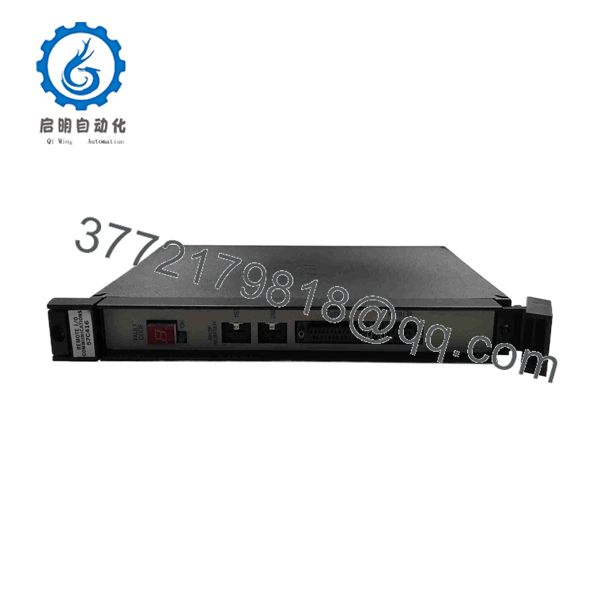
57C416
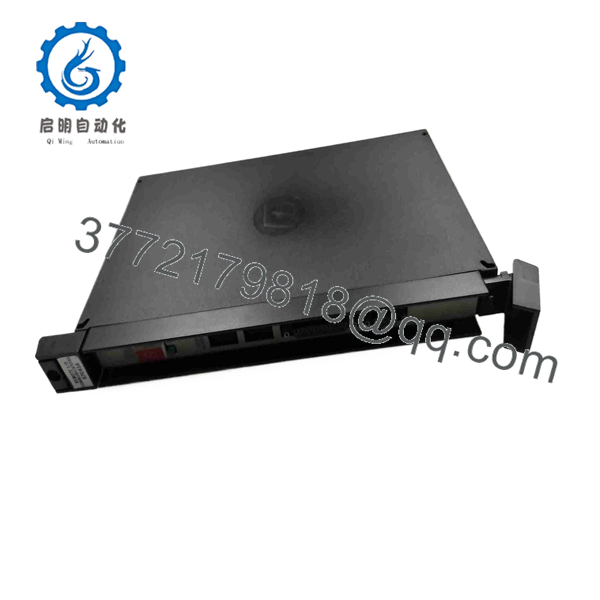
57C416
Installation & Configuration Guide
1.Pre-Installation (Prep & Safety):LOTO, system documentation, and ESD protection.
Isolate main power to the AutoMax rack chassis and execute lock-out/tag-out (LOTO) procedures. Put on a grounded ESD wrist strap prior to handling the module. Document all coaxial cable connections, network drop addresses (set via DIP switches or rotary dials), and rack slot locations for the failing module.
2.Removal:Disconnecting cables and rack extraction.
Disconnect the coaxial network cables from the front panel BNC connectors. Loosen the top and bottom card cage thumb screws holding the module in the AutoMax chassis. Carefully pull the card ejector handles outward to disengage the rear edge connector, then slide the card straight out along the rack guide rails.
3.Installation (Clone & Seat):Setting addresses and seating the module.
Inspect the gold backplane edge connectors on the new 57C416 module for zero oxidation or physical damage. Set the network drop address switches on the new board to match the original unit exactly. Slide the module into the target AutoMax rack slot and push firmly until the ejectors lock and rear connectors fully seat. Tighten top and bottom mounting screws.
4.Power-On & Testing:Coax connection and communication verification.
Reconnect the BNC coaxial network cables, ensuring tight bayonet latching. Re-energize the AutoMax power supply. Observe front panel diagnostic LEDs: confirm the READY/OK LED turns solid green and the network error LED remains off. Verify in AutoMax Programming Executive software that all remote I/O drops report online status and normal I/O scan updates.
Firmware/Software Versions & Upgrade Notes
- Software Compatibility: Compatible with Reliance AutoMax Executive Software (Version 3.0 and higher) and standard AutoMax I/O mapping routines.
- Network Termination: Ensure proper 75-ohm BNC network terminators are installed at the physical end nodes of the R-Net coaxial trunk line. Missing or damaged terminators will cause signal reflection and drop communications across the entire 57C416 link.
- Compatibility Caution: Never pull or insert the 57C416 card while the AutoMax chassis power supply is turned on. Live insertion into an active AutoMax backplane can cause electrical transients that ruin the backplane bus controller or corrupt CPU memory.
Frequently Asked Questions (FAQ)
This product is a Brand New Surplus unit. It is not used, not pulled from a decommissioned plant, and not refurbished. All modules undergo rigorous quality verification to ensure OEM-level reliability.
Why choose New Surplus over refurbished AutoMax modules?
AutoMax racks operate under continuous thermal and electrical load in heavy industrial environments. Refurbished or pulled cards frequently suffer from dried-out electrolytic capacitors, degraded bus transceiver chips, or worn backplane contacts that lead to intermittent network dropouts. Purchasing New Surplus guarantees factory-fresh component lifespans, pristine gold edge connectors, and uncompromised reliability.
How do you verify the condition of the Reliance 57C416?
Our technical team performs strict inbound quality control. We verify zero insertion wear on the rear edge connector contacts, check for pristine solder joints across all ICs, confirm clean faceplate plastics and labels, and keep units stored in anti-static, climate-controlled packaging.
What function does the 57C416 serve in an AutoMax system?
The 57C416 serves as the remote head or processor interface for an AutoMax expansion rack. It gathers input data from local I/O modules and transmits it back to the central master rack over coaxial R-Net cables, while receiving output commands to drive field actuators.
Is the 57C416 still supported by the original manufacturer?
No. The Reliance AutoMax product family has reached End-of-Life (EOL) status from Rockwell Automation/Reliance. New Surplus inventory is the primary source for genuine, unused replacement parts to keep operational lines running.
What warranty coverage comes with this module?
We back this New Surplus Reliance Electric 57C416 with a comprehensive 1-year replacement warranty. If any functional or electrical defect arises under standard operating conditions within 12 months, we replace the unit directly from our stock.



