
 WhatsApp: +86 16626708626
 Email:
  Phone: +86 16626708626
Description
3. Key Technical Specifications
| Parameter | Value / Description |
|---|---|
| Manufacturer | Reliance Electric (AutoMax) |
| Part Number | 57C554 / 0-57554 |
| Product Type | Shark Remote I/O Interface / Communications Module |
| System Compatibility | AutoMax PLC with Shark remote racks |
| Function | Interfaces Shark remote rack to AutoMax Remote I/O Network |
| Mounting | Shark remote card rack (typically first slot right of power supply) |
| Power | Logic power from rack (+5 VDC); network power separate |
| Indicators | CPU OK and COM OK LEDs |
| Configuration | Drop Number dial |
| Network Connection | Male RJ-style network connector |
| Manual Reference | J-3606 (or equivalent AutoMax documentation) |
| Status | Discontinued by manufacturer |
Exact firmware revision, network drop addressing, and backplane compatibility must be verified against the existing AutoMax system and the module nameplate.
4. Product Introduction
The Reliance Electric 57C554 is a Shark Interface Module used in AutoMax PLC systems. It provides the communication link between a Shark remote I/O rack and the AutoMax Remote I/O Network.
The module installs in the Shark remote rack (commonly in the slot immediately adjacent to the power supply) and uses an on-board microprocessor for buffering and timing functions. Status is indicated by CPU OK and COM OK LEDs, and the drop number is set via a rotary dial. It is a legacy component essential for maintaining existing AutoMax distributed I/O installations.
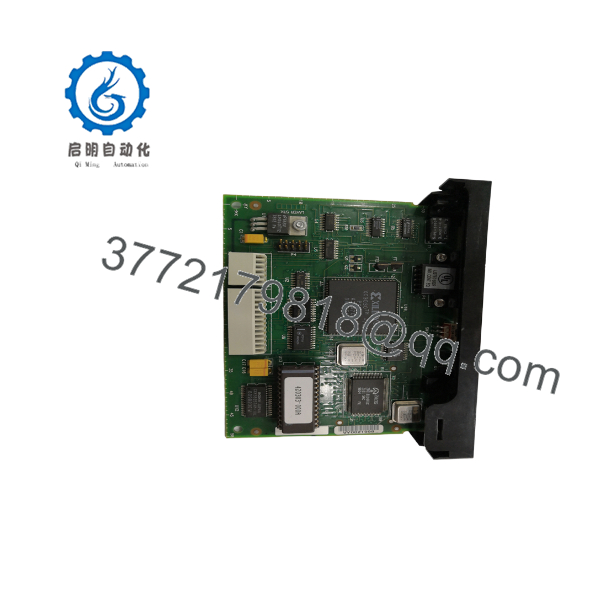
57C554
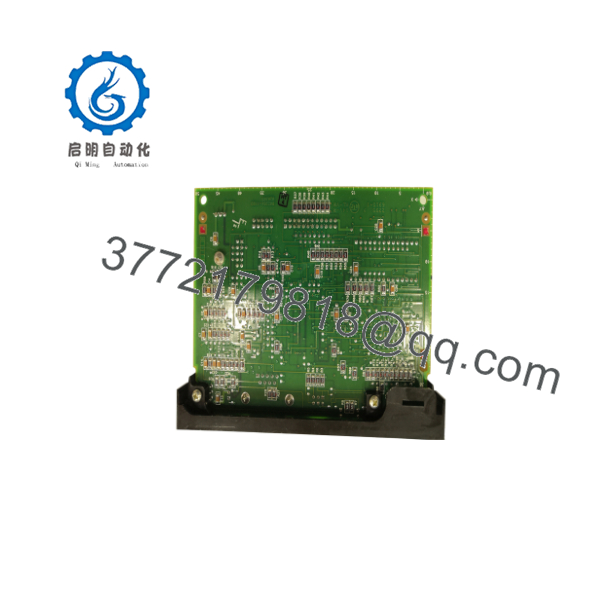
57C554
5. Installation & Configuration Guide
Stage 1: Pre-Installation Preparation (≈10–15 min) ⚠️ Safety First: Isolate power to the Shark remote rack and the AutoMax network. Apply lock-out/tag-out. Confirm the system is in a safe state. Tools Required: ESD wrist strap, appropriate screwdriver or extractor, camera. Documentation: Photograph the existing module, drop number setting, cable connections, and rack slot location. Note the AutoMax system configuration.
Stage 2: Removing the Old Module (≈5–10 min)
- Verify zero power on the rack.
- Disconnect the network cable.
- Release any retaining hardware and carefully withdraw the module from the backplane.
- Inspect the backplane connectors for damage or contamination. ⚠️ Store the original module in anti-static packaging until the replacement is proven.
Stage 3: Installing the New Module (≈10 min)
- Confirm the incoming 57C554 matches the required configuration.
- Set the Drop Number dial to the same address as the removed module.
- Align the module with the rack guides and seat it firmly into the backplane.
- Secure any retaining hardware.
- Reconnect the network cable. Self-Checklist: [ ] Drop number matches [ ] Fully seated [ ] Network cable locked [ ] No bent pins.
Stage 4: Power-On & Testing (≈15–30 min) Pre-Power Check: Visual inspection of seating and cabling. Power-On Steps:
- Restore power to the Shark rack.
- Verify CPU OK and COM OK LEDs illuminate as expected.
- Confirm the AutoMax processor recognizes the remote drop without new faults.
- Test a sample of I/O points on the remote rack.
- Monitor for stable network communication. ⚠️ Troubleshooting Note: Incorrect drop number, poor backplane seating, or network cable issues are the most common causes of communication failure after replacement.
6. Frequently Asked Questions (FAQ)
Q: Can the 57C554 be hot-swapped under power? No. Always remove power from the Shark rack before installing or removing the module to avoid damage to the backplane or the module itself.
Q: Is this module still in production? No. The AutoMax Shark series is discontinued. Available units are new surplus or carefully tested secondary-market modules.
Q: What is the difference between 57C554 and 0-57554? They refer to the same functional module. 0-57554 is an alternate or earlier numbering format used by Reliance.
Q: Where exactly does it install in the rack? It typically occupies the first slot to the right of the power supply in a Shark remote card rack. Always verify against the original installation and system drawings.
Q: Will I need to reconfigure the AutoMax processor? If the drop number is set identically and the network topology is unchanged, the processor should recognize the drop without major reconfiguration. However, always verify I/O mapping and communication status after replacement.
Q: Why is the price lower than current remote I/O modules? This is a legacy part sold on the secondary market. Pricing reflects condition, testing, residual demand, and the fact that it is no longer a current-production item.
Q: What should I verify before installation? Confirm the part number, set the correct drop number, inspect the backplane connectors, and ensure the network cable is in good condition. After power-up, verify both status LEDs and successful communication with the AutoMax processor.



