
 WhatsApp: +86 16626708626
 Email:
  Phone: +86 16626708626
Description
Key Technical Specifications
| Parameter | Value |
| Manufacturer | Bosch Rexroth |
| Type Code | CSH01.3C-ET-ENS-NNN-CCD-NN-S-NN-FW |
| Design / Line | Advanced Single-Axis Control Section (Design 3, Configurable) |
| Master Communication (Option 1) | ET: Multi-Ethernet (EtherNet/IP, PROFINET, EtherCAT, Sercos III) |
| Encoder Interface (Option 2) | ENS: IndraDyn / Hiperface / 1Vpp / EnDat 2.1 |
| Option 3 Interface | NNN: None |
| Cross-Communication (Option 4) | CCD: Cross Communication Drive (Sercos III master/slave) |
| Safety Option | S: Safe Motion / Safe Torque Off (STO) |
| Firmware Requirement | FW: Ordered separately (Flash card bootable) |
| Control Voltage Supply | 24 VDC (±20%) via IndraDrive power section backplane |
Product Introduction & Supply Chain Strategy
The Bosch Rexroth CSH01.3C-ET-ENS-NNN-CCD-NN-S-NN-FW is a high-performance, configurable drive control section designed for IndraDrive HCS and HMV power units. Equipped with Multi-Ethernet capability, an ENS encoder interface, and Cross-Communication Drive (CCD) features, it provides high-speed axis synchronization and real-time positioning across modern automated production lines.
Sourcing this control card as New Surplus provides a direct solution to minimize your Total Cost of Ownership (TCO) while bypassing extensive OEM delivery wait times. This product is a Brand New Surplus unit. It is not used, not pulled from a decommissioned plant, and not refurbished. All modules undergo rigorous quality verification to ensure OEM-level reliability. Stocking 1–2 units in your facility’s safety buffer protects critical servo drives against prolonged downtime caused by control board failures.
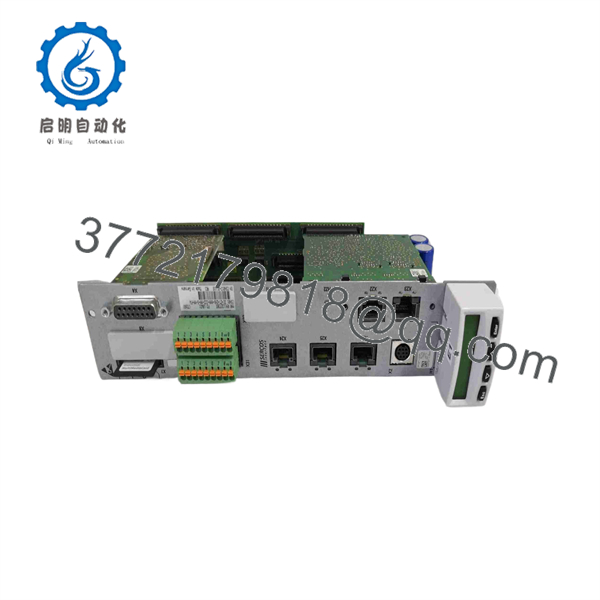
CSH01.3C-ET-ENS-NNN-CCD-NN-S-NN-FW
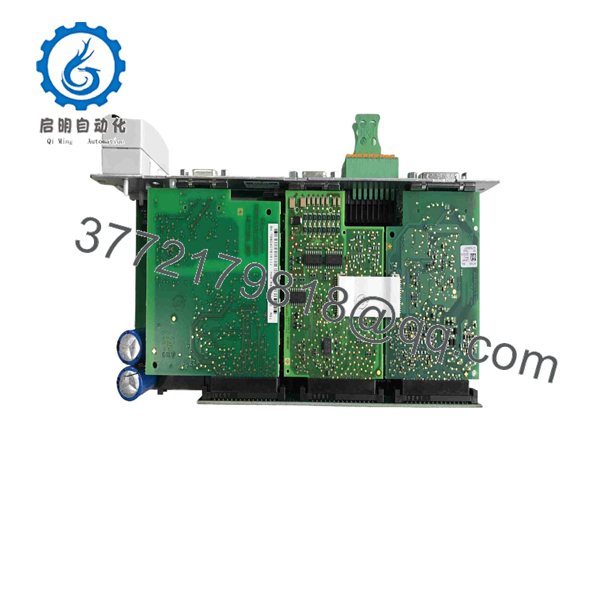
CSH01.3C-ET-ENS-NNN-CCD-NN-S-NN-FW
Installation & Configuration Guide
1.Stage 1: Pre-Installation (Prep & Safety):Prerequisite & LOTO.
Execute Lock-Out/Tag-Out (LOTO) on the main power feed supplying the IndraDrive power section. Wait at least 5–10 minutes for DC bus capacitors to fully discharge. Wear a grounded ESD wrist strap, remove the existing control section firmware microSD/MMC card, and record all fieldbus network addresses.
Verification: Confirm zero VDC across the DC bus power terminals (+300V / -300V) using a calibrated digital multimeter.
2.Stage 2: Removal:3 min.
Unplug all Ethernet, encoder, and I/O terminal connectors from the CSH01 front panel. Loosen the top and bottom mounting retention screws, then carefully pull the control section straight forward out from the power module slot.
Verification: Inspect the rear backplane plug-in connector for bent contacts, thermal discoloration, or debris.
3.Stage 3: Installation (Clone & Seat):5 min.
Insert the original firmware memory card into the memory card slot of the new CSH01.3C module. Align the control board with the power section guide slots, slide it in firmly until the backplane connects securely, and tighten the retaining screws. Re-attach all front-panel network and encoder connectors.
Verification: Verify that the front panel retaining screws are completely tightened to establish frame ground continuity.
4.Stage 4: Power-On & Testing:Commissioning.
Re-apply 24 VDC control power. Observe the single-digit LED diagnostic display on the front panel during system boot up as the firmware parameter profile loads.
Verification: Confirm the diagnostic display transitions from initialization codes to bb (AFE/Drive ready for power) or Phase 4 (Operational State) without triggering error codes (e.g., F-series fault messages).
Firmware/Software Versions & Upgrade Notes
- Firmware Delivery: The CSH01.3C control section requires drive firmware (FWA-INDRV*-MP*-…-FW) loaded on a removable flash memory card.
- Compatibility Constraints: Ensure the firmware revision stored on your memory card supports the specific hardware options defined in this unit’s type code (ET Multi-Ethernet and ENS encoder board).
- Upgrade/Downgrade Warning: Swapping control hardware without transferring the original memory card will prevent drive boot-up and cause firmware mismatch alarms. Always archive parameter files using Rexroth IndraWorks DS software prior to commissioning hardware replacements.
Frequently Asked Questions (FAQ)
Is this Rexroth CSH01.3C unit brand new or refurbished?
This product is a Brand New Surplus unit. It is not used, not pulled from a decommissioned plant, and not refurbished. All modules undergo rigorous quality verification to ensure OEM-level reliability. It is delivered in factory anti-static packaging.
Why is buying New Surplus preferable to a refurbished control board?
Refurbished drive control cards often have thermal stress damage on processing microchips and degraded internal surface-mount components due to high operating enclosure temperatures. A failure on a refurbished drive board can cause erratic motor behavior or immediate axis faulting. New Surplus ensures full operational lifespan and factory-fresh component integrity.
How is the module inspected prior to shipment?
Every .3C module undergoes our standard quality verification protocol. This includes visual backplane pin audits, anti-counterfeit serial verification, ESD-safe handling checks, and secure packaging preparation.
Does this control section include the firmware memory card?
No, the “-FW” designation indicates that firmware is ordered or supplied separately. You can transfer the existing firmware card from your failed CSH module directly into this new unit to retain all drive parameters and network settings.
What warranty coverage applies to this item?
We support this New Surplus Rexroth .3C control section with a full 1-year replacement warranty, giving you complete peace of mind and rapid fulfillment.



