
 WhatsApp: +86 16626708626
 Email:
  Phone: +86 16626708626
Description
Key Technical Specifications
- Part Number: E204460
- System Application: Marine Thruster & Propulsion Control
- Supply Voltage: 24 V DC
- Communication Interface: Proprietary Marine Bus / Analog Output
- Ingress Protection: IP56 (Front Face)
- Operating Temperature: −15 to +55 °C
- Storage Temperature: −25 to +70 °C
- Vibration Resistance: Certified to DNV/GL Marine standards
- Weight: Approx. 1.2 kg
Product Introduction
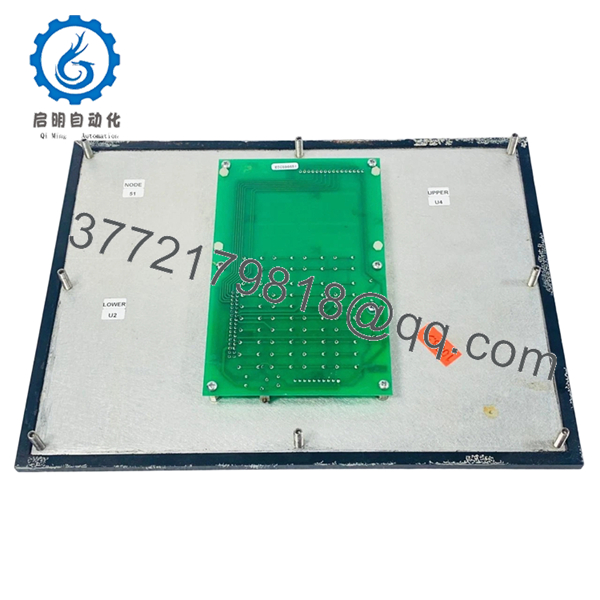
The Rolls-Royce EDC596651 (Part No. E204460) is a high-precision control panel and electronic interface module engineered for marine propulsion systems. Specifically designed for thruster management, this unit serves as the critical link between the bridge command levers and the underwater propulsion hardware. It facilitates real-time signal conversion and monitoring to ensure responsive and reliable vessel maneuvering.
Built to withstand the harsh conditions of the engine room and bridge environments, the EDC596651 features a ruggedized architecture that resists salt-mist, high humidity, and constant vibration. This module is essential for maintaining the operational readiness of Rolls-Royce/Kongsberg marine automation suites, providing consistent performance where system failure is not an option.
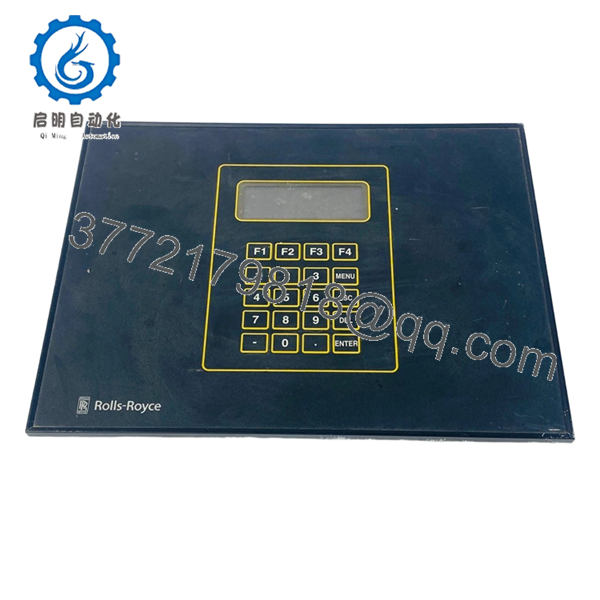
- EDC596651

- EDC596651
Installation & Configuration Guide
Stage 1: Pre-Installation Preparation
- ⚠️ Safety First: Isolate the propulsion control power supply. Ensure the vessel is safely moored or in a “Dynamic Positioning” standby mode if applicable. Notify the engine room and bridge officers before initiating the swap.
- Tools Required: ESD wrist strap, small flat-head screwdriver (for terminal blocks), M4 hex key.
- Data Backup: Document the existing module’s DIP switch positions and any localized calibration values stored in the system’s central controller.
Stage 2: Removing the Old Module
- Verify the ESD strap is properly grounded to the console chassis.
- Unplug the multi-pin wiring harnesses. Label all connectors according to their terminal designations to prevent phase or signal errors.
- Remove the mounting screws securing the EDC596651 to the panel or DIN rail.
- Extract the unit straight out to avoid damaging the rear pins or neighboring components.
Stage 3: Installing the New Module
- Configuration Clone: Mirror the DIP switch and jumper settings from the old EDC596651. These settings define the node ID and signal protocol; a mismatch will prevent the system from recognizing the new unit.
- Position the new module in the mounting slot and secure with the original hardware.
- Reconnect the wiring harnesses, ensuring the locking mechanisms click into place.
- Self-Checklist: [ ] DIP switches mirrored, [ ] Terminals seated, [ ] Grounds connected.
Stage 4: Power-On & Testing
- Apply 24 V power to the control rack.
- Check the status LEDs on the EDC596651. A green “Power” LED and a flashing “Status/Comm” LED generally indicate healthy operation.
- Perform a static thruster test (zero thrust) to verify that the feedback signals match the command inputs.
- Check for any “General Alarm” triggers on the main automation system.
- ⚠️ Troubleshooting Note: If the “Fault” LED illuminates, verify the supply voltage is exactly 24 V DC (+/- 10%) and check for communication bus termination issues.
Frequently Asked Questions (FAQ)
Is the EDC596651 hot-swappable? Absolutely not. You must kill the 24 V supply before disconnecting the module. Swapping it while live can cause voltage spikes that may damage the communication transceivers on the backplane or neighboring modules.
How do I know if the “E204460” part number is the same as the EDC596651? EDC596651 is the model designation, while E204460 is the specific Rolls-Royce inventory part number. They refer to the same physical hardware. Always check the revision number printed on the sticker to ensure it meets your system’s minimum requirements.
Will I need to re-program the thruster logic after replacing this panel? The core logic usually resides in the central PLC or thruster controller. However, the EDC596651 must have its node address (DIP switches) set correctly to communicate with that logic. If the switches are set right, the system should “see” the new module immediately upon reboot.
This module is labeled “Rolls Royce,” but my system is Kongsberg. Are they compatible? Yes. Kongsberg Maritime acquired the Rolls-Royce Commercial Marine division in 2019. Many parts still carry the Rolls-Royce branding but are fully supported and utilized within the Kongsberg automation ecosystem.
Why is my “Comm” LED flashing red? A flashing red LED typically indicates a baud rate mismatch or a duplicate node address on the bus. Double-check that you didn’t accidentally flip a DIP switch in the wrong direction during the configuration clone.



