
 WhatsApp: +86 16626708626
 Email:
  Phone: +86 16626708626
Description
Key Technical Specifications
| Parameter | Value / Specification |
| Manufacturer | SAACKE GmbH |
| Part Number | HMI10-M REV203 |
| Hardware Revision | REV 2.03 |
| Display Type | Industrial Color TFT LCD Display with Touchscreen |
| Operating Voltage | 24 V DC (±15%) |
| System Compatibility | SAACKE Seccant, seccant basic, and modular burner management controls |
| Communication Interfaces | RS-485 / CANbus / Industrial Ethernet (system dependent) |
| Front Panel Protection | IP65 / NEMA 4X (water and dust resistant front bezel) |
| Operating Temperature | 0 °C to +50 °C (32 °F to 122 °F) |
| Storage Temperature | −20 °C to +60 °C (−4 °F to 140 °F) |
| Mounting Format | Panel Cutout Flush Mount with rear mounting clamps |
| Applications | Industrial boiler controls, marine burner systems, thermal power plants |
Product Introduction & Supply Chain Strategy
The SAACKE HMI10-M REV203 is an industrial operator touch terminal engineered for SAACKE combustion and burner management platforms. It delivers real-time process visualization, flame monitoring diagnostics, fuel-air ratio status, and parameter editing for industrial boilers, thermal oxidizers, and marine boiler installations.
Maintaining a New Surplus SAACKE HMI10-M REV203 display on-site is an essential risk management policy for boiler plant managers. Display screen blackouts or touch digitizer failures on active combustion lines stop boiler operations immediately, causing severe thermal downtime costs or steam loss across process facilities. Sourcing genuine New Surplus guarantees pristine display brightness, unaged touch screen layers, intact IP65 panel seals, and zero bezel fatigue—eliminating the short service lifespans and touch calibration drift typical of refurbished alternatives.
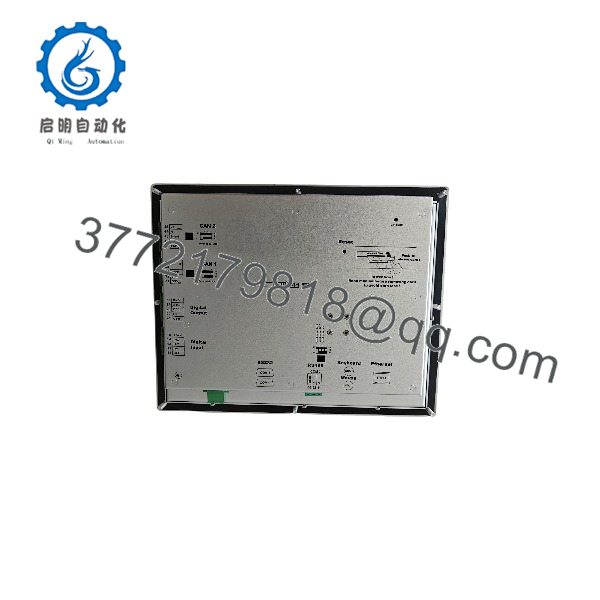
HMI10-M REV203
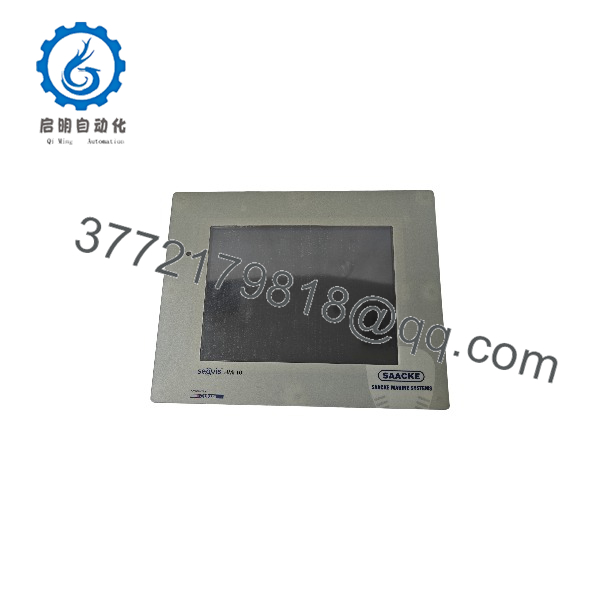
HMI10-M REV203
Installation & Configuration Guide
Stage 1: Pre-Installation (Prep & Safety)
- De-energize the burner control cabinet and apply strict Lock-Out/Tag-Out (LOTO) protocols on the main 24 V DC auxiliary supply rail.
- Put on an anti-static wrist strap connected to cabinet earth ground to prevent electrostatic discharge to rear interface ports.
- Verify panel cutout dimensions and inspect the perimeter rubber gasket on the new HMI unit to ensure dust/moisture seals remain uncompromised.
Stage 2: Removal
- Unplug the 24 V DC power terminal block, fieldbus cables, and serial interface plugs from the back of the active HMI unit.
- Loosen and remove the rear panel mounting clamps holding the display frame against the enclosure door.
- Carefully support the display from the front and extract it straight out of the door cutout. Place the original unit in anti-static protective storage.
Stage 3: Installation (Clone & Seat)
- Ensure the new perimeter sealing gasket is seated properly around the bezel of the SAACKE HMI10-M REV203.
- Guide the terminal through the enclosure panel cutout from the front side.
- Install the rear retaining clips and tighten them crosswise to ensure uniform gasket compression against the door without warping the display bezel.
Stage 4: Power-On & Testing
- Re-attach the 24 V DC power connections and field communication lines securely to their designated rear sockets.
- Energize 24 V DC power. Verify that the LCD backlight lights up immediately and the SAACKE bootloader screen initializes.
- Verify communication handshakes with the primary Seccant burner control unit, confirming real-time flame signals and temperature/pressure values update on the touchscreen.
Firmware/Software Versions & Upgrade Notes
- Revision Sensitivity: The REV203 hardware revision suffix designates specific onboard memory and display driver revisions. Ensure your target system runtime project is compiled for REV203 hardware to avoid boot screen freezes.
- Project Firmware Transfer: Burner parameters and graphical project files are generally stored on the main burner controller or transferred via memory card / system interface. Verify that screen baud rates and node addresses match original system documentation.
- Firmware Mismatch Risks: Running mismatched firmware builds can cause communication timeouts with the Seccant burner module or incorrectly scaled flame intensity bargraph readings.
- Upgrade Warning: Never disconnect power during parameter synchronization or firmware transfer procedures to prevent corruption of the onboard flash EEPROM.
Frequently Asked Questions (FAQ)
Q: How can I confirm that this SAACKE HMI10-M terminal is genuine New Surplus?
A: Every unit we supply is guaranteed 100% Brand New Surplus. It comes in original factory packaging, featuring an unblemished glass touch surface, pristine rear terminal pin headers, uncompressed sealing gaskets, and authentic SAACKE serial stickers. It has never seen field service or panel installation.
Q: Why is buying New Surplus preferable to choosing a refurbished HMI screen?
A: Refurbished touch panels often retain heavily used LCD CCFL/LED backlights that lose brightness rapidly under continuous boiler room heat. Additionally, refurbished touch screens can suffer from micro-fractures and degraded touch sensitivity in frequently pressed zones (such as Reset or Start buttons). New Surplus guarantees factory-fresh component life and 100% operational uptime.
Q: Is the HMI10-M backward compatible with older REV200 or REV201 units?
A: In most cases, serves as a direct form-fit-function replacement for earlier hardware revisions. However, you should verify that communication pinouts and node addressing configurations on your host controller match the specification.
Q: Can I hot-swap this touch panel while the burner is running?
A: No. Removing or inserting power connectors while the cabinet is live can cause electrical arcing, potentially corrupting serial communication memory or causing safety interlocks on the main burner controller to trip.
Q: Does the front panel withstand harsh boiler room environment conditions?
A: Yes. When mounted properly with an intact perimeter gasket, the front bezel meets IP65 / NEMA 4X standards, offering robust resistance against dust, ambient oil mist, and steam moisture exposure.
Q: What warranty coverage comes with this module?
A: We cover this SAACKE unit with a comprehensive 1-Year Warranty. Every module undergoes visual, power-on, and screen display checks before dispatch.



