WhatsApp: +86 16626708626
 Email:
 Phone: +86 16626708626
Description
Key Technical Specifications
| Parameter | Value |
| Channel Capacity | 8 Universal Analog Input Channels |
| Converter Resolution | 12 bits |
| Supported Input Ranges | 0–10 V, 0–2.5 V, 0–20 mA, and Pt/Ni 1000 temperature probes |
| Input Resistance | Voltage: 200 k\Omega / Current: 125 \Omega |
| Isolation | Galvanic isolation between inputs and system CPU (channels non-isolated from each other) |
| Internal Power Consumption | ~150 mA from +5 V bus; 200–630 mA from +24 V bus |
| Operating Temperature | 0 to +55 °C |
| Terminals | Pluggable spring-loaded terminal blocks (Type A connector included) |
| Mounting Type | Saia PCD3 Modular I/O Rack / Baseplate slot |
| Weight | ~0.10 kg |
Product Introduction & Supply Chain Strategy
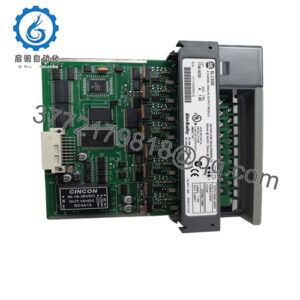
The Saia-Burgess PCD3.W340 is an 8-channel universal analog input module engineered for high-density signal acquisition within Saia PCD3 automation architectures. It processes multiple signal types—including standard voltage, current loops, and temperature sensors—via on-board hardware jumpers and flexible channel configurations.
Maintaining this module as a certified New Surplus spare defends against unexpected obsolescence failures in critical brownfield installations. Sourcing genuine OEM stock eliminates the hidden degradation risks associated with second-hand or repaired boards, protecting Total Cost of Ownership (TCO) and ensuring long-term process reliability.
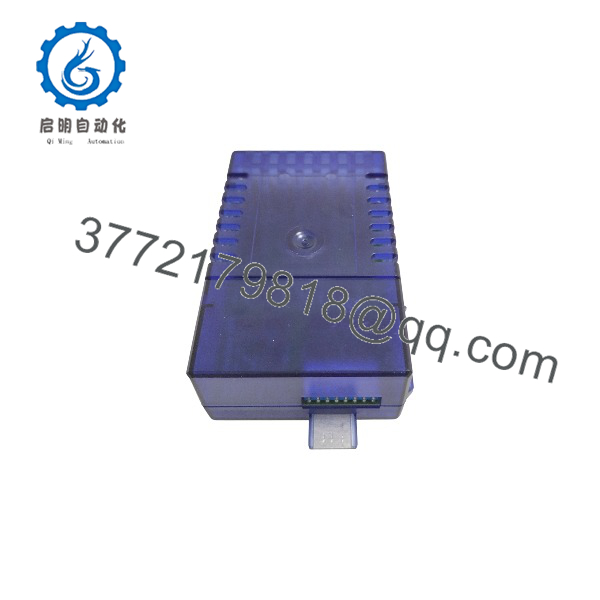
PCD3.W340
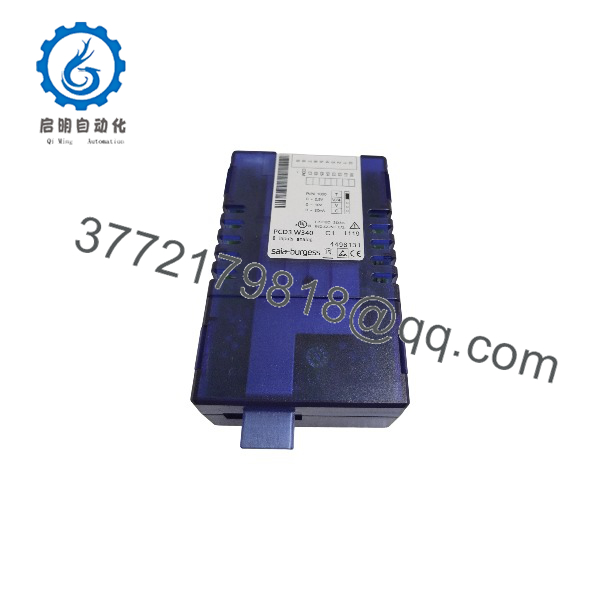
PCD3.W340
Installation & Configuration Guide
1.Pre-Installation (Prep & Safety):Prerequisite.
Isolate power to the PCD3 controller rack and external 24 VDC loop supplies, applying formal lock-out/tag-out (LOTO) protocols. Wear an ESD-safe wrist strap before touching circuit boards. Verify board-level jumper settings for voltage, current, or temperature modes on the replacement module to match your application layout.
Verification: Confirm zero voltage across base terminal connections using a calibrated digital multimeter.
2.Removal:Mechanical Extraction.
Carefully unplug the pluggable terminal block from the front of the legacy module. Release the top and bottom housing locking latches and pull the module straight out of the PCD3 rack slot.
Verification: Inspect the backplate connector pins for dust accumulation, bent contacts, or corrosion before installing the new unit.
3.Installation (Clone & Seat):Hardware Setup.
Ensure all internal jumper configurations match your required measurement ranges (unused inputs must be configured to current ‘C’ or voltage ‘V’ ranges as specified in documentation). Align the module with the rack slot and push straight in until the housing snap-in latches click audibly. Re-seat the terminal block.
Verification: Perform a visual check to confirm that all four housing latches are securely engaged and that the terminal block is firmly seated.
4.Power-On & Testing:Commissioning.
Restore 24 VDC power and controller racks. Check diagnostic status LEDs and verify channel scaling parameters through the Saia PG5 Controls Suite software environment.
Verification: Confirm that all active analog input channels report stable process variables without calibration drift or signal errors.
Firmware/Software Versions & Upgrade Notes
- Configuration Baseline: Channel scaling and type definitions are managed within the Saia PG5 Controls Suite programming software using matching hardware configuration blocks.
- Compatibility Warnings: Do not hot-swap PCD3 I/O modules while the base rack or external 24 VDC power is energized, as electrical transients can damage internal multiplexer circuits.
- Jumper Verification: Physical jumpers on the internal PCB dictate input ranges (voltage, current, or temperature); verify these settings before closing module enclosures and mounting.
Frequently Asked Questions (FAQ)
- Why is this Saia-Burgess PCD3.W340 module classified as New Surplus rather than factory direct?
This unit is an authentic, original OEM-manufactured product procured from verified surplus channels after plant inventory rationalizations. It has never been installed in a live rack, wired, or subjected to industrial operational wear.
- How can I be certain this module is not refurbished or repaired?
We enforce a strict zero-tolerance policy against second-hand, repaired, or rebuilt parts. Each unit features pristine terminal blocks, unblemished housing, and factory-fresh internal electronic components.
- What are the hidden risks of utilizing refurbished analog input modules?
Refurbished analog modules frequently suffer from drifted calibration references, heat-stressed multiplexers, and aged filter capacitors. These hidden flaws cause severe measurement inaccuracies, erratic control loops, and unexpected process interruptions.
- How do I configure the input range for specific channels on the PCD3.W340?
Input ranges (voltage, current, or Pt/Ni 1000 temperature sensors) are set using physical jumpers located inside the module housing in conjunction with software configuration in the PG5 suite.
- What warranty terms apply to this New Surplus module?
This product is backed by a comprehensive 1-year replacement warranty, matching standard OEM reliability benchmarks and protecting your facility’s operational investment.