
 WhatsApp: +86 16626708626
 Email:
  Phone: +86 16626708626
Description
Key Technical Specifications
| Parameter | Specification Value |
| Manufacturer | SAM Electronics / Wärtsilä |
| Part Number / Model | DEM401 |
| System Compatibility | NACOS Navigation and Automation Systems |
| Operating Voltage | 18 to 32 VDC (24 VDC Nominal) |
| Communication Protocols | RS-422, NMEA 0183, CANbus interface |
| Mounting Type | Console Panel Mount / Sub-rack Mount |
| Operating Temperature | -15°C to +55°C (5°F to 131°F) |
| Ingress Protection | IP 22 (Rear) / IP 44 (Front panel when mounted) |
| Enclosure Material | Marine-grade aluminum housing |
| Type Approvals | DNV, ABS, Lloyd’s Register (LR), BV marine certifications |
Product Introduction & Supply Chain Strategy
The SAM Electronics DEM401 is a specialized marine automation and display interface module engineered for vessel bridge control systems, integrated navigation systems (NACOS), and engine room monitoring networks. It processes field sensor signals, navigation telegrams, and system diagnostics, rendering critical operational data directly to bridge operator terminals.
Keeping this unit on hand as New Surplus provides an essential safety net against vessel downtime and costly marine transport delays. Sourcing a verified New Surplus DEM401 avoids the hidden dangers of refurbished marine electronics—such as salt-air corrosion damage, degraded solder joints, or faded displays—guaranteeing compliance with class society standards and protecting your Total Cost of Ownership (TCO).
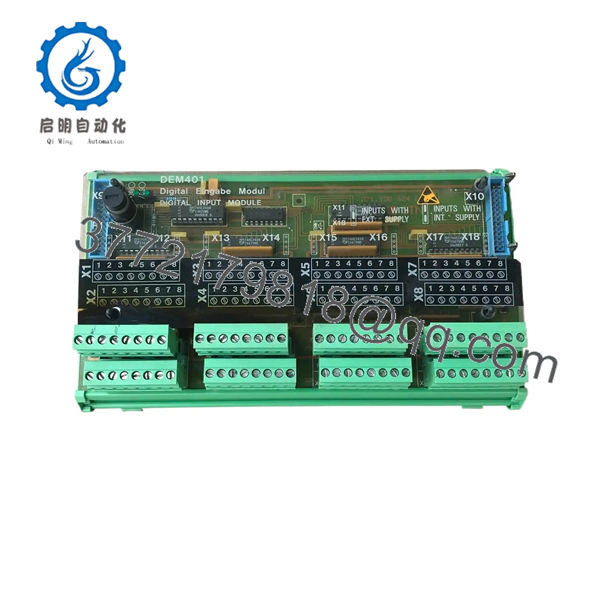
DEM401
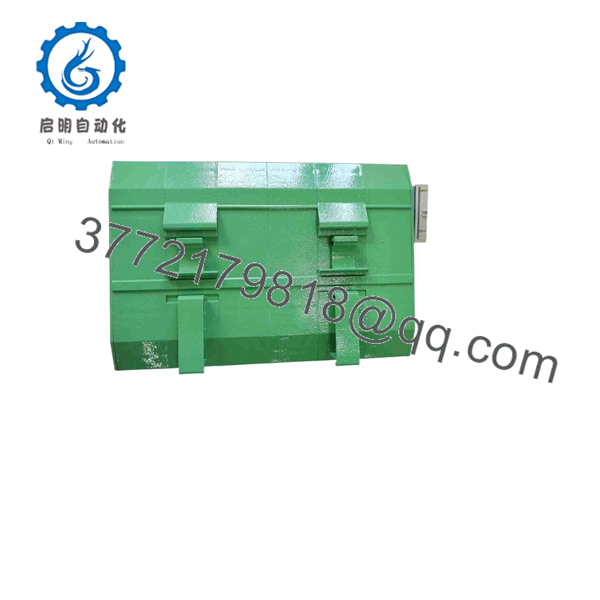
DEM401
Installation & Configuration Guide
1.Stage 1: Pre-Installation & Vessel Safety:Prerequisite.
Isolate 24 VDC shipboard power feeds to the console rack using Lock-Out/Tag-Out (LOTO) procedures. Put on a grounded ESD wrist strap before handling module connections. Take photos of existing terminal cabling and DIP switch configurations.
2.Stage 2: Module Extraction:Removal.
Unscrew the front-panel mounting fasteners securing the DEM401 to the console rack. Carefully pull the module forward and disconnect the rear terminal blocks and serial communication connectors without straining internal cable looms.
3.Stage 3: Configuration & Seating:Hardware Clone.
Verify hardware jumper blocks and DIP switch positions on the new DEM401 match the legacy unit exactly to preserve correct node addresses and serial baud rates. Slide the module into the console cut-out and tighten retaining hardware.
4.Stage 4: Power-On & Signal Testing:Commissioning.
Restore 24 VDC shipboard power. Observe front-panel status LEDs to ensure normal power-up and serial handshake completion. Verify that telemetry data feeds seamlessly to the central NACOS navigation workstation without data dropped errors.
Firmware/Software Versions & Upgrade Notes
- System Integration: Requires firmware alignment with the master NACOS system controller software release.
- Baud Rate & Node Address: Ensure serial interface DIP switches on the rear/side board are mirrored identically before applying power. Incorrect node addressing will isolate the unit from the shipboard network bus.
- Firmware Flashing Notice: Do not interrupt power or disconnect communications during software upload procedures. Parameter backups should be completed via the diagnostic terminal prior to physical hardware swap.
Frequently Asked Questions (FAQ)
Q: Is this SAM Electronics DEM401 module brand new or pulled from a ship demo?
A: This product is 100% Brand New Surplus. It has never been installed on a vessel, never subjected to marine environments, and never repaired. It remains in its original protective packaging with factory verification.
Q: Why choose New Surplus over a refurbished marine controller?
A: Marine environments introduce severe vibrational stress and salt spray exposure. Refurbished marine electronics often hide internal corrosion or thermal fatigue on component leads that can fail unexpectedly at sea. New Surplus guarantees factory-level reliability and compliance with marine class standards.
Q: Does this unit come with marine class certification tags?
A: The is manufactured under SAM Electronics / Wärtsilä type-approved standards (DNV, ABS, LR). Serial numbers and manufacturing data plates can be verified for class inspection documentation.
Q: What happens if the baud rate settings on the DIP switches are incorrect upon installation?
A: An incorrect DIP switch setup will prevent the module from establishing a communication handshake with the central marine monitoring system, triggering a bus fault alarm on the bridge terminal.
Q: What warranty coverage applies to this SAM Electronics part?
A: We provide a comprehensive 1-year replacement warranty on all New Surplus SAM Electronics modules, supported by immediate dispatch from our inventory stock.



