
 WhatsApp: +86 16626708626
 Email:
  Phone: +86 16626708626
Description
Key Technical Specifications
| Parameter | Value |
|---|---|
| Manufacturer | Schneider Electric |
| Part Number | 140CPU65150 |
| Platform | Modicon Quantum |
| Product Type | Unity Processor |
| CPU Frequency | 166 MHz |
| Internal RAM | 768 KB |
| Program/Data Memory | Up to 7,168 KB with PCMCIA |
| File Storage | Up to 8 MB with PCMCIA |
| Local Rack Support | 2 local racks |
| Supported Rack Sizes | 2, 4, 6, 10, or 16 slots |
| Distributed I/O | Up to 63 stations via Modbus Plus |
| S908 Remote I/O | Up to 31 stations |
| Ethernet Quantum Remote I/O | Up to 31 stations |
| Ethernet X80 Remote I/O | Up to 16 stations |
| Ethernet Port | 10BASE-T/100BASE-TX, RJ45 |
| Modbus Port | RJ45 |
| Modbus Plus Port | 9-pin SUB-D |
| Programming Port | USB Type B |
| PCMCIA Slots | 2 |
| Display | 2 × 16-character LCD |
| Keypad | 5-button front-panel keypad |
| Controller Key Switch | Yes |
| Restart Pushbutton | Yes |
| Bus Current Requirement | 2,160 mA |
| Certifications | UL, CSA, CE; additional certifications vary by configuration |
Schneider identifies the 140CPU65150 as a 166 MHz Unity processor for the Modicon Quantum platform, with 768 KB internal RAM and PCMCIA-expandable program/data capacity.
The CPU has integrated Ethernet TCP/IP, Modbus, Modbus Plus, and USB interfaces. Schneider’s Quantum documentation identifies the Ethernet port as 10BASE-T/100BASE-TX and the Modbus Plus connection as a 9-pin SUB-D interface.
Product Introduction
The Schneider Electric 140CPU65150 is a Modicon Quantum Unity processor operating at 166 MHz. It provides the central processing function for Quantum control systems and supports local, distributed, and remote I/O architectures through Modbus Plus, Ethernet, and other Quantum communication options.
The CPU includes an LCD/keypad interface for local diagnostics, two PCMCIA expansion slots, Ethernet TCP/IP, Modbus, Modbus Plus, and USB programming connectivity. Its legacy architecture makes exact CPU, firmware, application, memory-card, and network compatibility important when replacing an installed unit.
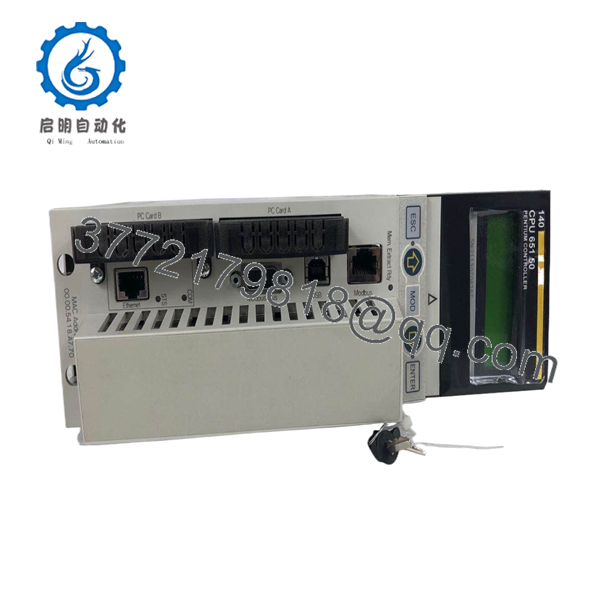
140CPU65150
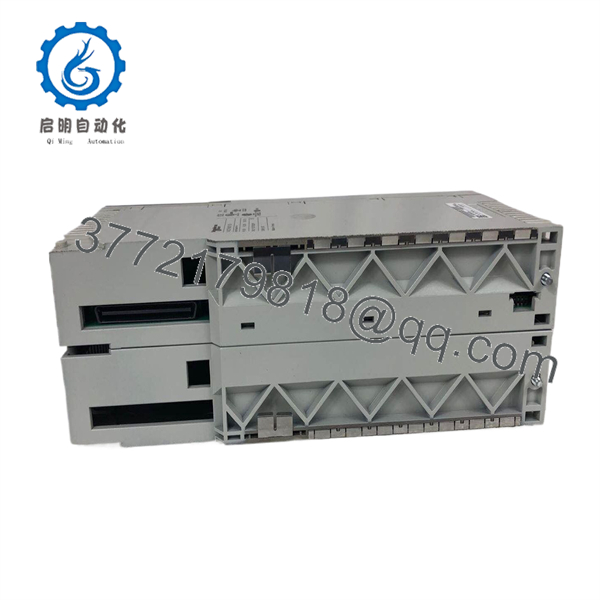
140CPU65150
Installation & Configuration Guide
Stage 1: Pre-Installation Preparation — Approximately 15 Minutes
⚠️ Safety First: Place the Quantum controller in an approved maintenance state. Follow plant lockout/tagout procedures before removing the CPU.
Tools Required:
- ESD wrist strap
- Appropriate screwdriver
- Digital multimeter
- USB programming connection
- Camera or smartphone
- Spare PCMCIA memory card if applicable
- Unity/Quantum programming documentation
Data Backup:
- Record the installed CPU part number and hardware revision.
- Photograph the front panel and rack position.
- Record the LCD/keypad configuration and diagnostic status.
- Document Ethernet, Modbus, and Modbus Plus connections.
- Back up the application program.
- Back up configuration and data stored on PCMCIA cards where applicable.
- Record the existing firmware version.
- Document IP addressing and network parameters.
⚠️ Do not remove the CPU before confirming that the application backup is usable. A backup that cannot be restored is not a backup.
Stage 2: Removing the Old CPU — Approximately 5 Minutes
- Confirm that the controlled process is in a safe state.
- Apply the site’s LOTO procedure.
- Establish ESD protection.
- Photograph all communication cables.
- Label Ethernet, Modbus, Modbus Plus, and USB connections as applicable.
- Remove the communication cables carefully.
- Remove or secure the PCMCIA cards according to the applicable procedure.
- Release the CPU retaining mechanism.
- Pull the CPU straight out of the Quantum backplane.
- Inspect the backplane connector for bent contacts, contamination, or damage.
⚠️ Keep the original CPU and memory cards until the replacement has been fully commissioned.
Stage 3: Installing the New CPU — Approximately 5 Minutes
- Verify the replacement marking: 140CPU65150.
- Confirm the CPU hardware revision.
- Compare the front-panel interface with the removed unit.
- Install the correct PCMCIA memory cards if the application requires them.
- Maintain ESD protection.
- Align the CPU with the correct Quantum rack slot.
- Seat the processor firmly into the backplane.
- Secure the CPU.
- Reconnect Ethernet, Modbus, Modbus Plus, and other applicable connections.
- Verify that network cables are connected to the correct ports.
Self-Checklist:
- Part number verified
- CPU revision recorded
- Application backup confirmed
- PCMCIA cards checked
- Correct rack position
- Ethernet connection verified
- Modbus connection verified
- Modbus Plus connection verified
- CPU fully seated
Stage 4: Power-On & Testing — Approximately 15 Minutes
- Perform a final visual inspection.
- Restore power according to the Quantum startup procedure.
- Observe the LCD and front-panel LEDs.
- Check for CPU diagnostic faults.
- Verify that the expected application is available.
- Connect the Unity programming environment.
- Confirm CPU hardware identification.
- Verify firmware compatibility with the existing application.
- Check Ethernet/IP configuration where applicable.
- Check Modbus and Modbus Plus communications.
- Verify local and remote I/O status.
- Execute a controlled I/O test.
- Review the diagnostic log.
- Return the process to normal operation after all required tests pass.
⚠️ Troubleshooting Note: If the CPU boots but the application does not run correctly, check firmware revision, PCMCIA memory, application compatibility, CPU configuration, and network parameters before assuming the processor is defective.
Frequently Asked Questions (FAQ)
What is the Schneider 140CPU65150?
It is a 166 MHz Unity processor for the Modicon Quantum automation platform. It provides PLC processing and integrated communication functions for Quantum control architectures.
How much memory does the 140CPU65150 have?
The CPU has 768 KB of internal RAM. Schneider’s documentation also specifies expandable program memory up to 7,168 KB with a PCMCIA card, with up to 8 MB of file storage using PCMCIA expansion.
What communication ports are built into the CPU?
The 140CPU65150 provides:
- Ethernet TCP/IP: RJ45, 10BASE-T/100BASE-TX
- Modbus: RJ45
- Modbus Plus: 9-pin SUB-D
- USB: Type B programming connection
It also has two PCMCIA expansion slots.
What I/O systems can the 140CPU65150 control?
The published specifications support Quantum local I/O plus distributed and remote architectures. Schneider lists up to 63 distributed I/O stations through Modbus Plus, up to 31 S908 remote I/O stations, up to 31 Ethernet Quantum remote I/O stations, and up to 16 Ethernet X80 remote I/O stations, subject to the architecture and configuration.
Is the 140CPU65150 obsolete?
Yes. Schneider’s lifecycle status varies by regional site. Schneider USA lists the product as discontinued on December 31, 2018, with end-of-service on December 18, 2025. Schneider Canada currently shows a later discontinuation date of June 4, 2026, with end-of-service scheduled for December 31, 2026. For procurement, use the Schneider lifecycle record applicable to your market.
What is the recommended replacement?
Schneider identifies BMEP582040, a Modicon M580 processor, as the recommended replacement. This is a platform migration, not a simple plug-in substitution: the Quantum rack, I/O architecture, application, communication networks, and addressing must be reviewed before migration.
Can I directly substitute another Quantum CPU?
Do not assume so. Quantum CPUs differ in clock speed, memory capacity, communication capabilities, and supported architectures. The existing application, firmware, PCMCIA configuration, I/O architecture, and communication topology should be checked before selecting a substitute. Schneider’s catalog distinguishes the 140CPU65150 from the higher-performance 140CPU65160, 140CPU65260, and other Quantum CPUs.
Does replacing the 140CPU65150 erase the PLC program?
The CPU replacement itself does not mean the application is permanently lost, but the actual recovery process depends on where the application and configuration are stored. Back up the running application and verify the PCMCIA memory configuration before removal. Do not rely solely on the replacement CPU retaining the previous application.
What should I specify when purchasing a replacement?
For this discontinued Quantum CPU, specify 140CPU65150 plus the hardware revision and firmware information if available. Also confirm whether the sale includes PCMCIA memory cards. Request clear photographs of the CPU label, front panel, connectors, and memory-card area, and state the condition explicitly as Factory Sealed, New Original/New Surplus, or Refurbished/Tested.



