
 WhatsApp: +86 16626708626
 Email:
  Phone: +86 16626708626
Description
Key Technical Specifications
| Parameter | Value |
|---|---|
| Product Range | Modicon Quantum |
| Product Type | Unity processor |
| Model | 140CPU65160 |
| CPU Clock Frequency | 266 MHz |
| Internal RAM | 1,024 KB |
| Program Capacity | 7,168 KB with PCMCIA memory expansion |
| Integrated Ethernet | 10BASE-T / 100BASE-TX |
| Ethernet Protocol | Modbus TCP |
| Integrated Modbus Plus | Yes |
| Integrated Modbus | Yes |
| Programming Port | USB |
| PCMCIA Slots | 2 |
| Local Rack Support | Quantum local architecture |
| Operating Temperature | 0 to 60 °C |
| Memory Expansion | PCMCIA |
| Processor Family | High-end Quantum Unity CPU |
| Bus Current Requirement | Approximately 2,760 mA |
| Approx. Weight | 1.38 kg |
Schneider’s Quantum catalog confirms that the 140CPU65160 uses a 266 MHz processor, provides 1,024 KB RAM, supports up to 7,168 KB program capacity with PCMCIA expansion, and has integrated Ethernet, Modbus Plus, Modbus, and USB connections.
The CPU has an integrated 10BASE-T/100BASE-TX Ethernet port for Modbus TCP communication, two PCMCIA memory-card slots, an RJ45 Ethernet connection, a Modbus Plus connector, and a USB programming connection.
Product Introduction
The Schneider Electric 140CPU65160 is a high-end Modicon Quantum Unity processor designed for PLC control applications requiring integrated Ethernet, Modbus Plus, and Modbus communications. Its 266 MHz processor and 1 MB internal RAM place it above the earlier 140CPU31110-class Quantum controllers.
The CPU is particularly relevant when maintaining an existing Quantum installation with Ethernet/Modbus TCP communication. It is now a legacy component, however, and Schneider identifies BMEP582040 from the Modicon M580 family as its recommended replacement. That replacement represents a platform migration rather than a simple CPU swap.
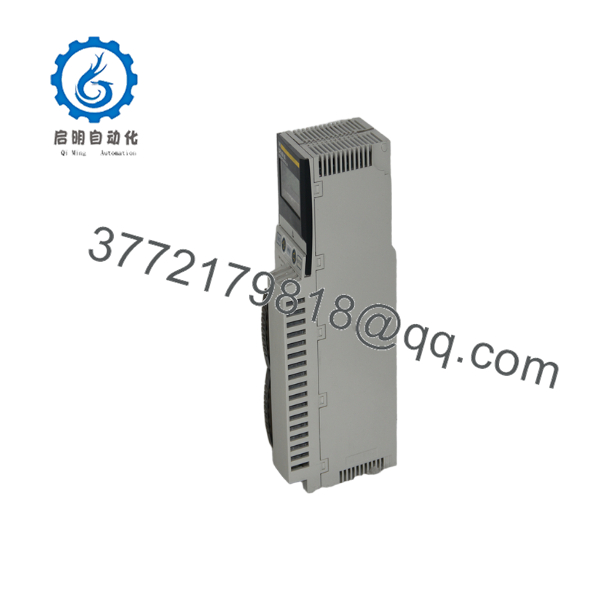
140CPU65160
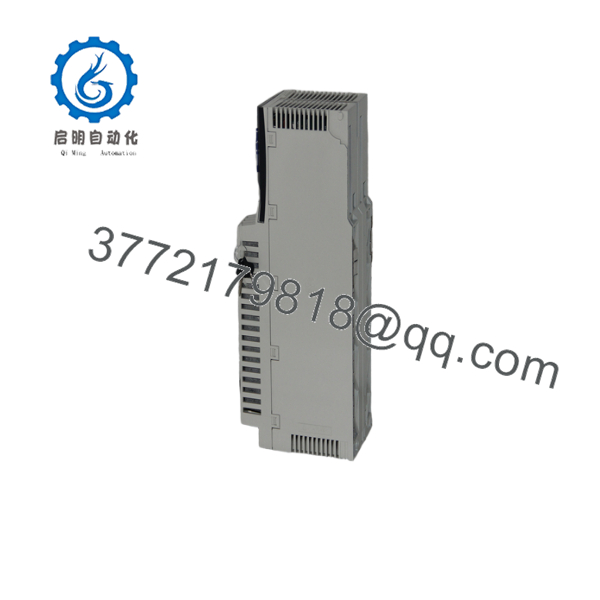
140CPU65160
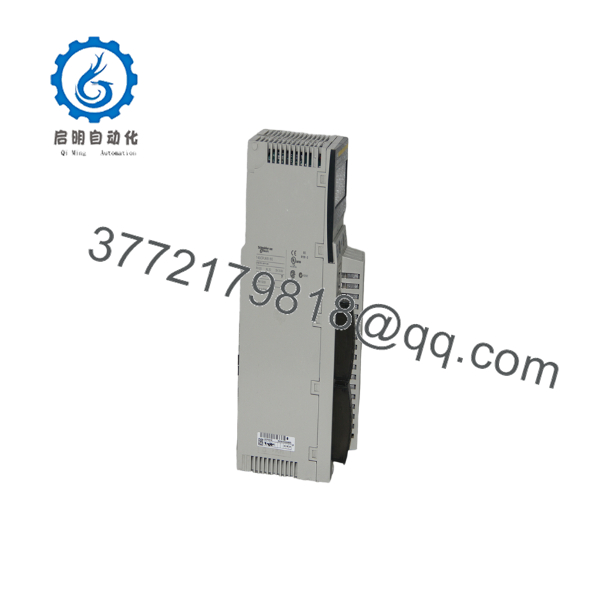
140CPU65160
Installation & Configuration Guide
Stage 1: Pre-Installation Preparation — Approximately 10 Minutes
⚠️ Safety First: Place the process in its approved safe state and follow the site’s lockout/tagout procedure. Do not remove the CPU from an energized Quantum rack unless the specific system documentation explicitly permits the operation.
Tools Required:
- ESD wrist strap
- Appropriate screwdriver
- Digital multimeter
- Wire labels
- Smartphone or camera
- Programming workstation
- Verified Quantum application backup
Before removing the CPU:
- Confirm the exact part number: 140CPU65160.
- Record the hardware revision and product version.
- Record the installed operating-system/firmware revision.
- Back up the running Unity application.
- Save the current hardware configuration.
- Record the Ethernet IP address and network parameters.
- Record the Modbus Plus network address.
- Photograph the front-panel connections and switch/key-switch position.
- Record any installed PCMCIA memory card and its part number.
- Verify the replacement CPU’s firmware compatibility.
⚠️ Do not treat the PCMCIA card as an optional detail. A legacy Quantum application may depend on external memory for program or file storage.
Stage 2: Removing the Old CPU — Approximately 5 Minutes
- Shut down the controlled process.
- De-energize the Quantum rack according to the approved procedure.
- Verify the rack is electrically safe.
- Photograph the CPU identification label.
- Record the front-panel key-switch position.
- Disconnect the Ethernet cable.
- Disconnect the Modbus Plus cable.
- Disconnect the USB programming connection if present.
- Release the CPU retaining mechanism.
- Pull the CPU straight out of the rack.
- Inspect the backplane connector for bent contacts, contamination, or mechanical damage.
- Retain the original CPU and memory cards until commissioning is complete.
Stage 3: Installing the Replacement CPU — Approximately 5 Minutes
- Put on a grounded ESD wrist strap.
- Verify the replacement part number: 140CPU65160.
- Compare the hardware revision with the removed unit.
- Confirm the required firmware/OS compatibility.
- Transfer the appropriate PCMCIA memory card if the application uses one.
- Insert the CPU carefully into the Quantum rack.
- Engage the retaining mechanism.
- Reconnect Ethernet.
- Reconnect Modbus Plus.
- Confirm the programming connection.
- Verify the key-switch position against the original configuration.
Self-Checklist:
- Correct 140CPU65160
- Firmware/OS revision documented
- Unity application backed up
- Ethernet settings documented
- Modbus Plus address documented
- PCMCIA card verified
- Key-switch position verified
- CPU fully seated
- Network cables secured
Stage 4: Power-On & Software Commissioning — Approximately 10–20 Minutes
- Perform a final physical inspection before energizing.
- Power the Quantum rack.
- Observe the CPU display and front-panel LEDs.
- Confirm the processor completes its startup sequence.
- Connect the programming workstation.
- Establish communication with the CPU.
- Verify the CPU hardware and firmware information.
- Confirm the Ethernet IP configuration.
- Verify Modbus Plus communication.
- Confirm the application is present and valid.
- Download the backed-up application only if required.
- Place the controller into the appropriate operating mode.
- Test representative I/O.
- Verify communication with connected supervisory or peer devices.
- Monitor the system for communication or application faults.
Firmware Compatibility Warning
The 140CPU65160 has specific processor operating-system compatibility rules. Schneider documentation states that processors with the relevant product versions should not be downgraded to OS V2.31 or lower, because doing so can make subsequent OS changes impossible.
For a replacement CPU, record the original OS version before removal. Do not simply load the newest firmware available without checking the application’s Unity version, hardware revision, and existing system configuration.
Ethernet Configuration Warning
The 140CPU65160 has an integrated 10BASE-T/100BASE-TX Ethernet interface for Modbus TCP.
Before commissioning, document:
- IP address
- Subnet mask
- Gateway
- Modbus TCP device relationships
- Ethernet switch port
- Any configured peer connections
A CPU can appear healthy locally while the process remains unavailable because the Ethernet parameters do not match the original installation.
Frequently Asked Questions (FAQ)
What is the Schneider 140CPU65160?
The 140CPU65160 is a high-end Modicon Quantum Unity processor with a 266 MHz CPU, 1,024 KB internal RAM, integrated Ethernet, Modbus Plus, Modbus, and USB connectivity.
Does the 140CPU65160 have built-in Ethernet?
Yes. It includes an integrated 10BASE-T/100BASE-TX Ethernet port intended for Ethernet Modbus TCP communication.
How much memory does the 140CPU65160 have?
The CPU has 1,024 KB of internal RAM. With supported PCMCIA memory expansion, the program capacity can reach 7,168 KB. The CPU also has two PCMCIA slots.
Is the 140CPU65160 obsolete?
Yes. Schneider Electric lists the product as discontinued. The U.S. Schneider page gives December 31, 2018 as the discontinuation date and June 10, 2026 as the end of standard service. Other Schneider regional sites show different lifecycle dates, so procurement teams should verify the applicable regional record.
Given the current date, August 2026, the U.S. listed end-of-service date has already passed. That makes condition, testing, and spare availability particularly important when sourcing this CPU.
What is the Schneider replacement for 140CPU65160?
Schneider Electric identifies BMEP582040, a Modicon M580 processor, as the recommended replacement. Schneider describes it as an M580 standalone processor with 8 MB memory, support for 61 Ethernet devices, and up to eight X80 remote I/O racks.
This is not a drop-in Quantum CPU replacement. Moving from 140CPU65160 to BMEP582040 requires a migration assessment covering the PLC application, I/O architecture, communications, addressing, and commissioning procedure.
Can I replace a 140CPU65160 with a 140CPU65260?
Do not assume that the two CPUs are interchangeable simply because they belong to the same Quantum family. The 140CPU65260 has different processor/memory characteristics. Schneider’s Quantum catalog lists the 140CPU65160 at 266 MHz / 1,024 KB RAM, while the 140CPU65260 has 4 MB RAM and a different program/data capacity.
Check the application, firmware, memory requirements, and system configuration before substitution.
Will replacing the CPU erase my PLC program?
The replacement CPU should not be expected to contain the original application’s current state. Back up the running Unity application before removing the original CPU. Also document the PCMCIA memory card, Ethernet configuration, Modbus Plus address, and firmware revision.
The practical rule is simple: do not remove a functioning 140CPU65160 until you have a verified application backup and a documented configuration record.
What condition should I specify when purchasing a 140CPU65160?
Specify the condition explicitly:
- Factory Sealed — unopened original packaging
- New Original / New Surplus — unused original equipment held outside normal OEM distribution
- Refurbished (tested) — previously used equipment that has undergone documented inspection and functional testing
Because this CPU has reached the end of its standard-service lifecycle in several Schneider regions, ask for photographs of the actual CPU, product label, serial information, PCMCIA interfaces, and any available test report. Schneider confirms the product’s discontinued status and recommended M580 migration path.
For a critical Quantum installation, keeping one tested 140CPU65160 as an emergency spare can be a different and sometimes lower-risk strategy than attempting an unplanned Quantum-to-M580 migration during a production outage.



