
 WhatsApp: +86 16626708626
 Email:
  Phone: +86 16626708626
Description
Key Technical Specifications
| Parameter | Value |
|---|---|
| Product Range | Modicon Quantum |
| Product Type | RIO Head-End Adapter Module |
| Model | 140CRP93100 |
| RIO Channels | 1 |
| Maximum Drops per Network | 31 |
| I/O Words per Drop | 64 In / 64 Out |
| Cable Type | 75 Ω coaxial |
| Transmission Rate | 1.544 Mbit/s |
| Dynamic Range | 35 dB |
| Isolation Voltage | 500 VDC, coaxial center conductor to ground |
| External Connection | 1 female F connector, elbowed, single cable |
| Coax Termination | Internal 75 Ω |
| Coax Shield | Tied to chassis ground |
| Bus Current Requirement | 600 mA |
| Power Dissipation | 3 W |
| Module Format | Standard |
| Operating Temperature | 0 to 60 °C |
| Storage Temperature | −40 to 85 °C |
| Relative Humidity | 95%, non-condensing |
| Maximum Operating Altitude | 5,000 m |
| Certifications | FM Class 1 Division 2 |
| Standards | UL 508, CSA C22.2 No. 142, cUL |
Schneider’s technical documentation identifies the 140CRP93100 as a single-channel Quantum RIO head adapter supporting up to 31 drops, 64 input/64 output words per drop, and 1.544 Mbit/s transmission over 75 Ω coaxial cable.
Product Introduction
The Schneider Electric 140CRP93100 is a Modicon Quantum RIO head-end adapter that provides a single-channel interface between the local Quantum controller rack and remote I/O drops. It uses the legacy Quantum RIO coaxial architecture and supports Quantum 200, 500, and 800 series as well as compatible Symax configurations.
The module supports up to 31 drops per network, with 64 input and 64 output words per drop. Its 600 mA bus-current requirement and 3 W power dissipation should be included in the Quantum rack power calculation.
Installation & Configuration Guide
Stage 1: Pre-Installation Preparation — Approximately 10 Minutes
⚠️ Safety First: Place the process in its approved safe state and follow the plant’s lockout/tagout procedure before removing the RIO head adapter.
Tools Required:
- ESD wrist strap
- Appropriate screwdriver
- Digital multimeter
- Wire labels
- Smartphone or camera
- Current Quantum project backup
Before removal:
- Confirm the exact part number: 140CRP93100.
- Record the Quantum rack and module position.
- Photograph the front-panel label and LEDs.
- Record the RIO network topology.
- Document every connected RIO drop.
- Photograph the coaxial cable connection.
- Record the trunk/drop cable routing.
- Back up the PLC application and hardware configuration.
- Record any RIO diagnostic information currently displayed.
- Verify the replacement uses the same single-channel RIO architecture.
Stage 2: Removing the Old Module — Approximately 5 Minutes
- Place the controlled system in a safe state.
- De-energize the Quantum rack.
- Verify the rack is electrically safe.
- Photograph the existing F-type coaxial connection.
- Disconnect the coaxial cable carefully.
- Avoid excessive bending or pulling on the coaxial cable.
- Release the module retaining mechanism.
- Pull the 140CRP93100 straight out of the backplane.
- Inspect the backplane connector.
- Inspect the coaxial connector for mechanical damage or contamination.
- Keep the original adapter until commissioning is complete.
⚠️ Do not substitute ordinary coaxial cable based solely on physical fit. The 140CRP93100 specifies a 75 Ω coaxial RIO network, and cable impedance and termination are part of the communication architecture.
Stage 3: Installing the Replacement Module — Approximately 5 Minutes
- Put on the grounded ESD wrist strap.
- Verify the replacement part number: 140CRP93100.
- Confirm it is the single-channel version.
- Insert the module carefully into the Quantum backplane.
- Ensure the module is fully seated.
- Engage the retaining mechanism.
- Reconnect the original RIO coaxial cable.
- Verify the F-type connector is secure.
- Check that the coaxial cable has not been sharply bent or damaged.
- Confirm the network topology matches the original installation.
Self-Checklist:
- Exact 140CRP93100 verified
- Single-channel version confirmed
- Correct Quantum rack position
- 75 Ω coaxial cable verified
- F connector secure
- RIO topology unchanged
- Module fully seated
Stage 4: Power-On & RIO Testing — Approximately 10–20 Minutes
- Perform a final physical inspection before energizing.
- Power the Quantum rack.
- Observe the module’s startup indications.
- Allow the RIO head adapter to complete its initialization.
- Check the LAN controller status.
- Check the memory diagnostics.
- Verify the controller recognizes the RIO network.
- Confirm communication with the first remote drop.
- Check the remaining configured drops.
- Verify representative input values.
- Test representative outputs under controlled conditions.
- Monitor the RIO network for communication errors.
The documented startup diagnostics include power-up, memory check, and LAN controller check.
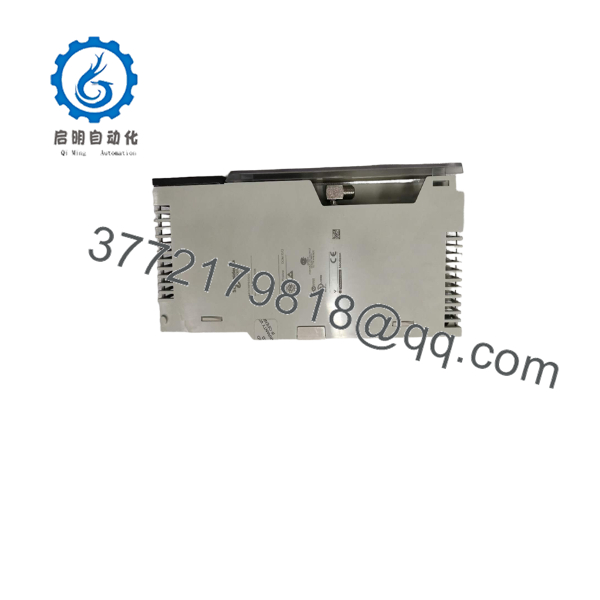
140CRP93100
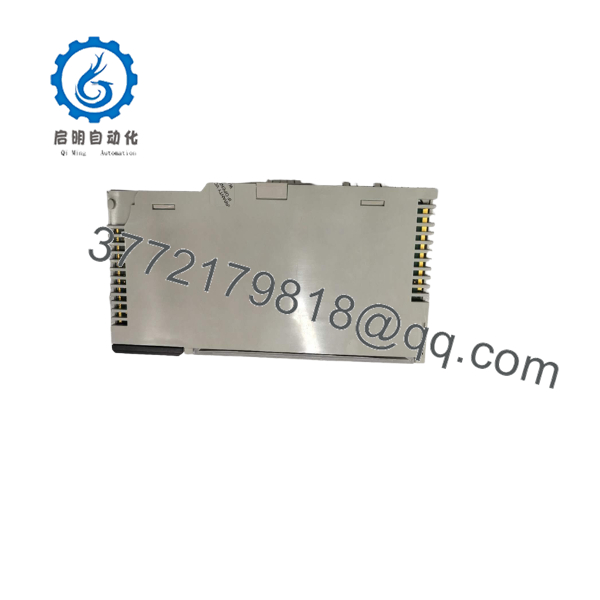
140CRP93100
RIO Network Compatibility Check
The 140CRP93100 is a head-end device. Do not confuse it with the similarly numbered 140CRA93100, which is the remote/drop-side adapter.
| Module | System Role | Channels |
|---|---|---|
| 140CRP93100 | Local RIO head adapter | 1 |
| 140CRP93200 | Local RIO head adapter | 2 |
| 140CRA93100 | Remote RIO drop adapter | 1 |
| 140CRA93200 | Remote RIO drop adapter | 2 |
Schneider’s Quantum documentation explicitly distinguishes the CRP modules as local/head devices and the CRA modules as remote/drop devices.
Common Replacement Trap
❗ Do not order a 140CRA93100 when the failed module is a 140CRP93100.
The part numbers look nearly identical, but their system positions are different:
- CRP = RIO head/local side
- CRA = RIO drop/remote side
That distinction matters. A remote-drop adapter is not a substitute for the head-end adapter.
Frequently Asked Questions (FAQ)
What is the Schneider 140CRP93100?
The 140CRP93100 is a single-channel RIO head-end adapter for the Modicon Quantum platform. It connects the local Quantum controller architecture to remote I/O using the legacy Quantum RIO coaxial network.
How many remote drops can one 140CRP93100 support?
The specification allows up to 31 drops per network. Each drop can exchange up to 64 input words and 64 output words.
What cable does the 140CRP93100 use?
It uses 75 Ω coaxial cable and operates at a transmission rate of 1.544 Mbit/s. The module has one female F-type connector for its single RIO channel.
What is the difference between 140CRP93100 and 140CRA93100?
The 140CRP93100 is the local RIO head adapter, while the 140CRA93100 is the remote RIO drop adapter. They perform different jobs in the network and should not be treated as interchangeable. Schneider’s hardware documentation explicitly identifies the CRP as the local/head device and CRA as the remote/drop device.
Can I replace the 140CRP93100 with the 140CRP93200?
Not as a simple like-for-like replacement. The 140CRP93200 is the dual-channel version, with different network-channel and power requirements. The 140CRP93100 requires approximately 600 mA of Quantum bus current, while the dual-channel 140CRP93200 requires approximately 750 mA.
If the installation only uses one RIO channel, changing to a dual-channel module may be technically unnecessary and should be checked against the existing configuration.
What should I check if the replacement has power but the RIO network does not communicate?
Start with the physical network:
- Verify the 75 Ω coaxial cable.
- Check the F-type connector.
- Inspect cable routing and termination.
- Confirm the correct RIO head/drop devices.
- Check the number of configured drops.
- Review the controller’s RIO configuration.
- Check the adapter’s LAN-controller diagnostic.
- Review the RIO diagnostic/error information.
The 140CRP93100 performs LAN-controller and memory checks during startup, so a diagnostic indication can help separate an adapter fault from a network problem.
Is the 140CRP93100 still a current product?
It should be treated as a legacy Quantum component for procurement purposes. The technical documentation confirms its continued specification and compatibility, but current availability should be verified with the supplier/OEM channel before committing to a project.
For a critical spare, specify the exact 140CRP93100, single-channel configuration, and required condition. Do not accept a generic “Quantum RIO adapter” description.
What condition should I specify when purchasing a 140CRP93100?
Specify the condition explicitly:
- Factory Sealed — unopened original packaging
- New Original / New Surplus — unused original equipment
- Refurbished (tested) — previously used equipment that has undergone documented inspection and functional testing
For refurbished stock, request a test report. For new surplus, request photographs of the actual module label, connector, packaging, and serial information. This matches the supplied product-page requirement for transparent condition disclosure.



