
 WhatsApp: +86 16626708626
 Email:
  Phone: +86 16626708626
Description
Key Technical Specifications
| Parameter | Specification |
|---|---|
| Product Range | Modicon Quantum |
| Model | 140NOE77100 |
| Product Type | Ethernet TCP/IP communication module |
| Network Interface | Ethernet |
| Ethernet Speed | 10/100 Mbps |
| Ethernet Standard | IEEE 802.3 |
| Communication | TCP/IP |
| Industrial Protocol | Modbus TCP/IP |
| Port Type | RJ45 Ethernet |
| Module Role | Quantum Ethernet network interface |
| Application | PLC, HMI, SCADA, engineering, peer communication |
| Rack Installation | Modicon Quantum backplane |
| Configuration | Quantum programming/configuration environment |
| Status Indication | Ethernet/link and module diagnostic LEDs |
| Operating Environment | Industrial control cabinet |
| Mounting | Quantum rack |
Important Identification Note
The 140NOE77100 belongs to the Quantum NOE Ethernet communication family. It should not be confused with Quantum Ethernet RIO adapter modules such as 140CRA/140CRP devices. The NOE is primarily a network communication interface, while CRP/CRA modules have specific roles in Quantum remote I/O architectures.
Product Introduction
The Schneider Electric 140NOE77100 is an Ethernet communication module for the Modicon Quantum PLC platform. It provides an Ethernet interface for connecting Quantum controllers to supervisory computers, HMIs, SCADA systems, engineering workstations, and other Ethernet-enabled control devices.
The module is particularly relevant to legacy Quantum installations where the PLC application depends on Ethernet-based communication. In a maintenance situation, the communication configuration is just as important as the physical module. IP addressing, network topology, Modbus TCP device relationships, and PLC application configuration should be documented before replacing the hardware.
The 140NOE77100 should not be treated as a generic Ethernet adapter. A replacement needs to match the existing Quantum architecture and communication requirements.
Installation & Configuration Guide
Stage 1: Pre-Installation Preparation — Approximately 10 Minutes
⚠️ Safety First: Follow the site’s electrical isolation and lockout/tagout procedures before removing the communication module.
Before replacement:
- Confirm the exact part number: 140NOE77100.
- Record the Quantum rack and slot.
- Photograph the module label.
- Photograph the Ethernet connection.
- Record the Ethernet switch port.
- Record the configured IP address.
- Record subnet mask and gateway information.
- Identify all systems communicating through the module.
- Back up the PLC application and communication configuration.
- Record current Ethernet diagnostic information.
Stage 2: Removing the Existing Module — Approximately 5 Minutes
- Place the controlled process in its approved safe state.
- Follow the site’s approved shutdown procedure.
- Isolate the relevant rack power if required.
- Verify the rack is electrically safe.
- Label the Ethernet cable.
- Disconnect the RJ45 cable.
- Release the Quantum module retaining mechanism.
- Remove the 140NOE77100 from the backplane.
- Inspect the backplane connector.
- Retain the original module until commissioning is complete.
⚠️ Do not discard the original module before recording its network configuration. A replacement module may be physically installed correctly but still fail to communicate if the network configuration is incomplete.
Stage 3: Installing the Replacement Module — Approximately 5 Minutes
- Apply ESD protection.
- Verify the replacement part number.
- Confirm the correct Quantum rack and slot.
- Insert the module carefully into the backplane.
- Ensure it is fully seated.
- Secure the module.
- Reconnect the Ethernet cable.
- Verify the Ethernet switch connection.
- Confirm the network port is operating at the expected speed/duplex setting.
- Verify the network configuration against the original record.
Installation Checklist:
- 140NOE77100 verified
- Correct Quantum rack
- Correct slot
- Ethernet cable labeled
- Switch port documented
- IP address documented
- Subnet mask documented
- Gateway documented
- Module fully seated
Stage 4: Network Commissioning — Approximately 10–20 Minutes
- Perform a final physical inspection before energizing.
- Restore rack power.
- Observe the module diagnostic LEDs.
- Check Ethernet link status.
- Connect the engineering workstation.
- Verify communication with the Quantum PLC.
- Confirm the module’s configured IP address.
- Test Modbus TCP/IP communication.
- Check HMI/SCADA communication.
- Verify PLC-to-PLC communication if applicable.
- Monitor Ethernet diagnostics.
- Confirm that the application operates normally.
Network Troubleshooting Sequence
If the 140NOE77100 powers up but communication fails, troubleshoot in this order:
Module → Ethernet cable → switch port → IP configuration → subnet/gateway → Modbus TCP configuration → SCADA/HMI/client configuration
Do not immediately replace the communication module again.
A simple IP-address mismatch can produce exactly the same operational symptom as a failed Ethernet module.
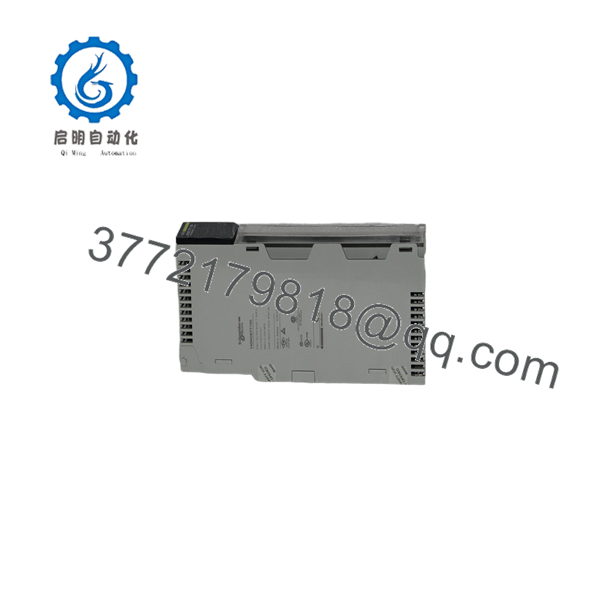
140NOE77100
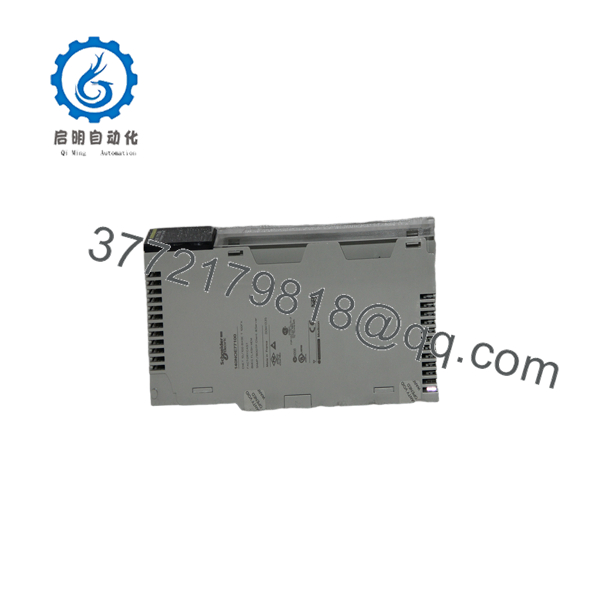
140NOE77100
Ethernet Configuration Checklist
Before removing a functioning 140NOE77100, document:
| Configuration Item | Record |
|---|---|
| Module IP Address | __________ |
| Subnet Mask | __________ |
| Default Gateway | __________ |
| Ethernet Switch | __________ |
| Switch Port | __________ |
| HMI/SCADA Devices | __________ |
| Modbus TCP Clients | __________ |
| Modbus TCP Servers | __________ |
| PLC Peer Devices | __________ |
| Engineering PC Address | __________ |
| Existing Faults | __________ |
This record can significantly reduce commissioning time during an emergency replacement.
Frequently Asked Questions
What is the Schneider 140NOE77100?
The 140NOE77100 is a Modicon Quantum Ethernet TCP/IP communication module used to connect Quantum PLC systems to Ethernet-based industrial networks.
What is the 140NOE77100 used for?
Typical applications include:
- SCADA communication
- HMI communication
- Engineering workstation access
- Modbus TCP/IP communication
- PLC-to-PLC Ethernet communication
- Plant-level Ethernet connectivity
- Data exchange with industrial computers
Is the 140NOE77100 an Ethernet RIO adapter?
No. This distinction is important.
The 140NOE77100 is an Ethernet communication module, while modules such as 140CRP93100 and 140CRA93100 have dedicated roles in Quantum Remote I/O architectures.
Do not substitute a CRP/CRA module for an NOE module simply because both use industrial communication networks.
Does the 140NOE77100 use RJ45 Ethernet?
Yes. The module provides an Ethernet interface using an RJ45 connection.
What should I record before replacing a 140NOE77100?
At minimum:
- IP address
- Subnet mask
- Gateway
- Ethernet switch and port
- Modbus TCP devices
- HMI/SCADA connections
- PLC peer connections
- Quantum rack and slot
- Application backup
- Existing diagnostic status
Why does a replacement 140NOE77100 sometimes fail to communicate?
Common causes include:
- Incorrect IP address
- Incorrect subnet mask
- Wrong gateway
- Incorrect switch port
- Damaged Ethernet cable
- Incorrect PLC configuration
- Modbus TCP client/server configuration mismatch
- Network addressing conflict
- Firmware or application compatibility issue
The fastest diagnostic approach is to compare the replacement configuration against the documented settings of the original module.
Can I use another Quantum Ethernet module as a replacement?
Do not select a replacement solely because it has an Ethernet port. Check:
- Communication protocol
- Ethernet services
- Quantum CPU compatibility
- Firmware requirements
- Application configuration
- Network architecture
- Existing SCADA/HMI dependencies
For legacy systems, maintaining the existing module type can be preferable when the objective is to restore production quickly rather than perform a platform migration.
What condition should I specify when ordering?
Use explicit condition terminology:
- Factory Sealed — unopened original packaging
- New Original / New Surplus — unused original equipment
- Refurbished (tested) — previously used equipment that has undergone inspection and functional testing
For a critical spare, request photographs of the actual 140NOE77100, including the identification label and Ethernet connector. For refurbished equipment, request the test procedure and results rather than relying on a generic “tested” description.



