
 WhatsApp: +86 16626708626
 Email:
  Phone: +86 16626708626
Description
Key Technical Specifications
| Parameter | Value |
|---|---|
| Manufacturer | Schneider Electric |
| Product Family | Modicon Momentum |
| Model | 170BDM34600 |
| Alternate Model | 170-BDM-346-00 |
| Product Type | Digital I/O module |
| Digital Inputs | 16 |
| Input Voltage | 24 VDC |
| Digital Outputs | 16 |
| Output Voltage | 24 VDC |
| Output Current | 0.5 A |
| I/O Configuration | 16 DI + 16 DO |
| Dimensions | 20.9 × 15.1 × 5.0 cm |
| Approx. Weight | 0.5 kg / 1 lb |
| Product Status | Phase-Out / Legacy |
| Series Architecture | Modicon Momentum |
The 16-input/16-output configuration and 24 VDC, 0.5 A output rating are corroborated by Schneider Electric’s product listing and multiple independent industrial automation distributors.
Product Introduction
The Schneider Electric 170BDM34600 is a Modicon Momentum digital I/O module providing 16 discrete 24 VDC inputs and 16 discrete 24 VDC outputs rated at 0.5 A. It is used in distributed control applications where field sensors, switches, actuators, and other discrete devices interface with a Momentum controller.
This is a legacy Momentum component, so replacement work should focus on exact hardware identification rather than physical similarity. The module is listed as phase-out, making verified surplus or tested refurbished inventory relevant for maintaining existing installations.
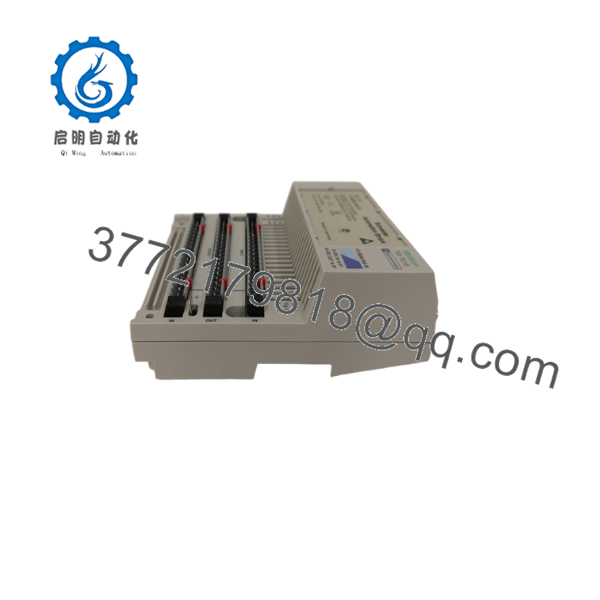
170BDM34600
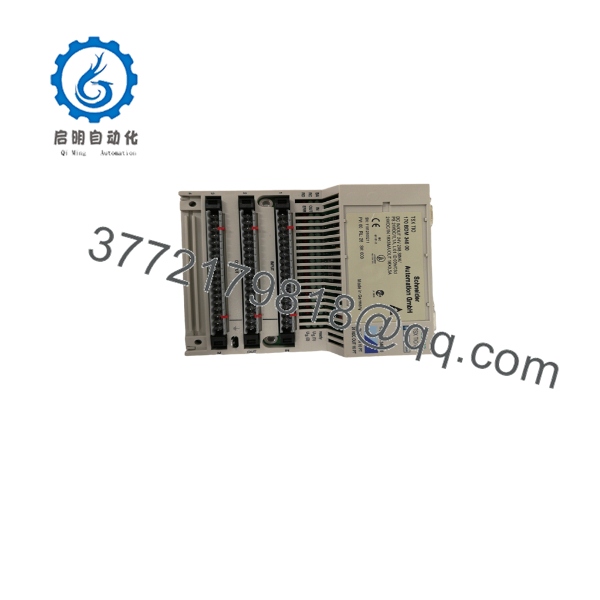
170BDM34600
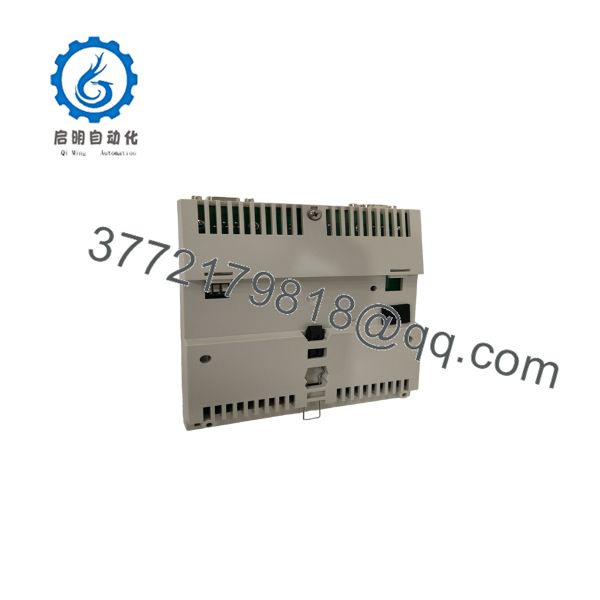
170BDM34600
Installation & Configuration Guide
Stage 1: Pre-Installation Preparation — approximately 5 minutes
⚠️ Safety First: Place the controlled equipment in a safe state and follow the site’s lockout/tagout procedure before removing the I/O module.
Tools Required:
- ESD wrist strap
- Digital multimeter
- Appropriate screwdriver
- Wire labels
- Smartphone or camera
Before removing the existing unit:
- Notify operations of the planned intervention.
- Verify the process is in the required safe state.
- Isolate the applicable power sources.
- Verify absence of hazardous voltage.
- Back up the current controller/I/O configuration.
- Photograph the existing 170BDM34600 and all field wiring.
- Record which terminals correspond to each input and output.
- Verify the replacement part number before opening the packaging.
The supplied engineering procedure specifically calls for configuration backups, IP/configuration records where applicable, and photographs of installed wiring and hardware settings before replacement.
Stage 2: Removing the Old Module — approximately 5 minutes
- Confirm power isolation with a properly rated multimeter.
- Label the field conductors if existing labels are unclear.
- Disconnect the input and output wiring carefully.
- Do not pull conductors by their insulation.
- Release the module’s mechanical retention.
- Remove the module straight from its Momentum installation position.
- Inspect the mating connector/base for contamination or damaged contacts.
- Retain the old module for comparison.
⚠️ Do not assume the terminal arrangement from memory. With legacy Momentum installations, the old module and its documentation should remain available until the replacement has completed functional testing.
Stage 3: Installing the Replacement — approximately 5 minutes
- Wear ESD protection before handling the replacement.
- Verify the label reads 170BDM34600 / 170-BDM-346-00.
- Confirm the replacement is the same hardware configuration.
- Check the Momentum I/O base and mechanical interface.
- Install the module in the correct position.
- Ensure it is fully seated and secured.
- Reconnect the 24 VDC input wiring.
- Reconnect the 24 VDC output wiring.
- Verify each conductor against the original wiring photograph and approved schematic.
- Check termination security before applying power.
Self-Checklist:
- 170BDM34600 model verified
- Correct Momentum installation position
- 16 input channels identified
- 16 output channels identified
- 24 VDC wiring verified
- Output wiring verified
- Terminals secured
The replacement procedure provided in the source material emphasizes exact model verification, configuration cloning, secure wiring, and checking the installation before power-up.
Stage 4: Power-On & Testing — approximately 10-15 minutes
- Perform a final short-circuit and polarity check.
- Energize the Momentum I/O assembly according to the approved procedure.
- Check the module and controller status indications.
- Verify that the controller recognizes the I/O configuration.
- Test each digital input using an approved field simulation or known operating signal.
- Confirm the controller changes state correctly for each input.
- Test each output individually.
- Verify that each output drives the intended field device.
- Confirm the 24 VDC output load does not exceed the applicable rating.
- Return the equipment to automatic operation only after all required I/O checks pass.
⚠️ Output-load verification matters. The published specification identifies the output capability as 24 VDC, 0.5 A. Do not connect a load exceeding the applicable output rating.
Frequently Asked Questions (FAQ)
What is the 170BDM34600?
The 170BDM34600 is a Schneider Electric / Modicon Momentum digital I/O module. It provides 16 digital inputs and 16 digital outputs, with 24 VDC operation and 0.5 A output capability.
Is the 170BDM34600 obsolete?
It is a legacy/phase-out product. JC-Electronics identifies the product phase as Phase-Out, while Schneider Electric continues to provide a product page and documentation/replacement resources.
Can I replace the 170BDM34600 with any Momentum I/O module?
No. The I/O count, signal voltage, output capacity, physical installation, and controller configuration all matter. A module with a similar appearance may have different electrical characteristics or I/O assignments.
What does the 0.5 A specification mean?
The published specification identifies the digital outputs as 24 VDC, 0.5 A. Treat 0.5 A as the applicable output-current rating and verify the specific load characteristics before connecting field devices.
Will replacing the module erase my PLC program?
Replacing the physical I/O module does not inherently erase the controller’s application program. Nevertheless, back up the controller and I/O configuration before maintenance. After replacement, verify that the controller recognizes the expected I/O configuration.
Is a New Surplus 170BDM34600 acceptable for a production spare?
It can be appropriate when maintaining an existing Momentum installation, provided the part is genuine and its condition is verified. For a safety-critical or production-critical spare, request actual photographs, part-label information, storage history where available, and a functional test report.
Why is the 170BDM34600 still available if it is a legacy product?
Legacy Momentum components remain in circulation through surplus and aftermarket inventories. Current listings show examples of new/open-package and refurbished units, but availability and condition vary by supplier.



