
 WhatsApp: +86 16626708626
 Email:
  Phone: +86 16626708626
Description
Key Technical Specifications
- Input type: Discrete AC input
- Nominal input voltage: 230 VAC
- Operating voltage: 160–260 VAC
- Input frequency: 47–63 Hz
- Number of inputs: 16 points
- Input grouping: 2 groups, 8 inputs per common
- Maximum continuous input voltage: 260 VAC
- Short-duration input voltage: 300 VAC for 10 seconds
- Surge input voltage: 400 VAC for 1 cycle
- ON-state range: 112–148 VAC with RS=1 kΩR_S = 1\ kΩ
- OFF-state range: 0–90 VAC with Z=0 ΩZ = 0\ \Omega
- Typical wetting current: 8.5 mA at 230 VAC
- Response time, OFF to ON: 7 ms maximum; 5 ms typical
- Response time, ON to OFF: 18 ms maximum; 12 ms typical
- Backplane power, +5 V: 42 mA
- Backplane power, +4.3 V: 1 mA
- Backplane power, −5 V: 15 mA
- Rack space: 1 slot
- Weight: 2.38 lb (1.08 kg)
The published specifications identify the AS-B809-016 as a 16-point, 230 VAC discrete input module with two groups of eight inputs.
Product Introduction
The Schneider Electric Modicon AS-B809-016 is an 800-Series I/O discrete input module for acquiring 230 VAC field signals in legacy PLC and industrial machine-control systems. It provides 16 AC input points, divided into two groups of eight, with an operating range of 160–260 VAC at 47–63 Hz.
The module fits one rack slot and provides response times as fast as 5 ms typical for OFF-to-ON transitions. Because the AS-B809-016 is an older Modicon/AEG design, confirm rack, terminal, firmware, and wiring compatibility before installation.
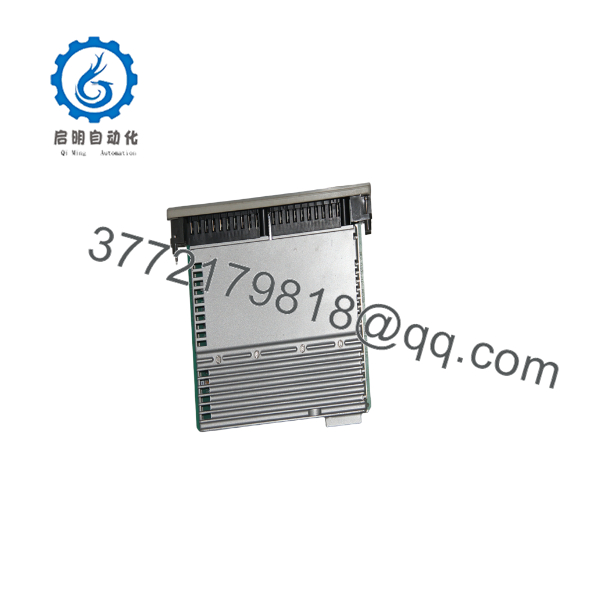
AS-B809-016
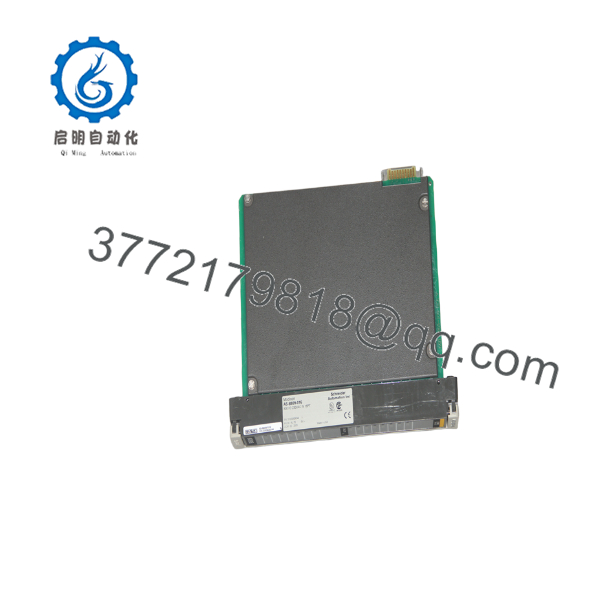
AS-B809-016
Troubleshooting Quick Reference
| Symptom | Possible Cause | Relevance to This Part | Quick Check Method | Recommendation |
|---|---|---|---|---|
| No input LEDs or status indication | Missing rack power or failed backplane | ❌ Low to medium | Measure the rack’s specified backplane rails and inspect adjacent module status LEDs | Check rack power, fuses, and backplane connections before replacing the module |
| All 16 inputs remain OFF | No field voltage, common wiring failure, or module fault | ✅ Medium | Measure 160–260 VAC between the input terminal and the correct group common while the field device is ON | Verify the common connection and field supply first; replace only after confirming voltage reaches the terminal |
| One input remains OFF with correct voltage applied | Failed input channel, open terminal, or wiring fault | ✅ High | Apply a controlled 230 VAC test signal and compare the channel LED and PLC input status with a known-good channel | Replace the module if the terminal voltage is correct but the channel does not register |
| Input stays ON after the field device opens | Shorted input circuit, incorrect neutral/common wiring, or external leakage | ✅ Medium | Measure voltage with the field contact open and inspect wiring for cross-connection to another energized circuit | Isolate the field circuit; do not assume the module is defective until leakage is ruled out |
| Inputs operate intermittently | Loose terminal, oxidized connector, unstable field supply, or thermal fault | ✅ Medium | Monitor AC voltage under load, torque terminals to the installation specification, and inspect connectors for oxidation | Correct wiring and supply instability before replacing the module |
| Input response is delayed | Field device bounce, supply problem, or module degradation | ✅ Medium | Compare measured transition time with the 7 ms maximum OFF-to-ON and 18 ms maximum ON-to-OFF specifications | Check the field device and PLC scan time; replace the module if delay remains outside specification |
| Several inputs in one group fail together | Shared common, group fuse, or terminal wiring fault | ✅ High | Check the group common and its fuse, then measure each input relative to that common | Repair the shared circuit before condemning the module |
| PLC reports invalid or inconsistent input data | Rack addressing, backplane, or system configuration issue | ❌ Low to medium | Check the module position, rack configuration, and diagnostic registers in the PLC software | Confirm hardware configuration and rack position before replacing the input card |
| Module heats excessively or smells burnt | Overvoltage, wiring error, surge damage, or internal failure | ✅ High | Remove power, inspect for discoloration, and verify field voltage does not exceed the permitted limits | Do not re-energize a visibly damaged unit; quarantine it for evaluation |
| Input failure began after replacement | Incorrect revision, terminal layout, or group-common wiring | ✅ High | Compare the replacement label, revision, terminal diagram, and switch or jumper settings with the removed unit | Stop installation and verify the OEM documentation before applying field power |
Safety note: This module handles hazardous AC voltage. De-energize, lock out, and verify absence of voltage before changing wiring or removing the card. If the fault remains unclear, provide technical support with module photos, nameplate data, terminal measurements, rack position, and PLC diagnostic logs.
Frequently Asked Questions (FAQ)
Is the AS-B809-016 a CPU or an input module?
It is a 16-point discrete AC input module, not a PLC CPU. The module receives 230 VAC field signals and passes their status to the Modicon 800-Series rack controller.
What input voltage does the AS-B809-016 require?
The specified operating range is 160–260 VAC at 47–63 Hz. The nominal system voltage is 230 VAC. Do not connect 24 VDC signals or assume that a lower-voltage AC signal will reliably turn an input ON.
Can I use this module as a direct replacement for another 800-Series card?
Only after checking the complete part number, revision, terminal arrangement, input grouping, rack position, and control-system configuration. Similar-looking Modicon cards can use different voltage ranges or terminal assignments. Photograph the original wiring before removal and verify every conductor against the applicable manual.
Can I hot-swap the AS-B809-016?
Do not assume hot-swapping is permitted. This is a legacy rack-mounted module, and removing it under power can expose personnel to hazardous voltage or damage the backplane. Follow the machine’s lockout procedure and the OEM installation instructions; power down the rack unless the system documentation explicitly permits live replacement.
Will the PLC program be lost when I replace this module?
Replacing the input card normally does not erase the PLC application because the program is stored in the controller or its memory system, not in the discrete input electronics. Still, record the rack configuration, input mapping, and diagnostic settings before removal. Confirm the replacement occupies the same slot and uses the same hardware configuration.
Is the AS- obsolete?
The model is associated with a legacy Modicon/AEG 800-Series platform, and current supply may depend on new surplus, used, refurbished, or remaining distributor stock. Availability and condition must be confirmed for the specific unit offered. Do not describe a unit as “New Original” or “Factory Sealed” unless its packaging and traceability support that claim.
Why can this module cost less than a factory-new replacement?
Legacy automation parts may be sold as new surplus, pulled stock, or refurbished units rather than current-production factory stock. The condition should be stated plainly on the listing. For a refurbished unit, request the actual test report, serial-number photos, warranty terms, and details of the test rack before purchasing.



