
 WhatsApp: +86 16626708626
 Email:
  Phone: +86 16626708626
Description
Key Technical Specifications
| Parameter | Value |
|---|---|
| Product Type | Concept processor module |
| Platform | Modicon Quantum automation platform |
| Processor | Intel 80186 |
| Clock Frequency | 20 MHz |
| Internal RAM | 368 kB |
| Mathematical Coprocessor | None |
| Programming Software | Concept; ProWORX 32 |
| Logic Execution Time | 0.3–1.4 ms per 1 K instruction for LL984 |
| Watchdog Timer | 250 ms |
| Communication Ports | 1 Modbus Plus; 2 Modbus RS232 |
| Maximum Local I/O | 64 input words / 64 output words |
| Maximum Remote I/O | 64 input words / 64 output words |
| Distributed I/O Capacity | 30 input words / 32 output words per network |
| Distributed I/O Capacity per Network | 500 input words / 500 output words |
| Maximum Distributed Drops | 63 |
| Maximum Remote Drops | 31 |
| Maximum Distributed Networks | 3 |
| Maximum Remote Networks | 2 |
| Battery | Lithium, 1.2 Ah |
| Battery Life | Approximately 10 years |
| Bus Current Requirement | 790 mA |
| Module Format | Standard Quantum module |
| Operating Temperature | 0 to 60 °C |
| Storage Temperature | −40 to +85 °C |
| Relative Humidity | 95% non-condensing |
| Operating Altitude | Up to 5,000 m |
| Weight | Approximately 0.3 kg |
| Certifications | cUL; FM Class I Division 2; CSA C22.2 No. 142; UL 508 |
Schneider Electric identifies the 140CPU11303 as a Concept processor with one Modbus Plus port and two Modbus RS232 ports. Schneider’s India listing records the model as discontinued on May 31, 2015.
Product Introduction
The Schneider Electric 140CPU11303 is an Intel 80186 processor module for legacy Modicon Quantum PLC systems. It executes Concept or ProWORX 32 control programs and provides one Modbus Plus port plus two Modbus RS232 interfaces for PLC and device communications.
Its 368 kB internal RAM, 20 MHz clock, 250 ms watchdog, and support for LL984 applications make it suitable for maintaining older Quantum installations. This is an obsolete CPU, so verify firmware, battery condition, software compatibility, program memory, and communication-port requirements before purchasing.
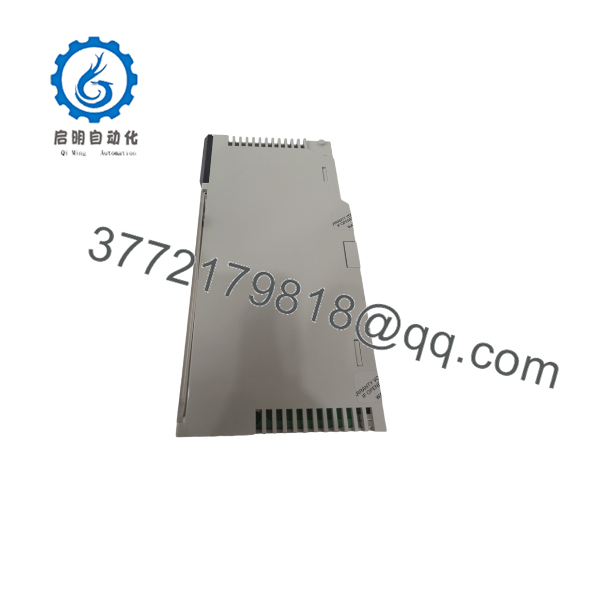
140CPU11303
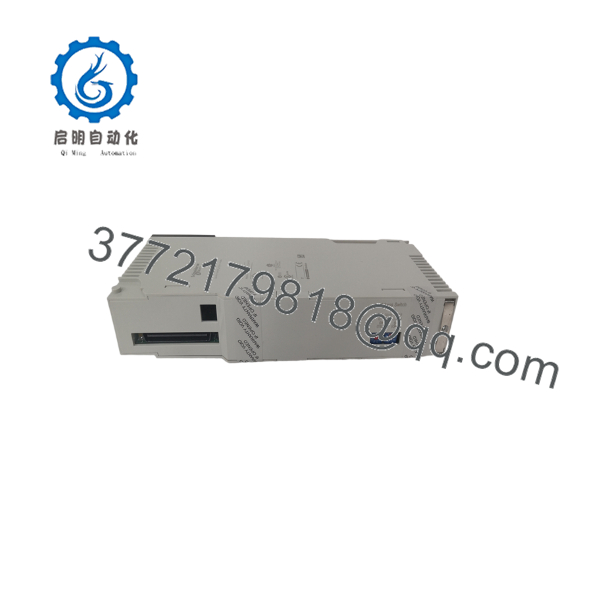
140CPU11303
Troubleshooting Quick Reference
| Symptom | Possible Cause | Relevance to This Part | Quick Check Method | Recommendation |
|---|---|---|---|---|
| CPU shows no status LEDs | Rack power, backplane fault, or poorly seated CPU | ❌ Low to medium | Measure the Quantum rack supply and verify the CPU is fully seated in the backplane | Check the power supply and rack before replacing the CPU |
| CPU does not enter RUN | Program fault, key-switch state, watchdog trip, or memory issue | ✅ High | Read the CPU status and diagnostic buffer in Concept or ProWORX 32 | Correct the application or configuration fault before replacing hardware |
| PLC reports memory or program corruption | Battery failure, memory fault, or invalid program transfer | ✅ High | Check battery status, compare the project checksum, and attempt a controlled program verification | Back up the project immediately; replace the CPU if memory errors persist |
| Application loses data after power removal | Depleted lithium battery | ✅ High | Check the battery indicator and measure battery condition only with the approved service procedure | Replace the battery using the Quantum procedure and maintain a valid application backup |
| Modbus Plus devices disappear | Network cabling, node address, termination, or CPU communication fault | ✅ High | Verify the node address, network cable, termination, and Modbus Plus diagnostics | Check the physical network first; replace the CPU only if the port fault follows the processor |
| RS232 device will not communicate | Incorrect pinout, baud rate, parity, or failed serial port | ✅ Medium to high | Confirm the RS232 wiring and use a serial analyzer or known-good device at the configured settings | Correct the serial configuration before replacing the CPU |
| CPU repeatedly resets | Rack power instability, watchdog event, overheating, or CPU fault | ✅ High | Monitor rack voltage during operation and read the event log for watchdog or reset causes | Correct power and program faults; replace the CPU if resets persist with stable power |
| Scan time exceeds the expected value | Program growth, communication load, or excessive I/O processing | ✅ Medium | Review scan-time statistics and compare them with the application baseline | Reduce program or communication load before changing the CPU |
| CPU communicates but cannot accept the project | Software version, firmware, memory capacity, or project incompatibility | ✅ High | Confirm Concept/ProWORX 32 version, CPU firmware, and project target settings | Match the programming environment and firmware; do not force an incompatible download |
| Hot standby fails after CPU replacement | CPU model, firmware, program, or configuration mismatch | ✅ High | Compare both CPU labels, firmware revisions, program checksums, and redundancy settings | Match the paired CPUs exactly and verify the Quantum hot standby documentation |
| Fault appears after installation of surplus CPU | Battery, firmware, configuration, or hidden hardware defect | ✅ High | Record LEDs, firmware, battery status, and diagnostic codes during a controlled bench test | Request a documented test report or return the unit if the fault cannot be isolated |
Before removing the existing CPU, back up the Concept or ProWORX 32 project, photograph the key-switch position and port wiring, record the firmware revision, and document the battery status. If the issue persists, contact technical support with CPU-label photos, LED status, diagnostic logs, project checksum, firmware information, and rack power measurements.
Frequently Asked Questions (FAQ)
What is the Schneider Electric 140CPU11303?
It is a legacy Concept processor for the Modicon Quantum PLC platform. The CPU uses an Intel 80186 processor at 20 MHz, includes 368 kB of internal RAM, and provides one Modbus Plus port plus two Modbus RS232 ports.
Is the 140CPU11303 still manufactured?
No. Schneider Electric’s regional product information lists the 140CPU11303 as discontinued on May 31, 2015. Remaining units are generally sourced as New Surplus, opened stock, or Refurbished and Tested inventory.
Which programming software does it use?
The documented software is Concept and ProWORX 32. Confirm the project’s software version and the CPU firmware before attempting a download. A modern Unity Pro or EcoStruxure Control Expert project should not be assumed to transfer directly to this Concept processor.
Does it support Modbus Plus and Modbus ?
Yes. The 140CPU11303 has one Modbus Plus interface and two Modbus interfaces. Verify the physical port, cable pinout, node address, baud rate, parity, and termination before diagnosing the CPU as defective.
Will replacing the CPU preserve the PLC program?
Do not assume that the replacement CPU contains your application. Back up the running project before removal, then load and verify the correct program in the replacement CPU using the approved Concept or ProWORX 32 procedure. Also record retentive data, configuration values, communication settings, and any memory-protection requirements.
Can I use a newer Quantum CPU as a direct replacement?
Not automatically. A newer CPU may require different firmware, programming software, memory handling, communication interfaces, or application conversion. Confirm the replacement through Schneider Electric documentation and validate it in a controlled test before installing it in a production rack.
How long does the CPU battery last?
The published specification identifies a 1.2 Ah lithium battery with an approximate 10-year life. Actual service life depends on storage conditions, temperature, and powered-down periods. Treat the battery as a maintenance item, and replace it only according to the approved Quantum procedure.
Why is surplus stock cheaper than a factory replacement?
The 140CPU11303 is obsolete, so lower-priced units may be discontinued inventory, opened stock, or refurbished/tested hardware. Ask for the exact condition, battery status, firmware revision, functional test scope, warranty period, and return terms. For this CPU, a power-on check alone is not enough; the seller should verify program loading and both Modbus communication interfaces.



