
 WhatsApp: +86 16626708626
 Email:
  Phone: +86 16626708626
Description
Key Technical Specifications
| Parameter | Value |
|---|---|
| Product Type | Unity processor module |
| Platform | Modicon Quantum automation platform |
| Clock Frequency | 166 MHz |
| Internal RAM | 768 kB |
| Expandable Program Memory | Up to 7,168 kB with PCMCIA card |
| Expandable File Storage | Up to 8 MB with PCMCIA card |
| Integrated Networks | Ethernet TCP/IP; Modbus; Modbus Plus |
| Programming Port | USB |
| Ethernet Port | RJ45, 10/100 Mbps Ethernet TCP/IP |
| Modbus Port | RJ45 |
| Modbus Plus Port | 9-pin female SUB-D |
| Maximum Local Racks | 2 |
| Maximum Local Slots | 26 |
| Distributed I/O | Up to 63 stations across 3 Modbus Plus networks |
| Remote I/O | Up to 31 S908 stations; up to 31 Ethernet Quantum stations; up to 16 Ethernet X80 stations |
| Local Discrete I/O | Up to 31,744 inputs and 31,744 outputs |
| Distributed Discrete I/O | Up to 8,000 inputs and 8,000 outputs per Modbus Plus network |
| Remote Discrete I/O | Up to 31,744 inputs and 31,744 outputs |
| Local Analog I/O | Up to 1,984 inputs and 1,984 outputs |
| Distributed Analog I/O | Up to 500 inputs and 500 outputs per Modbus Plus network |
| Application Functions | High-speed interrupt inputs; counters; accurate time stamping; serial link |
| Task Structure | Master task; fast task; 128 I/O interrupt tasks; 128 interrupt tasks; 32 timer interrupt tasks; 4 auxiliary tasks |
| Execution Performance | 10.28 K instructions/ms, 100% Boolean; 10.07 K instructions/ms, mixed Boolean/numerical |
| System Overhead | 1 ms master task; 0.2 ms fast task |
| Bus Current Requirement | 2,160 mA |
| Operating Temperature | 0 to 60 °C |
| Storage Temperature | −40 to +85 °C |
| Relative Humidity | 95% non-condensing |
| Operating Altitude | Up to 5,000 m |
Schneider Electric identifies the 140CPU65150 as a 166 MHz Unity processor with 768 kB RAM, Modbus Plus, Ethernet TCP/IP, Modbus, and USB connectivity. The published Quantum specifications also identify a 2,160 mA bus-current requirement and support for PCMCIA expansion memory.
Product Introduction
The Schneider Electric 140CPU65150 is a Unity processor module for Modicon Quantum PLC systems. It executes Quantum control applications and provides integrated Ethernet TCP/IP, Modbus, Modbus Plus, and USB connections for programming, supervisory communications, and plant-network integration.
With 768 kB internal RAM, 166 MHz processing, PCMCIA memory expansion, and support for local, distributed, and remote I/O architectures, it fits larger legacy Quantum installations. Verify Unity firmware, CPU configuration, Ethernet addressing, PCMCIA media, and application compatibility before installing a replacement.
Troubleshooting Quick Reference
| Symptom | Possible Cause | Relevance to This Part | Quick Check Method | Recommendation |
|---|---|---|---|---|
| CPU has no status indication | Rack power, backplane fault, or poor seating | ❌ Low to medium | Measure the Quantum rack supply and confirm the CPU is fully seated | Check the power supply and backplane before replacing the CPU |
| CPU remains in STOP | Application fault, key-switch position, configuration error, or watchdog event | ✅ High | Read the CPU status and diagnostic buffer in Unity software | Correct the program or configuration fault before changing hardware |
| Ethernet port does not communicate | IP conflict, cable fault, wrong network settings, or failed port | ✅ High | Verify link/activity LEDs, cable continuity, IP address, subnet, and duplicate addresses | Correct network configuration and cabling before replacing the CPU |
| Modbus Plus network is offline | Node address, trunk cable, termination, or network interface fault | ✅ High | Check the 9-pin connection, node address, network diagnostics, and cable routing | Repair the network path first; replace the CPU only if the port fault follows it |
| USB programming connection fails | Wrong driver, cable, software selection, or damaged USB port | ❌ Low to medium | Test with an approved cable and known-good programming workstation | Correct the workstation connection before diagnosing a CPU failure |
| CPU reports memory error | Faulty PCMCIA card, corrupted application, battery issue, or internal RAM fault | ✅ High | Remove or isolate optional memory under the approved procedure and compare diagnostics | Back up the application; replace the memory media or CPU based on the diagnostic result |
| Application runs out of memory | Project exceeds internal or configured memory capacity | ✅ Medium | Review Unity memory usage and PCMCIA configuration | Reduce application size or install approved expansion memory |
| CPU resets intermittently | Rack-voltage drop, watchdog, thermal stress, or hardware failure | ✅ High | Trend rack voltage during scan operation and review reset/watchdog logs | Correct the power or program issue; replace the CPU if resets persist with stable supply |
| I/O stations disappear | Network configuration, remote adapter, cable, or CPU communication fault | ✅ High | Check remote I/O diagnostics, station status, and network error counters | Isolate the affected network segment before replacing the CPU |
| Scan time increases unexpectedly | Program growth, communication load, interrupt activity, or excessive diagnostics | ✅ Medium | Review task timing and compare the current scan with the application baseline | Reduce program or network load before changing the processor |
| Hot standby will not synchronize | CPU firmware, project, configuration, or redundancy mismatch | ✅ High | Compare both CPU models, firmware, project checksums, and redundancy settings | Match the paired CPUs and validate the standby architecture |
| Replacement CPU rejects the project | Unity version, firmware, hardware configuration, or memory mismatch | ✅ High | Confirm target CPU, firmware revision, project version, and configured options | Convert or update the project only after creating a verified backup |
Before removing the installed CPU, back up the Unity project, export hardware configuration, record firmware and memory-card details, photograph the key-switch position and communication wiring, and document IP/node addresses. If troubleshooting stops there, contact technical support with CPU-label photos, LED states, diagnostic logs, firmware information, and rack-voltage measurements.
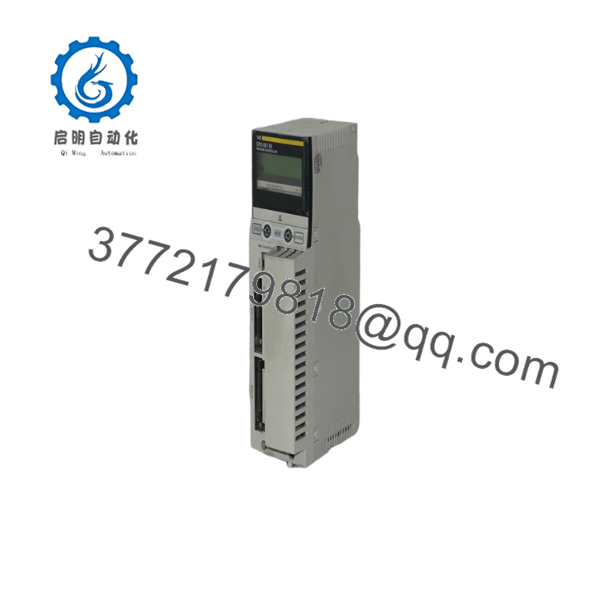
140CPU65150
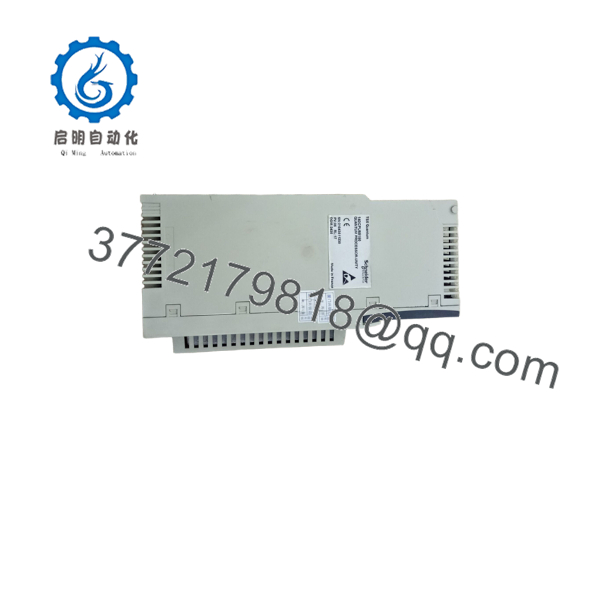
140CPU65150
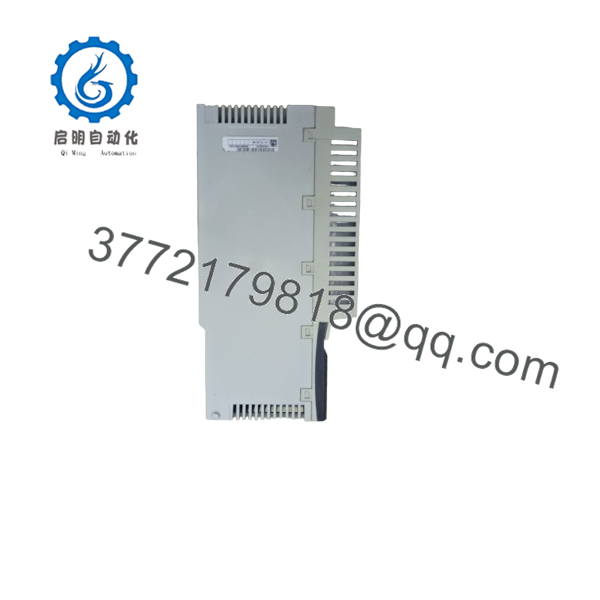
140CPU65150
Frequently Asked Questions (FAQ)
What is the Schneider Electric 140CPU65150?
It is a high-end Unity processor for the Modicon Quantum automation platform. The CPU combines 166 MHz processing, 768 kB internal RAM, integrated Ethernet TCP/IP, Modbus, Modbus Plus, and USB connectivity.
Does the 140CPU65150 have built-in Ethernet?
Yes. The CPU includes an RJ45 Ethernet TCP/IP port, documented for 10/100 Mbps operation. It also includes separate Modbus and Modbus Plus interfaces. Verify the installed firmware and network configuration before connecting it to a live control network.
Which programming software is required?
The 140CPU65150 is a Unity processor. Use the compatible Unity programming environment and confirm the required firmware version before downloading an application. Do not treat it as a Concept-only CPU such as the 140CPU11303.
Can I replace a Concept CPU with the 140CPU65150?
Not as a simple plug-in substitution. A Concept-to-Unity migration may require project conversion, firmware checks, hardware-configuration changes, retentive-data validation, and network reconfiguration. Validate the converted application on a test rack before scheduling a production changeover.
Does replacing the CPU retain the PLC program?
Do not assume the replacement contains the running application. Back up the current Unity project and hardware configuration before removal, then download and verify the correct application on the replacement CPU. Also document Ethernet IP settings, Modbus Plus node addresses, retentive data, key-switch position, and PCMCIA contents.
Can I use any PCMCIA memory card?
No. Confirm the approved Quantum PCMCIA card type, capacity, formatting, and application purpose. A card that physically fits may not be supported for program memory or file storage. Back up the existing card before changing it.
How much rack power does this CPU require?
The published specification gives a bus-current requirement of 2,160 mA. Include this value when calculating the Quantum rack power budget, then add every installed I/O and communication module. A power supply that worked with a smaller CPU may not have sufficient capacity for this processor.
Why is surplus stock cheaper than a factory replacement?
Pricing may reflect discontinued inventory, New Surplus stock, opened packaging, or Refurbished and Tested hardware. Request the exact condition, firmware revision, PCMCIA status, current label photos, Ethernet/Modbus communication test results, warranty period, and return terms before purchase. A power-on check alone does not prove that this CPU can load and execute your Unity application.



