
 WhatsApp: +86 16626708626
 Email:
  Phone: +86 16626708626
Description
Key Technical Specifications
| Parameter | Specification |
| Manufacturer | Schneider Electric / Modicon |
| Part Number | 140CPU11302 |
| Product Series | Modicon Quantum |
| Microprocessor | 80386 |
| Clock Speed | 20 MHz |
| User Memory | 256 KB RAM (Logic execution and register storage) |
| Math Coprocessor | Integrated / Supported |
| Built-in Ports | 1 x Modbus (RS-232), 1 x Modbus Plus (RS-485) |
| Backplane Current Load | 1.2 A at 5.1 V DC |
| Battery Backup | Lithium battery for memory retention during power loss |
| Execution Time | 0.3 µs to 0.5 µs per kword (boolean logic) |
| Operating Temperature | 0 to 60 °C (32 to 140 °F) |
Product Introduction & Supply Chain Strategy
The Modicon 140CPU11302 is an entry-level single-slot central processing unit engineered for the Modicon Quantum automation platform. Powered by an 80386 microprocessor with 256 KB of RAM, it handles real-time control, process execution, and serial communication via built-in Modbus and Modbus Plus interfaces across small-to-medium industrial operations.
Because Schneider Electric has fully discontinued the Modicon Quantum family, obtaining a factory-sealed 140CPU11302 as New Surplus is critical for risk management. CPU failure brings an entire production line to a halt. Keeping a genuine, unused replacement on-site eliminates prolonged lead times, bypasses the failure risks of worn internal capacitors in used processors, and minimizes your Total Cost of Ownership (TCO).
Installation & Configuration Guide
Stage 1: Pre-Installation (Prep & Safety)
Execute strict Lock-Out/Tag-Out (LOTO) procedures on the Quantum rack power supply. Put on a grounded ESD wrist strap before handling the CPU module. Ensure you have saved a complete backup of the existing PLC project, register values, and state RAM from the old controller using your programming software.
Stage 2: Removal
Disconnect all Modbus (RS-232) and Modbus Plus communication cables attached to the front ports, noting node addresses. Press the module release latches at the top and bottom of Slot 1 or Slot 2. Carefully pull the legacy CPU straight out of the rack guide rails without twisting to avoid bending rear connector pins.
Stage 3: Installation (Clone & Seat)
Verify that the fresh lithium battery is correctly connected in the battery compartment of the new 140CPU11302 to guarantee memory retention. Inspect the rear pin block for shipping damage. Slide the CPU into the primary slot until both upper and lower latches click securely into position. Reconnect the serial communication cables.
Stage 4: Power-On & Testing
Energize the rack power supply. Observe the front panel diagnostic LEDs: the READY and RUN indicators should initialize, while the MEM ERR and BAT LOW LEDs must remain off. Connect your PC via the Modbus port, download the documented application code and network configuration, and verify communication with local and remote I/O drops before placing the processor in RUN mode.
Firmware/Software Versions & Upgrade Notes
- Software Compatibility: Programmed and configured using legacy Modsoft, Concept (V2.1 or higher), ProWORX 32, or EcoStruxure Control Expert (Unity Pro via legacy conversion tools).
- Memory Constraints: The 140CPU11302 contains 256 KB of memory. Ensure your user logic and data register allocation do not exceed total memory limits before attempting a download.
- Firmware Swap Warning: When replacing a legacy 140CPU11302, ensure the executive software (Exec firmware) version on the new processor matches or exceeds the old CPU’s build. Mismatched firmware can lead to Modbus Plus node timeouts or unsupported function blocks in legacy Concept projects.
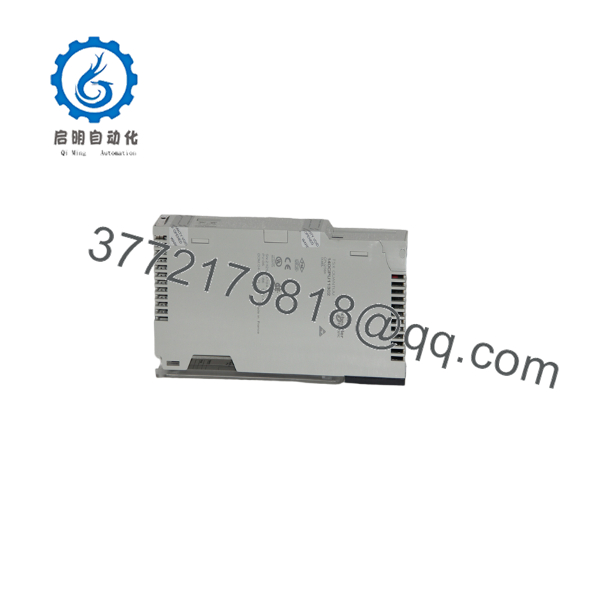
140CPU11302
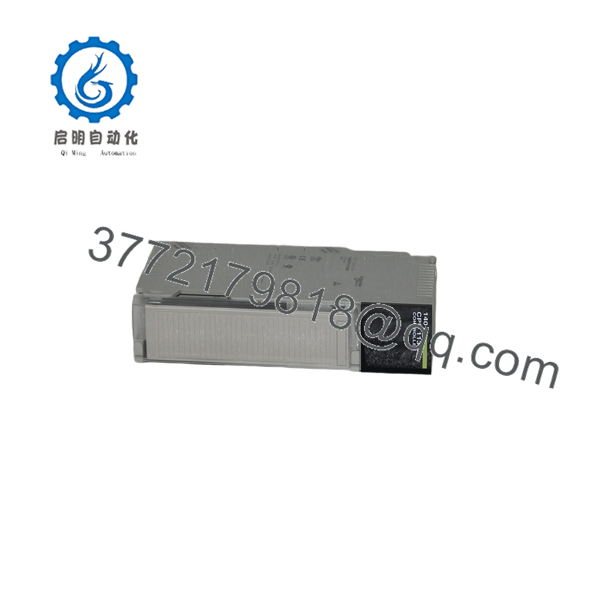
140CPU11302
Frequently Asked Questions (FAQ)
Is this 140CPU11302 processor guaranteed to be New Surplus and not refurbished?
Yes, this unit is strictly New Original / New Surplus. It has never been installed in a plant environment, pulled from a decommissioned system, or subjected to component-level board repairs. It retains full OEM reliability and component lifespan.
Why should I choose New Surplus over a cheaper repaired or used CPU card?
Processor modules contain sensitive memory chips, internal voltage regulators, and electrolytic decoupling capacitors that age over time. Repaired or used modules often suffer from thermal degradation, increasing the risk of unexpected memory corruption or CPU HALT faults during operation. Buying New Surplus ensures full operational integrity.
Does the 140CPU11302 retain logic programs when backplane power is turned off?
Yes, program logic and register data are preserved in RAM using an internal lithium backup battery. When replacing or storing the CPU, ensure a fresh battery is installed to avoid losing configuration data during power outages.
Can I upgrade my plant to a higher-capacity Quantum CPU using the same rack?
Yes, Quantum CPU modules (such as the 140CPU43412A or 140CPU65160) share the same backplane form factor. However, changing to a larger CPU model may require updating your software programming environment and adjusting communication parameters. The 140CPU11302 offers a direct, drop-in replacement that avoids software re-engineering.
What warranty is provided with this CPU module?
All New Surplus 140CPU11302 processor modules come with a full 1-year replacement warranty. Every unit undergoes complete physical inspection and power-on verification before shipping in ESD-protective packaging.



