
 WhatsApp: +86 16626708626
 Email:
  Phone: +86 16626708626
Description
Key Technical Specifications
| Parameter | Specification |
|---|---|
| Manufacturer | Schneider Electric (Modicon) |
| Part Number | 140NOE77101 |
| Network Interface | 1 x RJ45 (10BASE-T / 100BASE-TX Auto-Negotiating) |
| Protocols Supported | Modbus TCP/IP, ICMP (Ping), BOOTP/DHCP, SNMP, HTTP |
| Transmission Rate | 10/100 Mbit/s |
| Services Provided | I/O Scanning, Client/Server Messaging, Web Diagnostics, Global Data |
| Bus Current Requirement | 750 mA at 5.1 V DC (From backplane supply) |
| Cable Type | Category 5 or higher Shielded Twisted Pair (STP) |
| Isolation Voltage | 1,500 V RMS for 1 minute (Ethernet port to backplane bus) |
| Diagnostics | Front-panel LEDs for Ready, Module Fault, LAN Link/Activity, and 100 Mbps Speed |
Product Introduction & Supply Chain Strategy
This product is a Brand New Surplus unit. It is not used, not pulled from a decommissioned plant, and not refurbished. All modules undergo rigorous quality verification to ensure OEM-level reliability. The Schneider Modicon 140NOE77101 Ethernet TCP/IP Network Module links Modicon Quantum PLC systems to enterprise plant networks, SCADA systems, and remote Modbus TCP/IP devices, enabling high-speed data exchange and real-time process monitoring.
From a Total Cost of Ownership (TCO) perspective, holding a verified New Surplus 140NOE77101 module in local safety stock is a critical defense against unexpected network dropouts. As Schneider Electric phases out legacy Quantum communications hardware, a failed Ethernet card isolates the PLC from SCADA systems and human-machine interfaces (HMIs), halting plant control. Stocking 1 unit in local inventory ensures immediate plug-and-play restoration while avoiding corrupt MAC address tables, worn RJ45 jack contacts, and intermittent PHY transceivers typical of cheap refurbished alternatives.
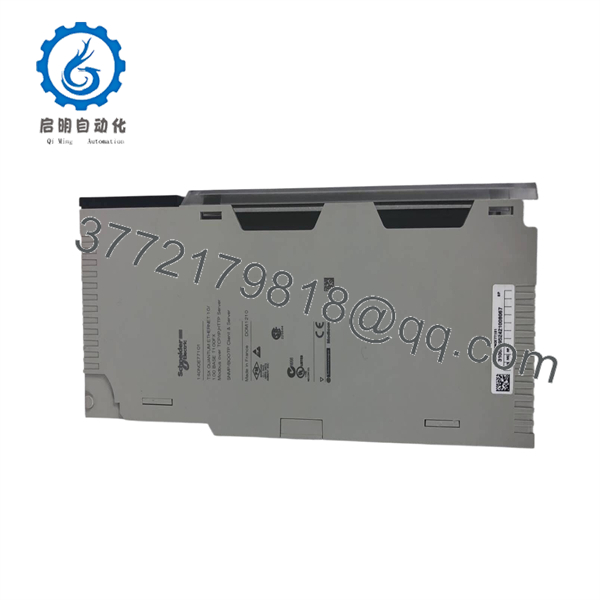
140NOE77101
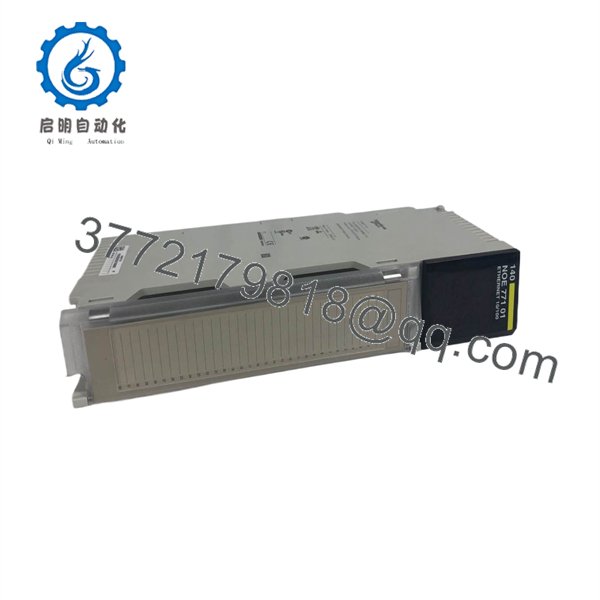
140NOE77101
Installation & Configuration Guide
Stage 1: Pre-Installation (Prep & Safety)
- Execute Lock-Out/Tag-Out (LOTO) procedures on the power supply module powering the Quantum backplane.
- Put on a grounded ESD wrist strap attached to the metal enclosure frame.
- Record the module’s default MAC address located on the side panel label, and note the assigned IP address, Subnet Mask, and Gateway parameters from the PLC application project.
Stage 2: Removal
- Disconnect the RJ45 Ethernet cable from the front network port by pressing the locking tab.
- Depress the top and bottom module release levers on the Quantum backplane slot.
- Pivot the module forward, lift it off the lower backplane mounting rail, and place it directly inside an ESD-shielded bag.
Stage 3: Installation (Clone & Seat)
- Hook the lower rear notch of the new 140NOE77101 module onto the Quantum backplane rail in the designated slot.
- Pivot the module upward and press firmly until both top and bottom latches click flush into place.
- Insert the RJ45 Ethernet cable firmly into the network port until the connector tab clicks into place.
Stage 4: Power-On & Testing
- Re-energize the Quantum backplane power supply module.
- Confirm that the front-panel Ready LED illuminates solid green and the LAN ACT LED blinks to indicate active network traffic.
- Ping the module’s IP address from a workstation or engineering station to confirm network connectivity and access the embedded web diagnostic page.
Firmware/Software Versions & Upgrade Notes
- Software Compatibility: Fully supported across Concept V2.5 or higher, ProWORX 32, and EcoStruxure Control Expert (formerly Unity Pro) environments.
- Firmware Notes: Supports firmware updates via Modbus TCP/IP or serial connections using the Schneider Executive Loader utility.
- Firmware Swap Warning: Ensure the firmware executable version running on the replacement 140NOE77101 matches the module hardware definition in the PLC project config. Mismatched firmware builds can result in restricted web server access or I/O Scanning message buffer dropped frames (Fault LED active). Always back up module IP configuration tables prior to hardware replacement.
Frequently Asked Questions (FAQ)
Is this Schneider Modicon 140NOE77101 module 100% Genuine New Surplus? Yes. This Ethernet communication module is 100% Genuine New Surplus. It has never seen active runtime in an industrial plant and was sourced from clean spare parts inventory. We enforce a strict zero-tolerance policy against second-hand, pulled, or refurbished components.
Why choose New Surplus over a cheaper refurbished 140NOE77101 module? Refurbished Ethernet modules frequently suffer from degraded physical layer transceivers (PHY), worn RJ45 gold pins, or thermal stress that causes packet loss under high network traffic loads. Investing in New Surplus guarantees factory-clean PHY transceivers, reliable physical connections, and uninterrupted network performance.
What is the OEM lifecycle status for the Modicon 140NOE77101? The 140NOE77101 is an obsolete part as Schneider Electric has transitioned users to the Modicon M580 PAC platform. Sourcing New Surplus units allows facility managers to maintain plant-floor Ethernet connectivity and SCADA communications without incurring immediate, high-cost system migration expenses.
Does this module support DHCP/BOOTP address assignment? Yes. The 140NOE77101 can acquire its IP configuration dynamically via BOOTP or DHCP servers on power-up, or it can be configured with a static IP address stored directly within the Quantum PLC application configuration file.
What warranty coverage comes with this part? Unlike short 30-day warranties common on used surplus parts, our New Surplus 140NOE77101 module includes a full 1-year functional replacement warranty backed by static and power-on QC verification.



