
 WhatsApp: +86 16626708626
 Email:
  Phone: +86 16626708626
Description
Key Technical Specifications
| Parameter | Specification |
|---|---|
| Manufacturer | Schneider Electric (Modicon) |
| Part Number | 140XBE10000 |
| Backplane Compatibility | Modicon Quantum 140 Series Racks |
| Module Type | Local Backplane Bus Expander |
| Cable Connection | Dedicated Quantum Backplane Expansion Bus Connectors |
| Bus Current Requirement | Draw metered from Quantum backplane power supply (approx. 300 mA at 5.1 V DC) |
| Max Racks Connected | Supports local multi-rack expansion topologies per CPU specs |
| Isolation Voltage | Integrated bus line isolation for rack-to-rack noise immunity |
| Diagnostics | Front-panel LEDs for Module Status, Bus Active, and Bus Fault |
Product Introduction & Supply Chain Strategy
This product is a Brand New Surplus unit. It is not used, not pulled from a decommissioned plant, and not refurbished. All modules undergo rigorous quality verification to ensure OEM-level reliability. The Schneider Modicon 140XBE10000 Backplane Expander Module provides physical bus bridging between primary and secondary Quantum backplanes, allowing a single CPU to control I/O modules distributed across multiple local racks.
From a Total Cost of Ownership (TCO) perspective, securing a verified New Surplus 140XBE10000 module in local safety stock is a vital defense against full multi-rack control system dropouts. Because Schneider Electric has phased out legacy Quantum expansion hardware, a failure on the backplane expander breaks the local bus connection, causing all downstream racks and associated field I/O to drop offline simultaneously. Maintaining 1 unit in local spare inventory guarantees instant swap capability while avoiding bent backplane connector pins, cracked bus line trace pads, and intermittent signal corruption common in cheap refurbished options.
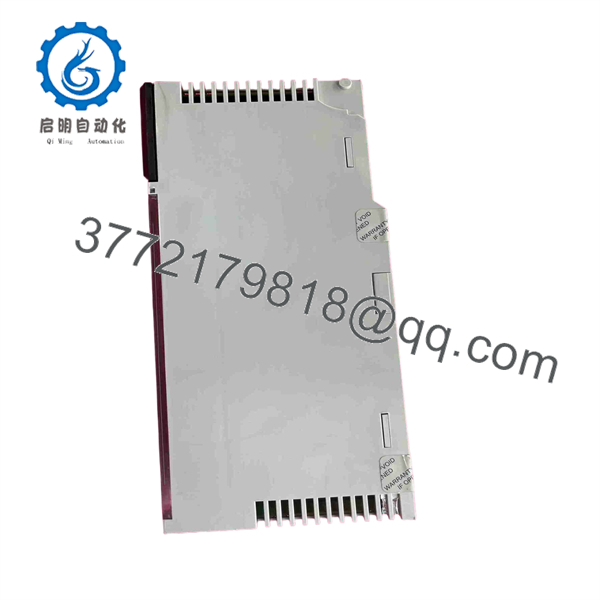
140XBE10000
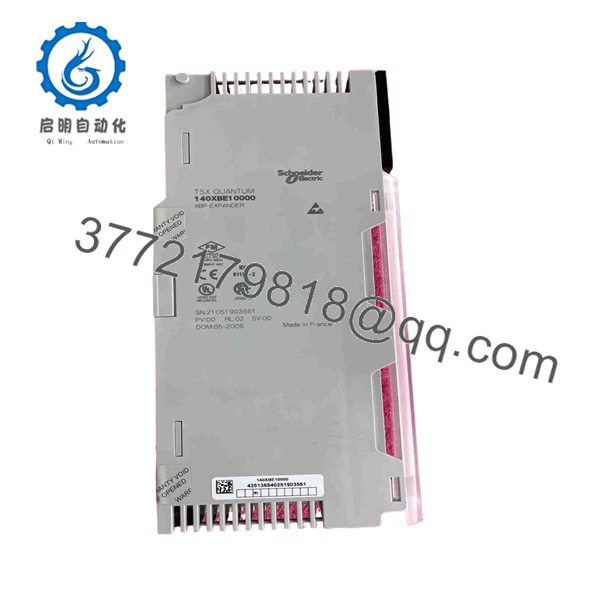
140XBE10000
Installation & Configuration Guide
Stage 1: Pre-Installation (Prep & Safety)
- Execute Lock-Out/Tag-Out (LOTO) procedures on all power supply modules feeding the primary and expansion Quantum racks.
- Put on a grounded ESD wrist strap connected to the metal enclosure frame.
- Verify that the total length of expansion cabling does not exceed maximum allowable Modicon Quantum local bus length specifications.
Stage 2: Removal
- Unplug the backplane expansion interface cables from the front or top ports of the expander card.
- Depress the top and bottom module release tabs on the Quantum backplane slot.
- Pivot the module forward, lift it off the lower backplane mounting rail, and place it directly inside an ESD-shielded bag.
Stage 3: Installation (Clone & Seat)
- Hook the lower rear notch of the new 140XBE10000 module onto the Quantum backplane rail in the designated expansion slot.
- Pivot the module upward and press firmly until both top and bottom latches snap flush into place.
- Reconnect the backplane expansion interconnect cables securely to the module ports.
Stage 4: Power-On & Testing
- Re-energize the Quantum backplane power supply modules across all connected racks simultaneously.
- Confirm that the front-panel Ready / Active LED illuminates solid green and no expansion bus fault lights are present.
- Verify via PLC programming software that all I/O modules located on the expansion backplane are online and communicating error-free.
Firmware/Software Versions & Upgrade Notes
- Software Compatibility: Fully supported across EcoStruxure Control Expert (formerly Unity Pro), Concept, ProWORX 32, and Modsoft programming environments.
- Hardware Revision: Executable Hardware Rev 01 or later.
- Firmware Swap Warning: The 140XBE10000 is a hardware bus-interface bridge card requiring no onboard application firmware downloads. However, proper rack termination resistors or terminator blocks must be present on the final expansion rack in the chain to prevent backplane bus signal reflections (Bus Fault LED active).
Frequently Asked Questions (FAQ)
Is this Schneider Modicon 140XBE10000 module 100% Genuine New Surplus? Yes. This backplane expander module is 100% Genuine New Surplus. It has never seen active runtime in an industrial plant and was sourced from clean spare parts inventory. We enforce a strict zero-tolerance policy against second-hand, pulled, or refurbished components.
Why choose New Surplus over a cheaper refurbished 140XBE10000 module? Refurbished expansion modules often suffer from worn edge connectors, micro-fractures on internal copper bus traces, or static damage that manifests as intermittent rack-drop faults under high EMI or vibration environments. Investing in New Surplus guarantees factory-clean bus line transceivers and stable rack-to-rack data transfer.
What is the OEM lifecycle status for the Modicon 140XBE10000? The 140XBE10000 is an obsolete part as Schneider Electric has transitioned users toward Ethernet-based backplane architectures in the Modicon M580 platform. Sourcing New Surplus units enables facility managers to maintain active multi-rack Quantum systems reliably without embarking on complex hardware migrations.
Does this module require software configuration in my PLC project? The 140XBE10000 functions transparently as a physical bus extension. The expansion racks and their respective I/O slots must be properly defined in the PLC project hardware configuration table to map the remote backplane slots accurately.
What warranty coverage comes with this part? Unlike short 30-day warranties typical for used surplus parts, our New Surplus 140XBE10000 module comes with a full 1-year functional replacement warranty backed by complete static and power-on QC testing.



