
 WhatsApp: +86 16626708626
 Email:
  Phone: +86 16626708626
Description
Key Technical Specifications
| Parameter | Value |
|---|---|
| Model Number | XBTF034610 |
| Manufacturer | Schneider Electric / Telemecanique |
| Display Type | TFT LCD Color Screen |
| Display Size | 10.4 Inches diagonal |
| Resolution | 640 x 480 pixels (VGA) |
| Touch Matrix | Analog Resistive Touchscreen |
| Supply Voltage | 24 V DC (18 to 30 V DC operational range) |
| Communication Ports | 1x RS232C, 1x RS485 / Modbus serial port, PCMCIA expansion slot |
| Processor & Memory | 32-bit RISC processor, 4 MB Application Flash / 512 KB SRAM |
| Enclosure Rating | IP65 / NEMA 4X front panel protection |
| Operating Temperature | 0 to +50 °C (32 to 122 °F) |
| Cutout Dimensions | 291 mm x 223 mm panel cutout |
Product Introduction & Supply Chain Strategy
The Schneider Electric XBTF034610 is a 10.4-inch VGA color touchscreen operator terminal from the Magelis XBT-F product family. Designed for industrial process visualization, machine control, and real-time alarm reporting, it connects seamlessly to Modicon PLCs and third-party controllers via serial Modbus, Uni-Telway, and network expansion cards. The rugged IP65 front bezel ensures reliable operation in demanding washdown and high-dust environments.
Procuring the XBTF034610 as New Surplus is a vital supply chain strategy to protect legacy production lines. Because Schneider Electric has fully discontinued the Magelis XBT-F series, sourcing an unused, original panel avoids the massive engineering expense, panel cutout modifications, and application code rewrites associated with upgrading to a modern Harmony HMI. Unlike refurbished panels with worn digitizer membranes and dimming CCFL backlights, our New Surplus inventory provides factory-level display brightness and immediate plug-and-play installation.
Installation & Configuration Guide
1
Pre-Installation & Setup
Safety measures and environment preparation
1.Pre-Installation & Setup:Safety measures and environment preparation.
- Isolate main power supply circuits and verify that the 24 V DC feeder line to the HMI cutout is de-energized.
- Put on a grounded ESD wrist strap before handling the rear casing of the XBTF034610 panel.
- Verify panel cutout dimensions (291 mm x 223 mm) and clean the mounting bezel surface to ensure a tight IP65 seal.
2
Hardware Removal
2.Hardware Removal:
- Disconnect the 24 V DC power connector, ground strap, and serial/network communication cables from the rear of the faulty unit.
- Unfasten the screw clamp fixings positioned around the perimeter of the panel interior.
- Carefully push the old display unit forward out of the enclosure cutout to avoid damaging the surrounding panel seal.
3
Physical Mounting & Wiring
3.Physical Mounting & Wiring:
- Inspect the seal gasket on the New Surplus XBTF034610 for correct seating and elasticity.
- Insert the unit through the front of the cutout, then install and tighten all perimeter retaining clamps evenly to ensure proper gasket compression.
- Reattach the serial communication cables and secure the 24 V DC power terminal block (observing correct pin polarity).
4
Power-On & Verification
4.Power-On & Verification:
- Apply 24 V DC power and observe the boot sequence on the TFT display screen.
- Confirm that runtime communication establishes with the host PLC without displaying host timeout error codes.
- Perform a touch alignment check across all four screen quadrants to confirm tactile accuracy.
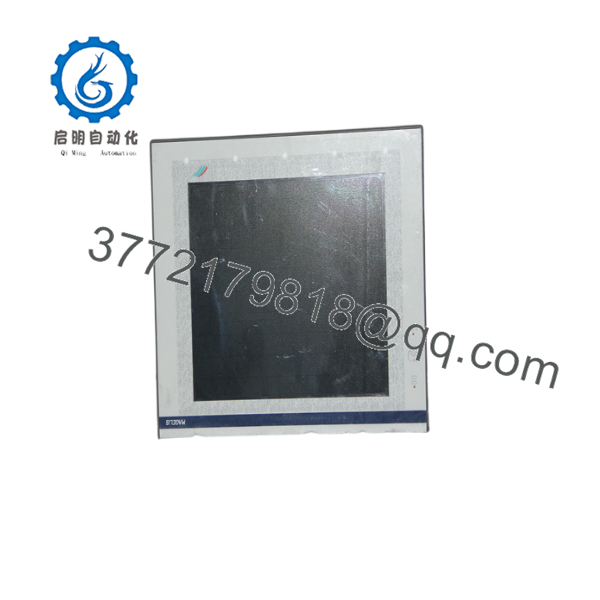
XBTF034610
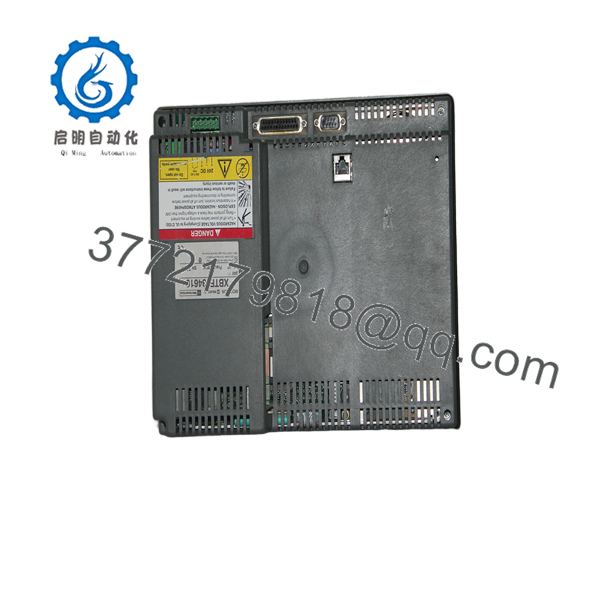
XBTF034610
Firmware/Software Versions & Upgrade Notes
- Configuration Software: Programmed and maintained using XBTL1000 or XBT-L1003 configuration software environments.
- Protocol Compatibility: Supports Modbus RTU, Uni-Telway, and legacy serial drivers. Extended fieldbus protocols (e.g., Modbus Plus, Profibus DP) require matching PCMCIA communication cards.
- Compatibility Watchouts:
- When downloading application files to a replacement panel, ensure the XBTL1000 application targets the exact target hardware reference (). Transferring a project built for a smaller screen size can cause layout scaling errors.
- Ensure the PCMCIA memory or communication cards are transferred directly from the old terminal to the new unit while power is completely isolated. Never insert or pull PCMCIA cards while the panel is powered up.
Frequently Asked Questions (FAQ)
Why should I buy a New Surplus instead of a cheaper refurbished panel?
Refurbished HMI terminals routinely feature fatigued touch digitizers and aging CCFL backlight tubes that degrade over time. Cosmic exposure and operating heat cause screen yellowing and touch calibration drift. Purchasing our New Surplus guarantees original factory display brightness, an unused touch membrane, and full dielectric insulation integrity—protecting your plant against unexpected screen failures.
Is the Schneider Magelis obsolete?
Yes. Schneider Electric / Telemecanique transitioned the entire Magelis XBT-F product line to End-of-Life (EOL) status. Direct OEM manufacturing has ceased, making New Surplus inventory the most reliable way to maintain original machine specifications without incurring re-engineering costs.
Can I drop in the as a direct replacement for an existing unit?
Yes. As long as your replacement panel shares the exact part number, it matches the physical enclosure cutout, mounting clamp locations, power connections, and serial pinouts without requiring panel modifications.
How do you verify that this HMI panel is genuine New Surplus?
Every panel passes strict incoming inspection protocols. We check for clean mounting gaskets, original anti-static packaging, pristine power connector terminals, and zero display bezel wear. Our technicians perform power-on bench tests to verify screen integrity before final warehousing.
Does the panel come pre-loaded with my plant’s application software?
No. The is supplied with clean factory system firmware. You will need to download your specific machine application file using a PC running XBTL1000 software and the appropriate serial transfer cable, or transfer the configuration via a compatible PCMCIA memory card.
What warranty applies to this New Surplus HMI terminal?
We cover this New Surplus with a full 1-year functional replacement warranty. If the unit experiences operational defects under standard operating conditions, we immediately supply a replacement from our active inventory.



