
 WhatsApp: +86 16626708626
 Email:
  Phone: +86 16626708626
Description
3. Key Technical Specifications
| Parameter | Value |
|---|---|
| Rack Type | VM-5H3 Instrument Rack |
| Compatible Modules | VM-5 Series (VM-5K, VM-5T, VM-53, etc.) |
| Max Monitor Capacity | Up to 8 modules (6 with backup PSU) |
| Power Supply | Integrated AC power unit |
| Alarm Output | Relay contact (250 VAC / 30 VDC, 5 A) |
| Contact Life | ≥100,000 operations |
| Interface | Rear-panel control inputs (dry contact) |
| Cooling Method | प्राकृतिक ventilation (top/bottom airflow) |
| Mounting | Panel-mounted rack system |
| Weight | Approx. 13.85 kg |
| Country of Origin | Japan |
4. Product Introduction & Supply Chain Strategy
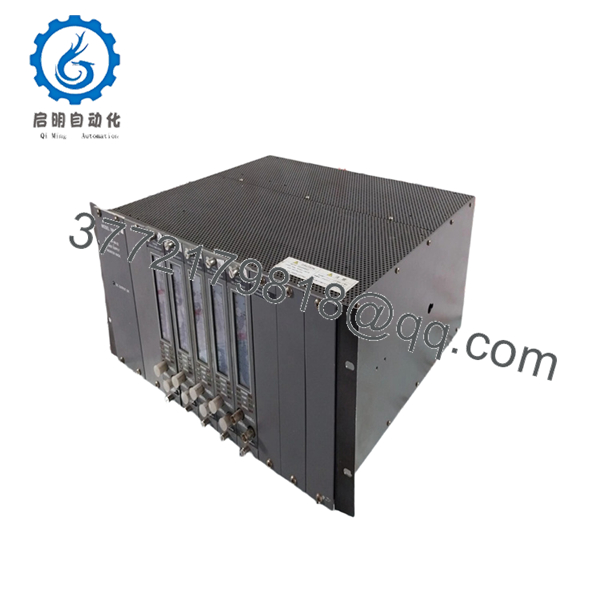
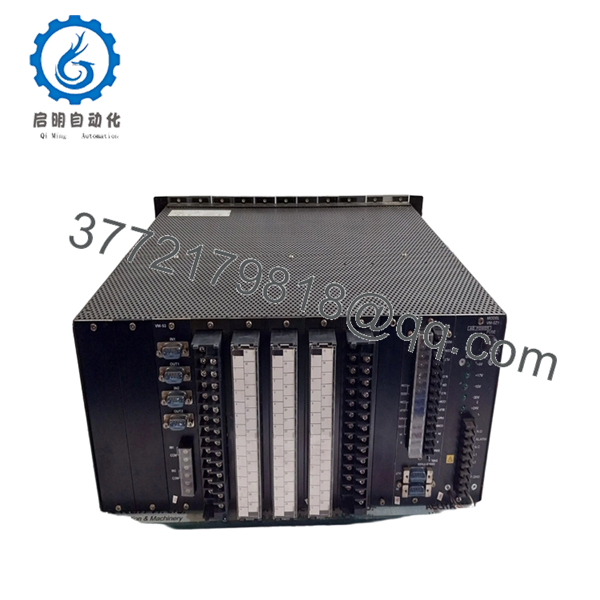
The SHINKAWA VM-5H3 is a power supply monitor rack designed for VM-5 series machinery protection systems, supporting vibration, thrust, and process monitoring modules in turbine and rotating equipment environments. It centralizes power distribution, alarm handling, and module integration within a single rack architecture.
From a supply-chain perspective, this is a classic EOL-prone infrastructure component. Securing New Surplus inventory avoids system downtime caused by rack failure—something refurbished units cannot guarantee. A controlled last-time-buy strategy combined with minimal on-site buffer stock (1 unit per critical train) reduces lifecycle risk and protects Total Cost of Ownership (TCO).

- VM-5H3 1596-001-P002B
- VM-5H3 1596-001-P002B
5. Installation & Configuration Guide
Stage 1: Pre-Installation (Prep & Safety)
- Execute full Lock-Out/Tag-Out (LOTO) on the panel.
- Confirm 24 V / AC supply isolation and discharge.
- Wear ESD wrist strap; prepare torque screwdriver.
- Photograph:
- Existing rack wiring
- Module slot arrangement
- Terminal block assignments
Stage 2: Removal
- Power down system completely.
- Disconnect rear terminal connectors carefully—avoid pulling wires directly.
- Unscrew rack mounting bolts evenly.
- Extract rack straight out to prevent backplane pin misalignment.
Stage 3: Installation (Clone & Seat)
- Transfer all modules slot-by-slot (maintain sequence).
- Replicate any jumper/DIP configurations from legacy setup.
- Mount new rack securely; ensure airflow clearance (≥200 mm top/bottom).
- Reconnect wiring per documented photos—not memory.
Stage 4: Power-On & Testing
- Verify no short on power rails before energizing.
- Apply power and observe:
- RUN indicator stable
- No ERR or alarm latch
- Validate communication with DCS/PLC.
- Simulate input signals to confirm alarm relay operation.
6. Firmware/Software Versions & Upgrade Notes
- Recommended configuration: Match existing VM-5 system firmware baseline (no forced upgrades).
- Compatibility:
- VM-5H3 rack depends on installed modules (VM-5P, VM-5K, VM-53).
- Alarm and communication functions require correct module pairing.
- Critical Warning:
- Upgrading firmware during rack replacement can introduce communication faults or alarm misalignment.
- Downgrading firmware may disable newer module features.
- Best practice:
- Record firmware versions before swap.
- Maintain firmware parity across redundant systems.
7. Frequently Asked Questions (FAQ)
Q1: Are these units truly new if most listings online show used condition?
Yes. Market listings are typically decommissioned units. We supply New Surplus inventory only—unused, OEM-manufactured, with zero wear on connectors and no field exposure.
Q2: Why is New Surplus pricing higher than refurbished units?
Refurbished units carry hidden failure risks (aging capacitors, relay fatigue). A 5,000 saving can trigger 50,000+ downtime. New Surplus ensures predictable lifecycle and lower TCO.
Q3: Is the VM-5H3 considered obsolete?
Yes—this rack is tied to legacy VM-5 systems. Lead time variability is high, and OEM production is limited. A last-time-buy strategy is recommended.
Q4: Can this rack be hot-swapped?
No. Full shutdown is required. Removing under power risks backplane damage and module corruption.
Q5: How many units should we stock?
- Critical systems: 1 on-site spare (insurance policy)
- Multi-train plants: consider cross-site sharing to reduce capital lock-up
Q6: Does the rack store configuration or logic?
No. Logic resides in monitoring modules and external control systems. However, incorrect module placement can disrupt system behavior.
Q7: What warranty and QC validation are included?
Each unit undergoes:
- Serial verification and traceability check
- Power-on and I/O simulation testing
- Insulation and grounding verification
- Final QC sign-off with test report
Standard warranty: 12 months on New Surplus units.



