
 WhatsApp: +86 16626708626
 Email:
  Phone: +86 16626708626
Description
3. Key Technical Specifications
| Parameter | Specification / Value |
|---|---|
| Manufacturer | Siemens / CTI (Control Technology Inc.) |
| Part Number | 505-CP2572 (2572) |
| System Compatibility | SIMATIC 505 / CTI 2500 Series Base Racks |
| Network Interface | 1 × 10/100Base-T RJ45 Port |
| Supported Protocols | TCP/IP, UDP, CAMP (Control Applications Message Protocol), Modbus TCP |
| Serial Ports | 2 × RS-232 Ports for Configuration / Serial Tunneling |
| Backplane Power Draw | 1.5 A at +5 VDC (from SIMATIC 505 power supply) |
| Operating Temperature | 0°C to +60°C (+32°F to +140°F) |
| Relative Humidity | 5% to 95% Non-condensing |
| Packaging | Factory Anti-Static Shielded Packaging |
4. Product Introduction & Supply Chain Strategy
This product is a Brand New Surplus unit. It is not used, not pulled from a decommissioned plant, and not refurbished. All modules undergo rigorous quality verification to ensure OEM-level reliability. The Siemens 505-CP2572 (CTI 2572) Ethernet Coprocessor module connects SIMATIC 505 PLCs to enterprise Ethernet networks, SCADA systems, and human-machine interfaces (HMIs).
Holding this module as New Surplus provides an indispensable buffer stock against unexpected Ethernet dropouts on legacy processing lines. Because original Siemens 505 series hardware has been discontinued, securing replacement networking cards during a sudden interface failure can take weeks through grey-market brokers. Refurbished communications cards frequently carry worn backplane bus drivers and aged capacitors that cause signal dropouts and network packet loss. Purchasing genuine New Surplus guarantees OEM-grade transmission stability while reducing your Total Cost of Ownership (TCO) compared to market markup prices.
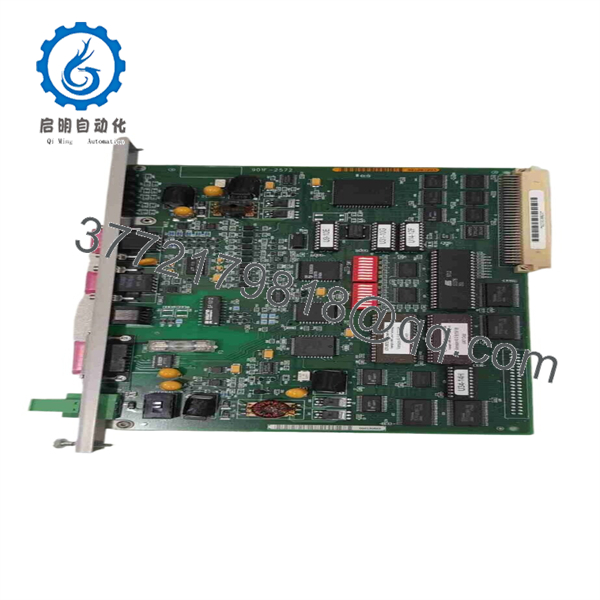
505-CP2572
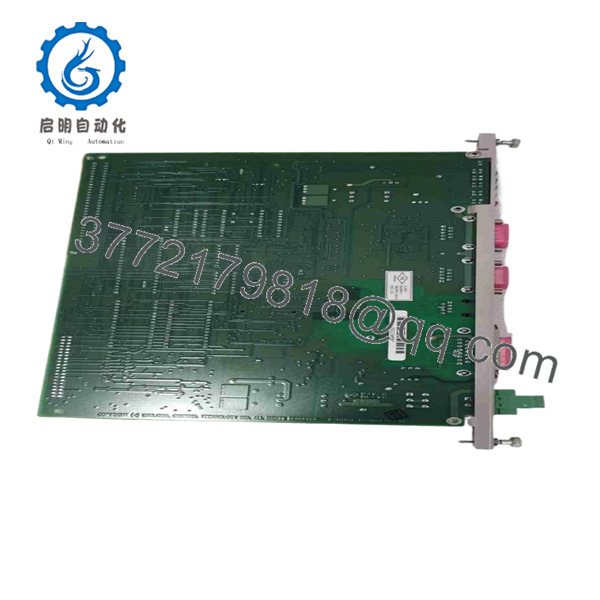
505-CP2572
5. Installation & Configuration Guide
Stage 1: Pre-Installation (Prep & Safety)
- Disconnect main rack power and enforce Lock-Out/Tag-Out (LOTO) protocols on the SIMATIC 505 chassis power supply.
- Put on a grounded ESD wrist strap before handling the replacement module.
- Record the IP address, subnet mask, and gateway settings from the existing 505-CP2572 card via the CTI configuration utility or HMI software.
Stage 2: Removal
- Unplug the RJ45 network cable and any DB9 serial connections from the module faceplate.
- Unscrew the top and bottom retaining fasteners on the module faceplate.
- Pull the card firmly out of the chassis slot using two hands to ensure straight backplane pin disengagement.
Stage 3: Installation (Clone & Seat)
- Check the DIP switch banks on the side or rear of the replacement 505-CP2572 module and match them exactly to the original board settings.
- Align the module circuit board with the top and bottom guide card slots in the SIMATIC 505 rack.
- Push the module smoothly until it sits flush with the backplane connector, then tighten the faceplate retaining screws.
Stage 4: Power-On & Testing
- Reconnect the RJ45 Ethernet patch cable to the front port.
- Re-energize the rack power supply; verify the module diagnostic LEDs progress from self-test to a solid Green “OK” or “ACTIVE” status.
- Execute a network ping to the assigned IP address from the SCADA workstation to confirm active TCP/IP token passing.
1
Pre-Installation & Setup
Network backup & ESD safety
1.Pre-Installation & Setup:Network backup & ESD safety.
Turn off SIMATIC 505 base power and apply LOTO procedures. Put on a grounded wrist strap and document existing IP address and node settings.
2
Module Extraction
Backplane pin protection
2.Module Extraction:Backplane pin protection.
Disconnect the RJ45 Ethernet cable. Remove the faceplate mounting screws and pull the module straight out along the chassis rails.
3
Hardware Mounting
Switch cloning & seating
3.Hardware Mounting:Switch cloning & seating.
Set side-panel DIP switches on the new 505-CP2572 to match the original card. Slide the card into the slot guide rails and push firmly until seated, then tighten screws.
4
Validation & Network Test
Ping test & validation
4.Validation & Network Test:Ping test & validation.
Reconnect Ethernet cabling and restore rack power. Verify LED indicators show active status, then perform a network ping test from the HMI/SCADA host.
6. Firmware/Software Versions & Upgrade Notes
- Software Utility Compatibility: Configured using CTI 2572 IP Configuration Utility or soft-programmed through VME memory locations via TISOFT / Workshop 505 software.
- Protocol Compatibility: Fully backwards compatible with CAMP protocol structures used across Texas Instruments (TI) / Siemens 505 architecture.
- Firmware Warning: Do not interrupt power or serial communication during EEPROM firmware updates. A power failure while flashing module memory can corrupt the bootloader, requiring factory-level chip replacement.
7. Frequently Asked Questions (FAQ)
Q: Is the Siemens 505-CP2572 module brand new or refurbished? A: This unit is 100% Genuine New Surplus. It has never been deployed in an active production rack, features clean edge connectors, and ships in protective anti-static packaging.
Q: Why should I choose New Surplus over a refurbished Ethernet card? A: Refurbished communications modules often suffer from degraded PHY chips, leaky filter capacitors, and worn connector pins that cause intermittent network disconnections. On automated production lines, a dropped Ethernet connection stops data collection and triggers system halts. New Surplus guarantees factory performance without long lead times.
Q: Is this card hot-swappable in a SIMATIC 505 rack? A: No. Removing or inserting the 505- module while the base rack is energized can cause electrical arcing across the 5V backplane pins and damage adjacent rack cards. Always drop system power before pulling hardware.
Q: Does this card require software configuration, or does it read settings from the CPU? A: The 505- retains its IP address and configuration parameters in onboard flash memory. You must set its initial IP settings using the CTI configuration utility or serial port commands to match your network segment.
Q: What warranty coverage applies to this module? A: We back this 505- module with a full 1-year replacement warranty, delivering total operational security compared to standard short-term used surplus terms.



