
 WhatsApp: +86 16626708626
 Email:
  Phone: +86 16626708626
Description
Key Technical Specifications
- Processor: Intel Core i5-3320M, 3 MB cache, 2.6 GHz base, up to 3.3 GHz with Turbo Boost
- Display: 15.6″ (resolution varies by suffix — HD Ready 1366×768 or Full HD 1920×1080)
- Graphics: Intel HD Graphics 4000
- Optical Drive: DVD RW
- Storage: HDD or SSD SATA depending on exact suffix — verify against nameplate
- Memory: 4–8 GB RAM depending on configuration — verify against nameplate
- Weight: Approximately 3.5–4 kg depending on chassis variant
- Operating System: Windows 7 or Windows XP depending on build era — verify installed OS
- Software Compatibility: STEP 7 Professional, WinCC Advanced, STEP 7 Micro/WIN, STEP 5 (if S5 interface fitted)
- Interfaces: MPI cable support on most variants; S5 interface and EPROMMER present on select suffixes only
Product Introduction
The Siemens 6ES7716-1CA10-0BA1 is a SIMATIC Field PG M4 Premium engineering laptop, built around an Intel Core i5-3320M processor and configured from the factory to run STEP 7 and WinCC engineering software for S7-300, S7-400, and S7-1500 platforms. It’s the field tool techs carry to commission, troubleshoot, and reprogram Siemens control systems on-site.
The draw here is the pre-validated software licensing and hardware compatibility Siemens bakes into these units — MPI connectivity, driver sets, and STEP 7 combo licenses that don’t need to be assembled from scratch on a generic laptop. Plants running legacy S7-300/S5 hybrid systems keep these in the toolkit specifically because the S5 interface and EPROMMER hardware (on suffixes that include it) aren’t reproducible on modern hardware.
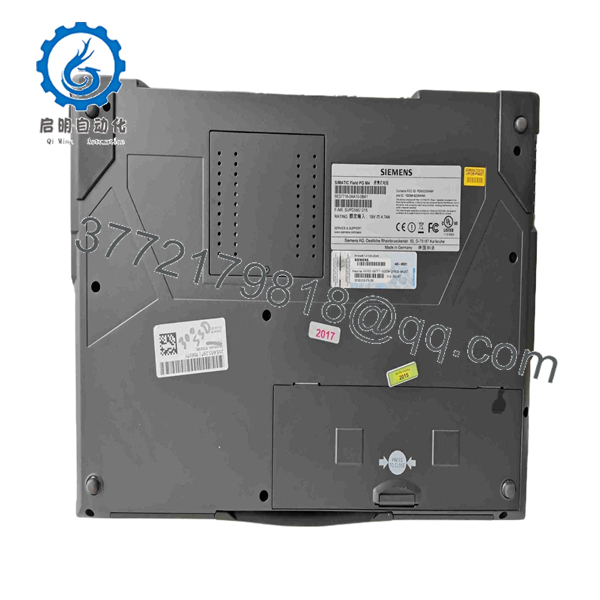
6ES7716-1CA10-0BA1
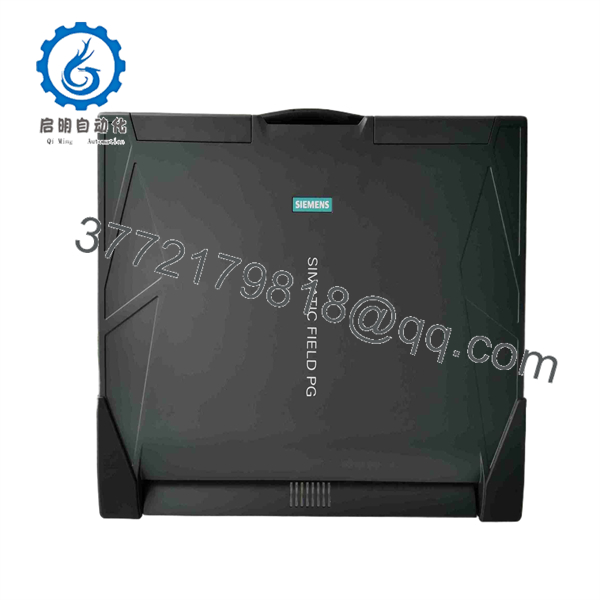
6ES7716-1CA10-0BA1
Troubleshooting Quick Reference
| Symptom | Possible Cause | Relevance to this Part | Quick Check Method | Recommendation |
|---|---|---|---|---|
| Unit won’t power on | Dead or degraded battery, failed charger | ✅ High | Test with AC adapter direct, check charging LED | Replace battery or PSU before further diagnosis |
| MPI/PROFIBUS connection fails to PLC | Driver conflict, damaged MPI adapter cable | ✅ High | Reinstall SIMATIC NET drivers, swap MPI cable | Confirm cable and driver stack before assuming hardware fault |
| STEP 7 software won’t launch or license error | License file corruption, expired combo license | ✅ High | Check license manager (Automation License Manager) for valid entries | Reinstall license or transfer from backup dongle/file |
| Screen dim or display artifacts | Aging LCD panel, loose display cable | ❌ Low | Connect external monitor via VGA/HDMI to isolate | If external display is clean, panel or cable is the issue, not the motherboard |
| Slow performance, long boot times | Aging HDD, Windows 7 update backlog | ❌ Low | Check disk health with CrystalDiskInfo or similar | SSD upgrade often resolves this without full replacement |
| Won’t hold charge, drops connection under vibration | Worn battery contacts, loose RAM/storage seating | ❌ Low | Reseat battery, reseat RAM modules | Often resolved with reseating, not full unit replacement |
If you’re not sure whether it’s a software licensing issue or a hardware fault, send us a screenshot of the error and the Automation License Manager status — that narrows it down fast.
Frequently Asked Questions (FAQ)
Is this still sold new by Siemens?
No. The Field PG M4 Premium line has been phased out — Siemens moved on to newer Field PG generations. What we stock is refurbished or pulled surplus units, tested and confirmed working before they ship.
Does it come with STEP 7 and WinCC pre-installed and licensed?
Depends on the specific unit and suffix. Some of these left the factory with combo licenses for STEP 7 Professional and WinCC Advanced already activated; others need the license transferred or reactivated. We’ll tell you exactly what’s licensed on the unit you’re buying before you check out — don’t assume it’s ready to go without asking.
Can I upgrade the OS to Windows 10 or 11?
Technically yes on most of these — the i5-3320M platform handles it — but Siemens never officially validated newer STEP 7 versions against non-original OS builds on this chassis. If you’re running older STEP 5 or STEP 7 V5.5 toolchains, staying on the original Windows 7/XP image is the safer bet. Upgrade at your own risk if you need modern OS compliance.
What’s the difference between this and the “Premium Plus” version?
Premium Plus units run a Core i7-3520M instead of the i5-3320M in this Premium-tier unit — more clock speed and cache, useful if you’re running heavier simulation or multiple engineering tools simultaneously. For straightforward STEP 7 programming and diagnostics, the i5 handles it fine.
Why is this cheaper than a new engineering laptop?
Because there is no new equivalent — Siemens isn’t producing this chassis anymore. You’re buying a tested, working unit from decommissioned or surplus stock, not new production, and the price reflects that.
What condition is the battery in on a used unit like this?
Be honest with yourself here: laptop batteries this age (this platform dates to the early-to-mid 2010s) rarely hold a full charge anymore. Plan on running it plugged in for field work, or budget for a replacement battery if portability matters to your job.
How do I confirm this is the exact configuration I need before I buy?
Ask us for the nameplate photo and a screenshot of System Information (RAM, storage, installed OS) from the specific unit — the 6ES7716-1CA10 suffix family covers several combinations of display resolution, storage type, and installed software, and matching your STEP 7 license requirements to the actual hardware avoids a return.



