
 WhatsApp: +86 16626708626
 Email:
  Phone: +86 16626708626
Description
3. Key Technical Specifications
| Parameter | Value |
| Component Type | PCIO (Processor Input/Output) Interface Board |
| System Compatibility | VisionMaster FT Series (All Software Versions) |
| Data Inputs | 8x NMEA 0183 (IEC 61162-1/2), RS-422/485 |
| Analog Inputs | 1x Speed Log (200 ppnm), 1x Gyro (Synchro/Step via converter) |
| Output Relays | Radar Trigger, Alarm Relay Outputs |
| Bus Interface | Standard System Bus (PCI/PCIe based on chassis) |
| Operating Temp | -15 to +55 °C |
| Certification | IEC 60945 (Marine Type Approved) |
4. Product Introduction
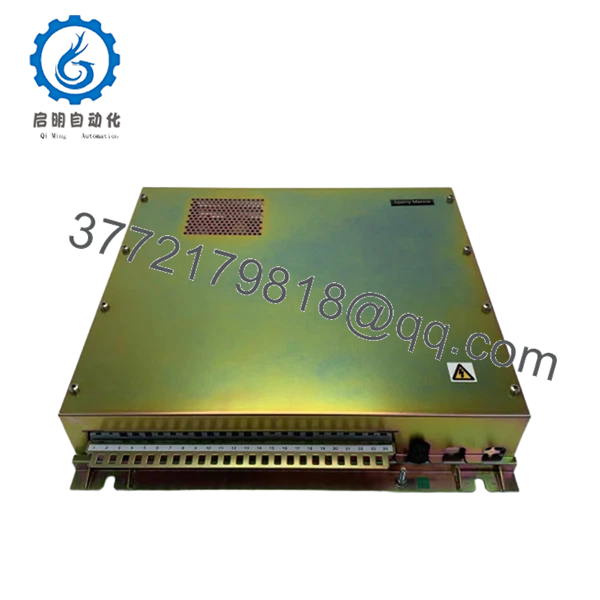
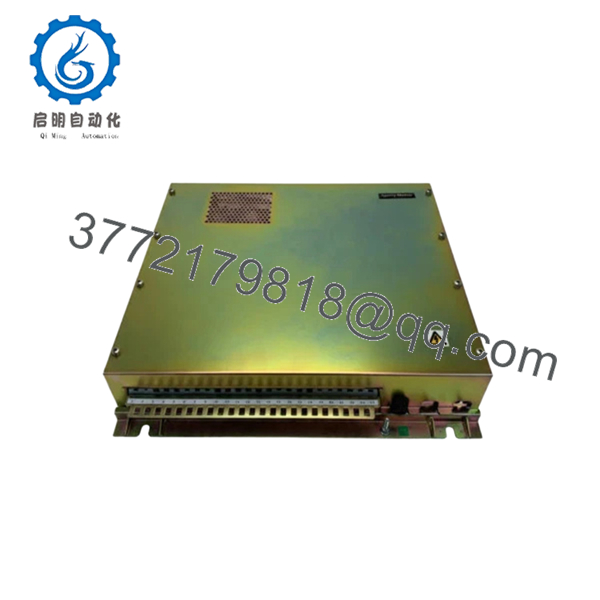
The Sperry Marine 65900AA-7 is the “nervous system” of the VisionMaster FT workstation. As a high-spec PCIO board, it manages the critical synchronization between the radar transceiver and the processing software. This Revision 7 board is designed to handle high-speed data throughput from modern AIS and GPS sensors while simultaneously managing legacy analog inputs from older speed logs and gyrocompasses.
Engineers specify the 65900AA-7 for its superior electrical isolation, which prevents shipboard power surges from damaging the main processor. In the field, this board is the primary solution for resolving “Sensor Data Timeout” or “Video Interlock” alarms. Replacing a failing I/O board with this genuine Revision 7 unit ensures your bridge system remains fully compliant with IMO requirements for target tracking and sensor integration.
5. Installation & Configuration Guide
Stage 1: Pre-Installation Preparation (Estimated Time: 15 mins)
- ⚠️ Safety First: Completely shut down the VisionMaster OS. Disconnect the workstation from the AC/UPS source.
- Tools Required: PH2 Phillips screwdriver, ESD wrist strap, and a digital multimeter.
- Data Backup: Access the “Service Menu” before shutdown and take photos of the “Port Configuration” pages. You will need to re-map these software ports to the new hardware.
Stage 2: Removing the Old PCIO Board
- Open the processor chassis (usually a 4U rackmount or a pedestal-base PC).
- Disconnect the high-density SCSI-style cables or ribbon headers from the 65900AA-7.
- Unscrew the retaining bracket from the chassis frame.
- Firmly pull the board upward/outward from its slot. ⚠️ Note: Check for any “Mezzanine” daughterboards attached to the old PCIO; these may need to be transferred.
Stage 3: Installing the New 65900AA-7 (Estimated Time: 20 mins)
- ESD Prep: Ground yourself to the chassis. Static is the #1 killer of PCIO boards.
- Configuration: Verify any DIP switches on the Revision 7 board. These often define the “Master/Slave” relationship if multiple workstations are networked.
- Insert the board into the slot, ensuring the gold fingers are fully seated in the bus connector.
- Secure the bracket and reconnect all external sensor cables.
- Self-Checklist: [ ] Board seated flush, [ ] Cables locked, [ ] Grounding screw tight.
Stage 4: Power-On & Port Mapping
- Boot the system and enter the VisionMaster Service Mode (requires Technician Password).
- Hardware Detection: Confirm the OS recognizes the new PCIO hardware.
- I/O Mapping: Re-assign the NMEA ports (e.g., Port 1 = GPS, Port 2 = AIS).
- Signal Test: Verify the “RX” indicator in the software for each active channel.
- ⚠️ Troubleshooting: If the radar video is missing but sensors are working, check the “Video Gate” settings and the coax connection to the PCIO’s sub-header.

- 65900AA-7
- 65900AA-7
6. Frequently Asked Questions (FAQ)
Q: Can I use 65900AA-7 to replace an older revision like 65900AA-5?
A: Yes. Revision 7 is the updated, backward-compatible version. It offers better component longevity and improved noise filtering compared to earlier revisions.
Q: Why is my AIS data showing “No Data” after the swap?
A: This is almost always a port mapping issue. When you change the PCIO board, the Windows OS may assign it a different “COM” base address. You must go into the Service Menu and re-link the AIS sensor to the correct physical port on the new board.
Q: Does this board handle the “Sync” for the radar scanner?
A: Yes. The 65900AA-7 manages the azimuth and heading marker pulses. If your radar image is “spinning” or losing its North-up orientation, this board is a prime suspect if the motor itself is healthy.
Q: Is this board “New Original” or a pulled/used part?
A: This is New Original (New Surplus). In a marine environment, I never recommend “used” I/O boards; the salt-air exposure causes micro-corrosion on the traces that you can’t see until the board fails during a heavy storm.
Q: Will I need to re-install the VisionMaster software?
A: No. The software should recognize the board automatically as a hardware update. You only need to calibrate the port settings.
Q: My board has a different suffix (e.g., -9). Is the -7 compatible?
A: Generally, yes. The -7 is one of the most stable revisions produced. If your manual specifically calls for a later rev, contact us; however, the 65900AA series is largely interchangeable across the VisionMaster FT platform.



