
 WhatsApp: +86 16626708626
 Email:
  Phone: +86 16626708626
Description
Key Technical Specifications
| Parameter | Value |
|---|---|
| Part Number | 5136-PFB-VME |
| Manufacturer | SST; later associated with Woodhead and Molex |
| Product Type | VMEbus PROFIBUS communication interface card |
| Host Bus | IEEE 1014 VMEbus |
| Board Format | 6U VME, P1-compatible |
| PROFIBUS Networks | PROFIBUS DP, PROFIBUS FMS, and FDL Layer 2 messaging |
| Network Role | DP master, DP slave, and FDL message operation |
| Simultaneous Modes | Supports DP master, DP slave, and FDL operation concurrently |
| PROFIBUS Data Rates | 9.6 kbps, 19.2 kbps, 93.75 kbps, 187.5 kbps, 500 kbps, 750 kbps, 1.5 Mbps, 3 Mbps, 6 Mbps, and 12 Mbps |
| Communications Processor | Intel i960 onboard processor |
| Local RAM | 512 KB |
| Host Shared RAM | 256 KB, linear or paged access mode |
| VME Address Space | Five control registers in VME short-address space |
| VME Capabilities | SD16 and SADO24 |
| PROFIBUS Connector | Standard DB-9 PROFIBUS connector |
| Auxiliary Connector | Phoenix Contact Combicon MSTB 2.5/5-ST-5.08 |
| Maximum Current Draw | 950 mA at 5 V DC |
| Operating Temperature | 0 to +60 °C |
| Storage Temperature | −40 to +85 °C |
| Required Software | PFBPROFI module must be downloaded and configured before field operation |
The SST 5136-PFB-VME hardware guide identifies this card as a VMEbus interface for PROFIBUS DP, FMS, and FDL networks. It can operate as a DP master, DP slave, and FDL Layer 2 messaging node, with standard PROFIBUS speeds from 9.6 kbps through 12 Mbps.
Product Introduction
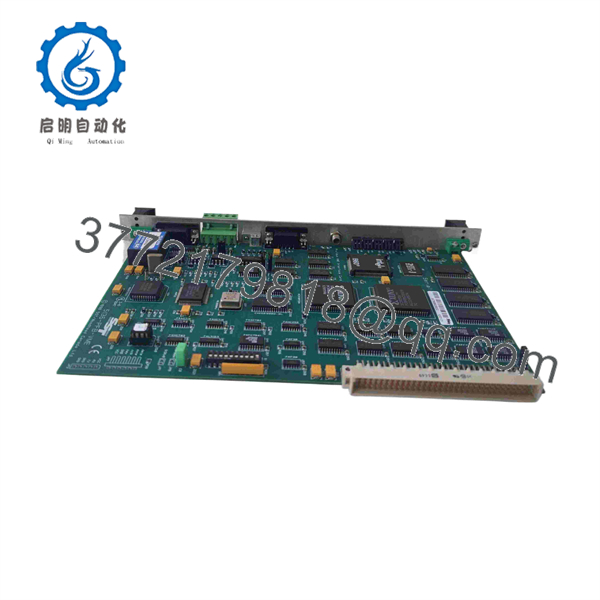
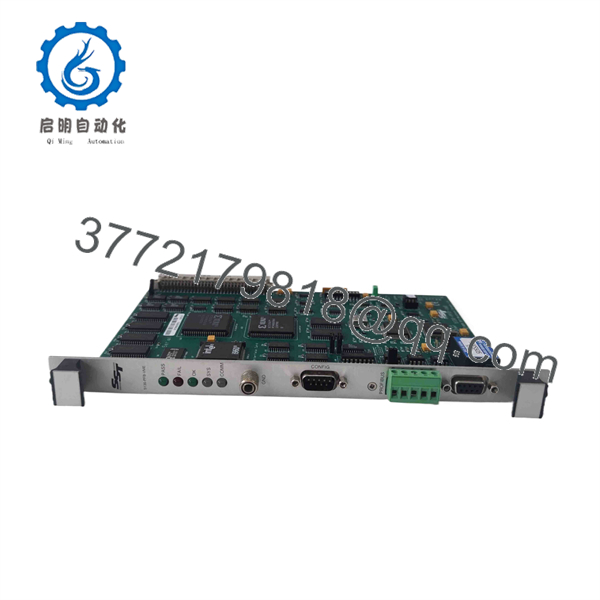
The SST 5136-PFB-VME is a 6U VMEbus PROFIBUS interface card for industrial computers, legacy process-control systems, test platforms, and embedded VME controllers. It allows a VME host application to exchange cyclic and acyclic data with PROFIBUS DP devices and to communicate through PROFIBUS FMS and FDL Layer 2 services.
This card uses an onboard Intel i960 processor, 512 KB local RAM, and 256 KB host-shared RAM to handle protocol processing. It is selected when an installed VME system must retain its existing hardware architecture while maintaining communication with PROFIBUS field devices. The 5136-PFB-VME requires the correct PFBPROFI software module and host-side configuration.
5136-PFB-VME
5136-PFB-VME
Troubleshooting Quick Reference
| Symptom | Possible Cause | Relevance to this Part | Quick Check Method | Recommendation |
|---|---|---|---|---|
| No card detection by VME host | Card not fully seated, bent backplane contacts, incorrect VME slot, VME power fault, failed card | ✅ High | Isolate power, inspect P1 connector contacts, reseat the board, verify the chassis 5 V DC rail, and test the card in a known-good compatible VME slot | Confirm the VME chassis and slot before replacing the 5136-PFB-VME |
| Host system does not boot after installation | Address-space conflict, incompatible VME addressing, incorrect jumper setting, damaged board | ✅ High | Remove the card and confirm whether the host boots normally; inspect documented VME address settings and compare with the existing card | Verify VME short-address and shared-memory settings before installation |
| No PROFIBUS network communication | Wrong baud rate, open cable, reversed A/B wiring, missing termination, wrong station address | ✅ High | Check the network with a PROFIBUS analyzer, verify the configured baud rate, inspect the DB-9 pinout, and confirm termination at only both physical bus ends | Do not replace the card until the cable, termination, and node address are confirmed |
| PROFIBUS devices intermittently drop offline | Incorrect termination, damaged shield, stub cable too long, EMI, loose DB-9 connector | ✅ Medium to high | Inspect shield continuity, confirm connector screw retention, review bus topology, and check diagnostic counters with a PROFIBUS test tool | Correct fieldbus installation errors before condemning the card |
| DP master starts but cannot exchange I/O data | Incorrect GSD file, wrong DP slave configuration, device address mismatch, PFBPROFI configuration error | ✅ High | Compare the configured slave list and I/O length with the installed network; confirm every station address and installed GSD revision | Reload the approved configuration and validate it offline before restarting production |
| Card communicates as DP slave but not as DP master | PFBPROFI application mode not configured, incorrect host application startup, firmware/software mismatch | ✅ High | Verify the loaded PFBPROFI module, confirm its active mode, and compare the host application configuration with the approved project backup | Reconfigure the software module; the hardware may be functional |
| FDL messages time out | Incorrect Layer 2 address, token rotation issue, wrong service configuration, bus fault | ✅ Medium | Confirm FDL parameters, verify the active station list, and monitor token traffic with a PROFIBUS analyzer | Diagnose bus health and Layer 2 configuration before replacing hardware |
| Communication fails after replacement | Old software module not transferred, VME address configuration changed, network address duplicated, firmware mismatch | ✅ High | Back up the old card configuration, record switch/jumper positions, note station address and baud rate, then compare the replacement setup line by line | Treat the replacement as a controlled configuration change, not a plug-and-play spare |
| VME chassis 5 V supply alarms or voltage sags | Power supply overloaded, poor backplane connection, failing chassis PSU, card fault | ✅ Medium | Measure 5 V DC at the VME backplane under load using a calibrated meter; compare with the chassis supply rating and installed-card load | Allow at least a 20% power-supply margin; the card can draw up to 950 mA at 5 V DC |
| Random data errors after cabinet work | ESD damage, loose connector, shield disturbance, cable routed near high-energy conductors | ✅ Medium | Inspect cable routing, confirm protective earth, check connectors, and compare diagnostics before and after the maintenance event | Use ESD precautions and keep PROFIBUS cable separated from VFD and motor output conductors |
❗ Do not install this card based only on the base number “5136-PFB.” SST produced variants for different host buses, including VME, PCI, and ISA. The 5136-PFB-VME is specifically a 6U VMEbus card. A 5136-PFB-PCI is not a direct physical replacement, even though the PROFIBUS function sounds similar.
A veteran warning: I have seen a technician replace a PROFIBUS card, then spend two shifts chasing a “failed” replacement because the new card retained a default station address and the old unit’s termination setting was never documented. Take pictures of the original board, connector, network settings, and VME slot before removal. Seriously.
If you are still stuck, send technical support photos of the card label, VME chassis type, P1 connector, PROFIBUS DB-9 wiring, termination switches, bus topology, active station list, PFBPROFI version, and host diagnostic logs.
Frequently Asked Questions
What does the SST 5136-PFB-VME do?
The SST 5136-PFB-VME connects a VMEbus host computer to PROFIBUS networks. It supports PROFIBUS DP, FMS, and FDL Layer 2 communications, allowing a VME-based controller or industrial computer to act as a DP master, DP slave, or FDL messaging node.
Is the 5136-PFB-VME the same as a 5136-PFB-PCI?
No. The protocol family is related, but the host-bus interface is different. The 5136-PFB-VME uses a 6U IEEE 1014 VMEbus form factor with a P1 connector. The 5136-PFB-PCI is a PCI card intended for a PCI-capable industrial PC. You cannot substitute one for the other without changing the host hardware and software interface.
Can this card work as both a PROFIBUS DP master and a DP slave?
Yes. The 5136-PFB-VME supports DP master operation, DP slave operation, and FDL messaging. The hardware guide states that it can support these modes simultaneously, provided the appropriate PFBPROFI software module and application configuration are loaded.
What PROFIBUS speeds does the card support?
It supports the standard PROFIBUS data rates from 9.6 kbps through 12 Mbps: 9.6, 19.2, 93.75, 187.5, 500, and 750 kbps; plus 1.5, 3, 6, and 12 Mbps. The entire bus must use one compatible baud rate, so match the existing master/network configuration before installation.
Do I need special software to use the 5136-PFB-VME?
Yes. The hardware manual states that the PFBPROFI software module must be downloaded to the card and configured before PROFIBUS operation. Do not order a spare based only on the card hardware. Confirm the original host application, operating system, VME driver, PFBPROFI version, firmware, license requirements, GSD files, and configuration backup.
Can I hot-swap the 5136-PFB-VME in a live VME chassis?
Do not assume that you can. Most legacy VME installations and host applications were not designed for casual hot swapping, and removing a communication card can stop fieldbus traffic or destabilize the host system. Shut down the system under the approved site procedure, remove power where required, use a grounded wrist strap, and confirm VME chassis requirements before handling the board.
Why is a New Surplus 5136-PFB-VME less expensive than a current replacement?
The card is a legacy VME component, so secondary-market pricing commonly reflects surplus origin, product age, limited factory support, and limited demand compared with current Ethernet-based gateways. New Original / New Surplus means unused inventory; it does not automatically mean the board includes current software, licenses, cables, manuals, or commissioning support. Confirm included items in writing.
How should a supplier test this card before shipment?
A credible test should include inbound serial-number and cosmetic inspection; 5 V DC current verification; VME host detection in a compatible test chassis; card initialization; loaded PFBPROFI module verification; PROFIBUS DP communication at an agreed baud rate; DP master/slave message testing; DB-9 connector inspection; and ESD-safe final packaging. Request a test report, card photos, firmware/software revision record, and test video before shipment.



