
 WhatsApp: +86 16626708626
 Email:
  Phone: +86 16626708626
Description
3. Key Technical Specifications
- Form factor: IEEE 1014, 6U height, P1-compatible VME
- Protocol support: Profibus DP Master, DP Slave, FDL (Layer 2); simultaneous operation
- Baud rates: 9.6 k, 19.2 k, 93.75 k, 187.5 k, 500 k, 750 k, 1.5 M, 3 M, 6 M, 12 M
- Processor: Intel i960 32-bit RISC
- Local RAM: 512 KB
- Shared RAM: 256 KB (linear or 16 × 16 KB paged mode)
- Flash memory: 512 KB (program & configuration storage)
- VME addressing: A24 / A16, SD16, SADO24
- Power consumption: Max ≈ 950 mA at +5 V DC
- Operating temperature: 0 °C to +50 °C (typical industrial rating)
- Connector: Standard Profibus 9-pin D-sub
4. Product Introduction
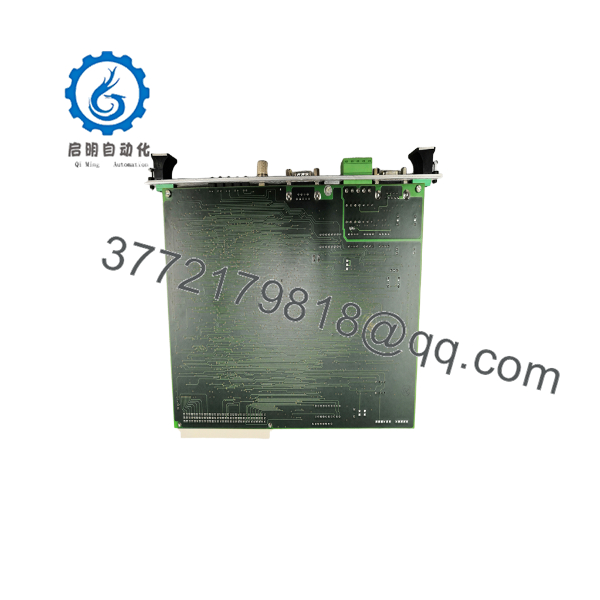
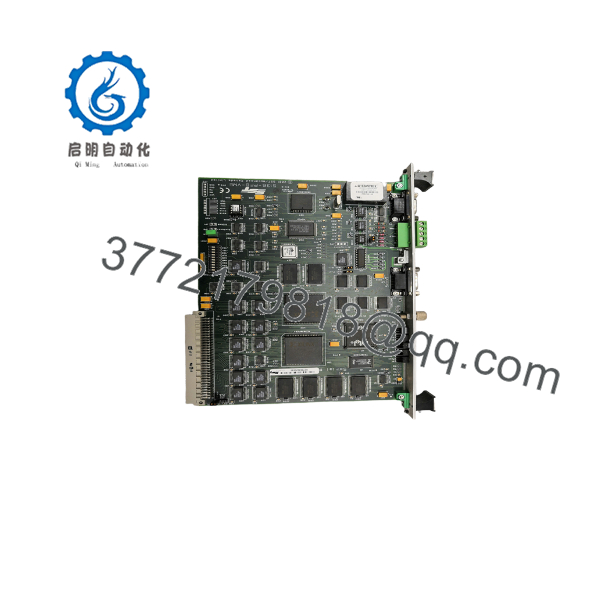
The SST 5136-PFB-VME is a 6U VME-bus Profibus interface card that lets a host computer or PLC communicate on Profibus DP networks as a master, slave, or both at the same time, plus full FDL Layer-2 messaging.
It is commonly installed in GE Fanuc Series 90-70 racks and other VME-based control systems where deterministic, high-speed fieldbus connectivity is required. An onboard Intel i960 processor handles the complete protocol stack, off-loading the host CPU and providing up to 12 Mbaud operation with 512 KB local RAM and 256 KB shared dual-port memory.
5136-PFB-VME
5136-PFB-VME
5. Troubleshooting Quick Reference
| Symptom | Possible Cause | Relevance to this Part | Quick Check Method | Recommendation |
|---|---|---|---|---|
| Card not recognized by host | Incorrect VME address or DIP switch setting | ✅ High | Verify 10-position DIP switch settings against manual; check A24/A16 base address | Set switches correctly, power-cycle rack |
| No Profibus communication | Baud rate mismatch or missing termination | ✅ High | Confirm network baud rate matches card config; measure resistance at ends (≈ 220 Ω with terminators) | Match baud, install terminators at both ends |
| DP Master fails to configure slaves | Wrong GSD file or configuration not loaded | ✅ High | Check flash configuration or download from SST Config Tool / COM PROFIBUS | Reload configuration file; verify slave addresses |
| Intermittent data errors | Cable length or shield grounding problem | ❌ Medium (system) | Inspect cable type (Profibus-rated), shield continuity, and total network length vs baud rate | Use proper Profibus cable and grounding practice |
| Card LEDs dark or abnormal | Power or backplane fault | ✅ High | Measure +5 V on VME backplane; check fuse if present | Confirm rack power before replacing card |
| Host sees card but no data exchange | Shared RAM mapping error | ✅ High | Confirm linear vs paged mode setting matches application software | Align memory mode in host driver and card config |
If diagnostics remain unclear, photograph the DIP switches, LEDs, and nameplate, capture any host error codes, and contact technical support with the serial number.
6. Frequently Asked Questions (FAQ)
Q: Can the 5136-PFB-VME run as both DP Master and DP Slave at the same time? A: Yes. The card supports simultaneous DP Master, DP Slave, and FDL Layer-2 operation.
Q: What is the maximum number of DP slaves it can control? A: Up to 126 slaves, with a total of 16 KB input data and 16 KB output data across all slaves.
Q: Is this card still in active production? A: The original 5136-PFB-VME is largely superseded by the SST-PFB3-VME series. Remaining stock is typically new surplus or refurbished. Confirm availability and firmware revision before ordering.
Q: Will it work in a GE Fanuc Series 90-70 rack? A: Yes. It is widely used with GE Fanuc 90-70 CPUs (IC697 series) that support VME modules. Verify CPU firmware is recent enough for proper recognition.
Q: Do I need special software to configure it? A: Configuration can be done with the SST Profibus Configuration Tool or Siemens COM PROFIBUS, then downloaded to the card’s flash. Host-side drivers and sample code are also available.
Q: Is the 5136-PFB-VME a drop-in replacement for the newer SST-PFB3-VME? A: No. Register layout and some serial-port details differ. The PB3 series is not a direct hardware or software drop-in replacement.
Q: What power does the card draw from the VME backplane? A: Approximately 950 mA maximum at +5 V DC. Ensure the rack power supply has adequate capacity when multiple high-draw modules are installed.



