
 WhatsApp: +86 16626708626
 Email:
  Phone: +86 16626708626
Description
Key Technical Specifications
- Form Factor: 6U VMEbus card, single slot
- Network Interface: Reliance Electric AutoMax DCS / Remote I/O network
- Bus Compatibility: VMEbus
- Power Input: +5 V DC and +12 V DC via backplane
- Operating Temperature: −40 °C to +85 °C (per distributor listings — confirm against the OEM datasheet for your hardware revision)
- Storage Temperature: −55 °C to +125 °C (per distributor listings — confirm before deploying in extreme ambient conditions)
- Onboard Processor: Reported as a 16 MHz V40 microprocessor with 128 KB RAM on some hardware revisions — this varies by production run, so verify against your pulled unit
- Diagnostics: Onboard status LEDs for power and network link state
- Software Support: Host-side driver examples supplied historically for VME integration
Note on sourcing: several reseller listings for this part number also show DeviceNet specs (500 Kbps, DeviceNet 2.0). Those figures belong to a different card in the SST 5136 family, not this AutoMax adapter. Cross-check the full part number and any suffix on your card before ordering.
Product Introduction
The SST 5136-RE-VME is a VMEbus adapter card originally built by S&S Technologies (later carried under the Woodhead and Molex brand names) to connect a VME host to a Reliance Electric AutoMax distributed control network. Plants still running AutoMax cells use it to keep a VME-based supervisory or data-collection host talking to AutoMax remote I/O and drive racks.
AutoMax hardware sourcing dried up once Rockwell folded Reliance into its own product line, and this card has had no OEM production run in years. That’s why integrators pull known-good units from surplus stock rather than redesign a working cell around newer hardware.
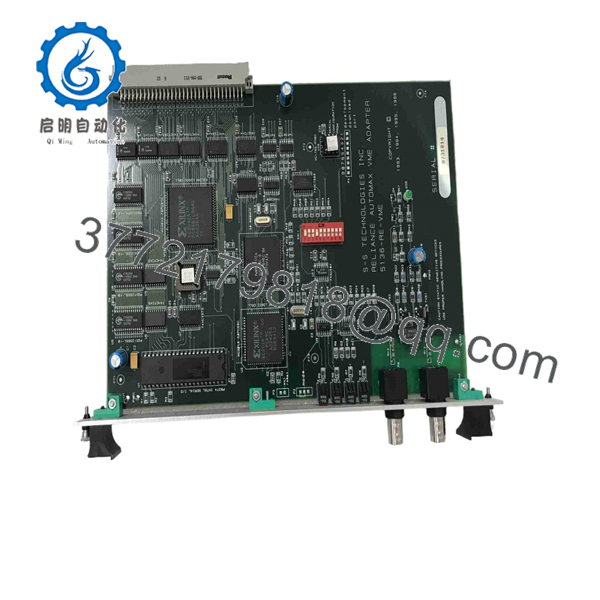
5136-RE-VME
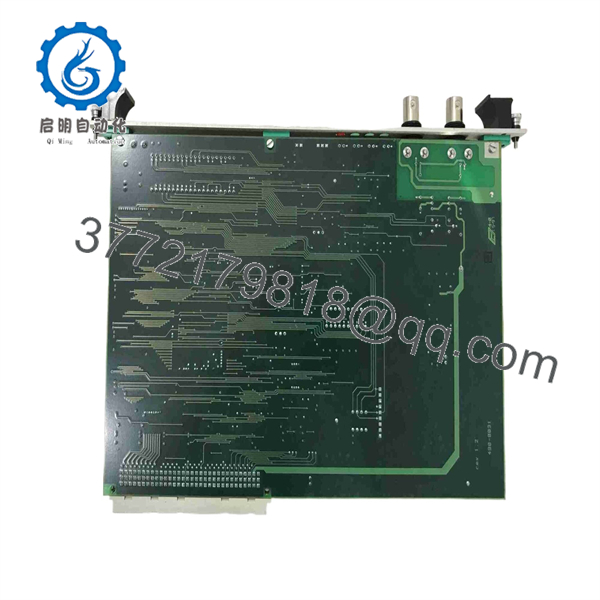
5136-RE-VME
Troubleshooting Quick Reference
| Symptom | Possible Cause | Relevance to this Part | Quick Check Method | Recommendation |
|---|---|---|---|---|
| No diagnostic LEDs after power-up | Backplane power fault or dead onboard regulator | ❌ Low | Measure +5 V/+12 V DC at the VME backplane pins with a multimeter | Check chassis power supply and backplane fuses before condemning the card |
| Card is seen on the VMEbus but shows no AutoMax network activity | Wrong network address/baud jumper setting, or a bad drop cable | ✅ High | Compare address/baud DIP switches against the old card; inspect the network drop cable | Mirror the exact switch settings from the removed unit and reseat the cable |
| Intermittent timeouts on the AutoMax link | Firmware/EPROM revision mismatch with the host driver, or marginal line termination | ✅ High | Compare firmware/EPROM revision against the card being replaced; check termination resistors | Usually solved by matching revision or fixing termination — not a card fault |
| VME host reports a bus error / card not addressed | Backplane slot misalignment or a VME base-address jumper conflict | ⚠️ Medium | Reseat the card fully in its VME slot; verify base-address jumpers | Rule out slot and backplane issues before replacing the card |
| Card runs hot or trips a thermal shutdown | Blocked chassis airflow or a failed cooling fan upstream | ❌ Low | Check chassis fan operation and airflow path | Fix chassis cooling before assuming the board itself has failed |
If none of these checks isolate the problem, contact technical support with photos of the DIP switch settings and any diagnostic buffer logs before ordering a replacement.
Frequently Asked Questions (FAQ)
Is the 5136-RE-VME still in production?
No. S&S Technologies stopped making this card years ago, and the AutoMax platform it supports hasn’t seen new OEM hardware for a long time either. What’s available now comes from surplus inventory or refurbished pulls, not a factory run.
Will a replacement card keep my existing AutoMax network address and baud rate?
No — those settings live in physical DIP switches or jumpers on the card itself, not in software. Before you pull the old unit, take a clear photo of its switch positions and mirror that exact configuration on the replacement. Skipping this step is the single most common reason a “good” replacement card won’t talk to the network.
Can I hot-swap this card while the AutoMax network is live?
Don’t. Pulling or inserting a VME card under power risks damage to the backplane and to the card itself. Kill power to the rack first.
Is this a guaranteed drop-in replacement for the card I’m pulling?
In most cases, yes, but hardware revisions and firmware/EPROM versions changed over this card’s production life. Document the firmware revision on your existing unit before removing it, and ask the seller to match it if you’re trying to avoid a communication mismatch on a network already running fine.
Why is this priced well under what an AutoMax adapter used to cost new?
Because there’s no factory channel left to compare it to. Every unit on the market today is either pulled from decommissioned equipment or refurbished — there’s no “new from Rockwell” price anymore to discount against. Ask the seller directly whether the specific unit you’re buying is untested surplus or functionally tested, since that distinction matters more than the price tag.
What condition should I expect — new surplus or refurbished?
Both show up under this part number depending on the seller. New surplus means pulled from unused stock but not necessarily bench-tested; refurbished should mean it was power-tested and inspected. Get this in writing before you order, since the difference affects how confidently you can put it straight into a running cell.
What warranty comes with a card this old?
Warranty terms vary a lot by seller for legacy hardware like this — some offer 12 months, others sell as-is. Confirm the specific warranty and return terms before you commit, especially since replacement stock for a failed unit may take time to source again.



