
 WhatsApp: +86 16626708626
 Email:
  Phone: +86 16626708626
Description
3. Key Technical Specifications
| Parameter | Value |
| Display Size | 10.4″ Diagonal |
| Display Type | Active Matrix TFT LCD |
| Input Voltage | 24 V DC (Marine range: 18 – 32 V DC) |
| Signal Inputs | Analog RGB (VGA) / Composite Video (BNC/RCA) |
| Resolution | 800 x 600 (SVGA) or 640 x 480 (VGA) |
| Brightness | 400+ cd/m² (High-visibility for bridge environments) |
| Contrast Ratio | 500:1 |
| Mounting | Panel Mount / Console Integrated |
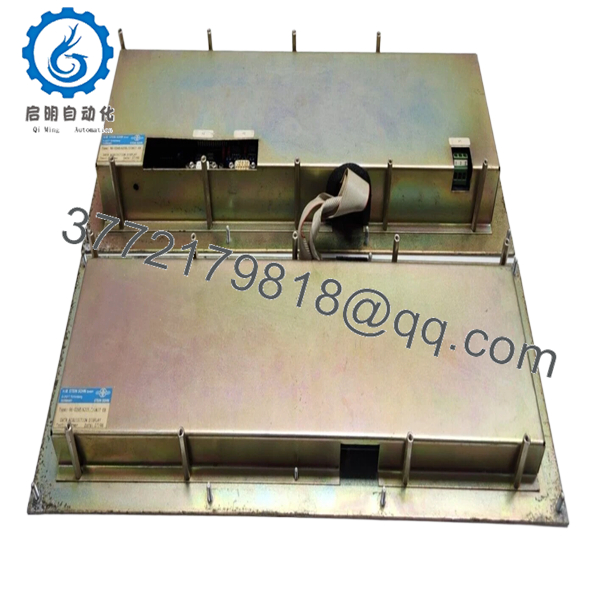
| Housing | Ruggedized Metal Frame with anti-glare coating |
4. Product Introduction
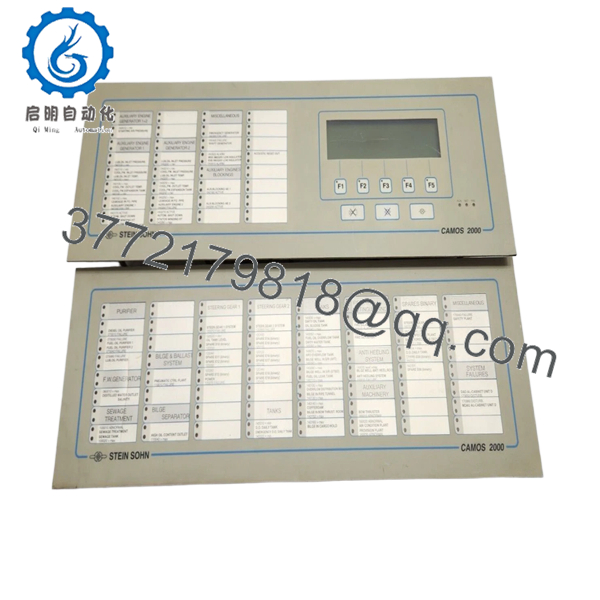
The Stein Sohn-Camos 96-0268-A205.1-EB is a specialized marine-grade display module, born from the technical partnership between Stein Sohn and Camos. Designed as the primary human-machine interface (HMI) for VISTA monitoring systems and engine room consoles, this 10.4-inch monitor is built to survive the constant vibration and high ambient temperatures characteristic of shipboard life.
Unlike consumer-grade screens, the 96-0268-A205.1-EB features enhanced backlight longevity and a wide viewing angle, ensuring that critical alarms and engine parameters are visible to the watch officer from across the control room. It is a drop-in replacement for aging CRT or early LCD units in legacy Stein Sohn automation racks, offering improved clarity and reduced power consumption.

- 96-0268-A205.1-EB
- 96-0268-A205.1-EB
5. Installation & Configuration Guide
Stage 1: Pre-Installation Preparation (Estimated Time: 15 mins)
- ⚠️ Safety First: Power down the console or rack section where the display is located. Ensure the 24 V DC breaker is tagged out.
- Tools Required: PH2 Phillips screwdriver, 7mm nut driver (for panel clamps), ESD wrist strap, and a microfiber cloth.
- Documentation: Record the current screen resolution and brightness settings from the old unit if it is still functional.
Stage 2: Removing the Old Monitor
- Loosen the rear mounting clamps or the front-bezel screws depending on your console type.
- Carefully pull the unit forward, ensuring there is enough slack in the cables.
- Disconnect the 24 V power connector, the VGA/BNC signal cable, and the grounding strap.
- ⚠️ Note: Check the condition of the rubber gasket. If it’s brittle or cracked, it must be replaced to maintain the IP-rating of the console.
Stage 3: Installing the New 96-0268-A205.1-EB (Estimated Time: 20 mins)
- ESD Prep: Wear your grounded strap. LCD driver boards are notoriously sensitive to static.
- Seating: Fit the new display into the console cutout. Ensure the gasket is seated evenly to prevent moisture ingress.
- Securement: Tighten the mounting clamps in a cross-pattern to apply even pressure across the frame. Do not over-torque, as this can pinch the LCD panel and cause “light bleed.”
- Wiring: Reattach the signal cables and the 24 V power header. Ensure the grounding strap is securely fastened to the console chassis.
Stage 4: Power-On & Testing
- Apply power and wait for the “Camos” or “Stein Sohn” splash screen.
- OSD Adjustment: Use the rear or bottom-mounted buttons to access the On-Screen Display (OSD). Adjust Contrast, Brightness, and H/V Position to align the image with the bezel.
- Thermal Check: Let the unit run for 30 minutes and feel the rear casing for excessive heat, which could indicate a ventilation blockage in the console.
- Self-Checklist: [ ] Image centered, [ ] Gasket sealed, [ ] Grounding confirmed.
6. Frequently Asked Questions (FAQ)
Q: Can I use this monitor for my radar display?
A: Yes, provided your radar output matches the VGA or Composite signal standards supported by the A205.1-EB. I’ve installed these as replacements for several older Raytheon radar repeaters where the original CRT had burnt out.
Q: The backlight on my old unit failed; can I just replace the bulbs?
A: Honestly, it’s a losing battle. These older Camos units used CCFL (Cold Cathode) backlights which are integrated into the panel. Swapping the entire 96-0268-A205.1-EB is the only way to guarantee a another 50,000 hours of service life without flickering.
Q: Is this display sunlight-readable?
A: It is “High-Brightness” for a bridge environment, but it is not a 1000-nit “Direct Sunlight” display. It works perfectly in a covered bridge or engine control room, but if you’re mounting it on an open wing-deck, you’ll need a sun-shield.
Q: Why is my screen showing “No Signal” after installation?
A: Check your sync settings. Some older Stein Sohn systems use “Sync on Green” or unusual refresh rates. Access the OSD menu and try toggling between the VGA and AV inputs. Also, verify that the 24 V DC supply hasn’t dropped below 18 V under load.
Q: Is this a genuine Stein Sohn part or a generic Camos?
A: It is the genuine marine-spec version co-branded for Stein Sohn systems. While Camos makes similar industrial monitors, this specific part number (96-0268…) includes the firmware and mounting hardware required for the VISTA system environment.



