
 WhatsApp: +86 16626708626
 Email:
  Phone: +86 16626708626
Description
Key Technical Specifications
| Parameter | Value |
|---|---|
| Model / Part Number | BT05AM/702030-01 |
| Manufacturer | Sütron Electronic |
| Product Family | BT05AM |
| Product Type | HMI / Operator Interface / Key Panel |
| Display | FSTN display |
| Supply Voltage | 24 VDC |
| Rated Current | 0.25 A |
| Ethernet | 1 port |
| USB | 2 ports |
| Front Protection | IP65 |
| Rear Protection | IP20 |
| Mounting | Panel mount |
| Weight | Approximately 0.90 kg |
| Manufacturer Status | Discontinued |
| Alternate Identification | BT05AM70203001 |
Radwell’s current product record identifies BT05AM/702030-01 as a discontinued Sütron Electronic operator interface with 24 V supply, 0.25 A current rating, one Ethernet port, and two USB ports.
The available BT05AM documentation confirms the family uses a panel-mount construction with an IP65 front and IP20 rear, and specifies installation on panel material approximately 1–6 mm thick.
Compatibility note: Public listings for this exact suffix contain conflicting display and communication descriptions. One listing identifies the unit as a 3-inch FSTN display, while other BT05AM documentation covers multiple BT05AM configurations. Therefore, verify the nameplate, rear connector layout, display configuration, and OEM documentation before using a substitute.
Product Introduction
The Sütron BT05AM702030-01 is a -series industrial operator interface designed for panel-mounted machine-control applications. The documented configuration uses a 24 VDC supply, 0.25 A current rating, Ethernet connectivity, and two USB ports. It is classified as an HMI/MMI/OIT or operator interface.
This model is now discontinued, so it is primarily relevant to legacy equipment maintenance and like-for-like replacement work. Before ordering, match the complete part number rather than relying on the shortened designation.
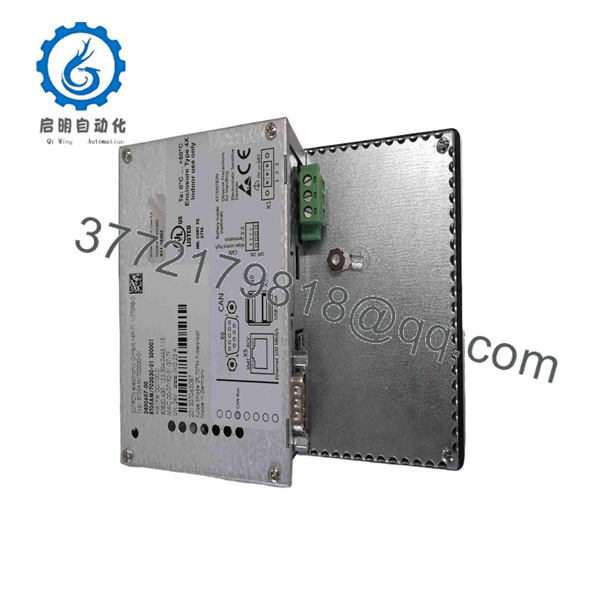
BT05AM702030-01
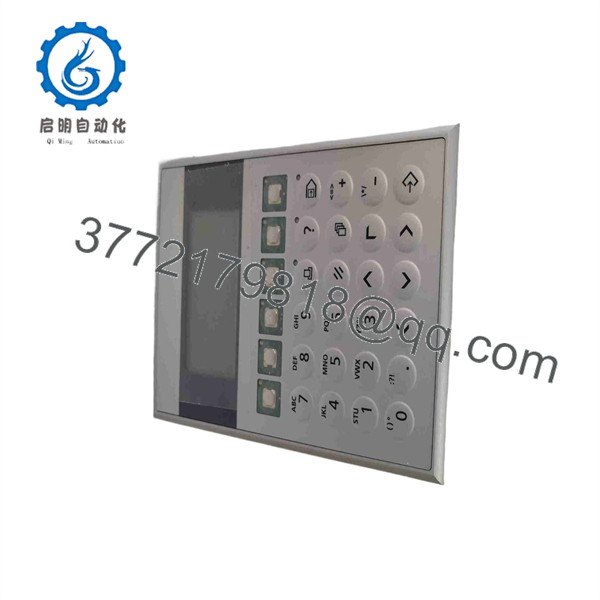
BT05AM702030-01
Installation & Configuration Guide
Stage 1 — Pre-Installation
- Record the complete existing part number, including
/702030-01. - Photograph the existing HMI, rear connectors, labels, and wiring before removal.
- Back up the existing HMI project, parameters, communication settings, and any removable storage.
- Confirm the replacement’s supply requirement is compatible with the installed 24 VDC control circuit.
- Check the enclosure cutout and mounting arrangement before removing the existing unit.
⚠️ Do not assume that another variant is electrically or mechanically identical solely because it carries the family name.
Stage 2 — Removal
- Isolate the machine’s control power according to the plant’s lockout/tagout procedure.
- Verify the 24 VDC supply is de-energized.
- Label Ethernet, USB, power, and other connected cables.
- Release the rear mounting hardware.
- Remove the HMI from the panel without stressing the cable assemblies.
Stage 3 — Installation and Configuration
- Inspect the replacement for connector damage, cracked housing, or display defects.
- Install the sealing surface correctly against the panel.
- Insert the unit from the front of the panel.
- Secure the mounting brackets evenly.
- Reconnect power and communication cables according to the original wiring record.
- Restore the HMI project or approved configuration backup.
- Verify Ethernet parameters and controller communication settings.
- Confirm all operator keys, display functions, alarms, and data fields.
The installation documentation specifies rear mounting brackets and threaded pins and warns that the mounting hardware should be tightened uniformly; the documented maximum tightening torque is 1 Nm.
Stage 4 — Commissioning
- Apply 24 VDC power.
- Check for abnormal current draw, display faults, or boot errors.
- Confirm communication with the PLC/CNC/controller.
- Test representative status values and operator commands.
- Verify alarm display and acknowledgment.
- Test the machine in a controlled operating state.
- Record the installed unit’s serial number, firmware/configuration information, and test results.
Estimated replacement time: approximately 1–3 hours when the original configuration backup and wiring documentation are available.
⚠️ Critical: Do not place the machine back into automatic production until communication, operator controls, alarms, and safety-related interlocks have been verified.
FAQ
Is the Sütron BT05AM702030-01 still manufactured?
No. Current distributor records identify /702030-01 as discontinued by the manufacturer. Procurement therefore normally involves remaining original, surplus, or professionally refurbished inventory.
Is BT05AM702030-01 a PLC?
No. It is an operator interface/HMI, not a PLC CPU or conventional I/O module. Its role is to provide the operator interface to the control system.
What power supply does it use?
Available product records specify 24 VDC and a 0.25 A current rating. Confirm the actual supply requirements against the unit’s nameplate and applicable documentation before energizing a replacement.
Does the unit have Ethernet and USB?
The exact /702030-01 listing specifies 1 × Ethernet and 2 × USB ports. Connector configuration should still be checked against the physical unit before installation.
Can another model be used as a direct replacement?
Not automatically. The family includes different hardware configurations. Match the complete part number, connector arrangement, display configuration, communication interface, and installed application before selecting a substitute.
Is the BT05AM702030-01 suitable for a legacy machine?
Yes, it can be relevant for legacy-machine maintenance when the existing installation uses the same hardware configuration. Because the model is discontinued, confirm availability, physical condition, and configuration compatibility before removing the operational unit.
What condition should I specify when purchasing?
Specify the required condition explicitly: New Original, New Surplus, or Refurbished/Tested. For refurbished equipment, request functional-test information and confirmation of the display, keys, power input, and communication interfaces.
Verify precise compatibility with the OEM documentation and the existing machine configuration before installation.



