
 WhatsApp: +86 16626708626
 Email:
  Phone: +86 16626708626
Description
3. Key Technical Specifications
| Parameter | Specification / Value |
| Manufacturer | TMEIC (Toshiba Mitsubishi-Electric) |
| Part Number | ARND-3620 |
| Module Type | Microprocessor & Drive Logic Board |
| Nominal Operating Voltage | 24 V DC (±10%) |
| Power Consumption | 18 W maximum |
| Communication Bus | High-Speed Fiber-Optic Interface |
| System I/O Compatibility | Configurable Digital/Analog Control Expansion |
| Operating Temperature | 0 to 55 °C (32 to 131 °F) |
| Storage Temperature | −20 to 70 °C (−4 to 158 °F) |
| Humidity Rating | 5 to 95% non-condensing |
| Cooling Method | Natural convection / Chassis airflow |
| Mounting Type | Card cage / Sub-rack slot mounted |
4. Product Introduction & Supply Chain Strategy
The TMEIC ARND-3620 is a primary processor module engineered for high-power variable frequency drives (VFDs) and system controllers operating in heavy industrial settings like rolling mills, power plants, and chemical processing facilities. It handles high-speed logic sequencing, real-time feedback processing, and fiber-optic communication handshake execution across power conversion units.
Supplied strictly as Brand New Surplus, this card gives plant maintenance and supply chain managers an immediate insurance policy against long OEM lead times and high list prices. Purchasing New Surplus avoids the severe operational hazards associated with used or repaired circuit boards—such as dried-out electrolytic capacitors or latent thermal damage—ensuring your plant maintains high turnover efficiency and 100% operational uptime on legacy drive lines.
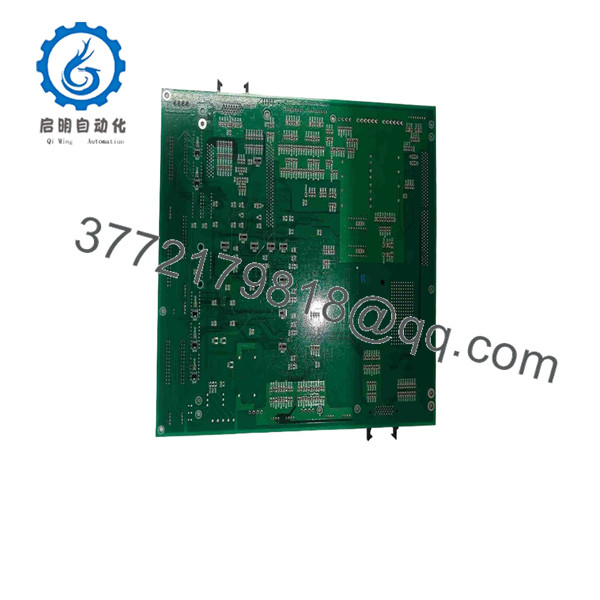
ARND-3620
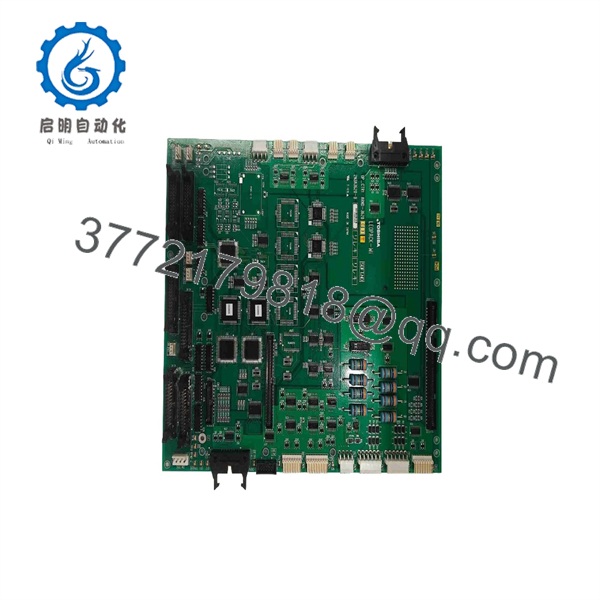
ARND-3620
5. Installation & Configuration Guide
1.Stage 1: Pre-Installation (Prep & Safety):Safety Lockout & Site Prep.
Isolate all incoming 3-phase line power to the drive enclosure using full lock-out/tag-out (LOTO) procedures. Allow a minimum of 10 minutes for high-voltage DC bus capacitors to discharge down to safety levels. Put on a grounded ESD wrist strap before handling sensitive circuit cards. Photograph all existing DIP switches, jumpers, and cable routing on the old ARND-3620 board.
Verification: Test DC bus power terminals with a calibrated multimeter to confirm 0 V before touching any internal rack hardware.
2.Stage 2: Removal:Safe Card Extraction.
Carefully unlatch terminal blocks and disconnect fiber-optic transceivers by holding the connector housings directly—never pull on optical cables. Unscrew top and bottom retaining screws on the front panel. Smoothly slide the board forward along its card guides without applying torque that could damage backplane connectors or adjacent cards.
Verification: Visually inspect backplane card slots for dust accumulation, mechanical damage, or bent pin headers.
3.Stage 3: Installation (Clone & Seat):Configuration Mirroring & Insertion.
Match every DIP switch block, address pin, and jumper config on the new ARND-3620 card to match the reference photos from the original board. Slide the new card evenly into the sub-rack guides until the backplane contacts firmly engage. Secure top and bottom panel screws to establish frame ground continuity. Reattach fiber-optic lines and terminal wiring plugs.
Verification: Confirm fiber-optic connectors snap securely into their optical transceiver ports.
4.Stage 4: Power-On & Testing:Cold Checks & Boot Sequence.
Energize the 24 V DC control power rail while keeping high-voltage power disconnected. Observe front panel LED status lamps during the power-on self-test sequence. Verify the “PWR” and “RUN” green LEDs remain solid and no red “FLT” or “ERR” indicators light up. Re-upload or re-verify parameter files via drive setup software if required.
Verification: Check drive diagnostic menus to ensure communication between the ARND-3620 processor and peripheral power modules is active with zero active trip codes.
6. Firmware/Software Versions & Upgrade Notes
- Target Firmware: Firmware Build V4.02 (or matching your facility’s standardized parameter release).
- Cross-Compatibility Restrictions: Running an ARND-3620 with firmware releases prior to V3.5 in an updated rack backplane will result in bus handshake errors (Err 12) or pulse timing mismatches.
- Upgrade Guidance: Avoid upgrading firmware during an emergency hardware replacement outage. Firmware changes can alter parameter offset tables, wipe stored offset values, or break fieldbus master communications. Always keep replacement hardware on the exact firmware revision of the target drive, or restore your site-specific configuration file directly after physical installation.
7. Frequently Asked Questions (FAQ)
Q: Is this TMEIC module original factory new, or refurbished?
A: This unit is 100% Brand New Surplus. It has never been deployed in an active production environment, never removed from a scrapped panel, and has zero repaired circuits. It ships in original anti-static packaging with pristine gold contacts.
Q: Why should we buy New Surplus instead of lower-cost refurbished boards?
A: Refurbished circuit cards carry hidden component degradation from years of heat exposure and high power operation. Electrolytic capacitors and optical receivers deteriorate silently, often causing unexpected trips within months. Paying a moderate premium for New Surplus provides full OEM operational longevity and prevents catastrophic line stoppage costs that far outweigh small procurement savings.
Q: Can I hot-swap the while the cabinet control power is ON?
A: No. Hot-swapping processor cards can create voltage spikes across backplane data lines, damage processor chips, or erase non-volatile parameter memory. Always isolate 24 V DC control power before removing or inserting modules.
Q: Do I need to program this card after installation?
A: The requires system parameters matching your specific drive configuration. If parameters are stored on a centralized rack memory module or PLC, the board will automatically download them at startup. If parameters are local to the board, you must set all hardware switches to match the original card and re-load parameter backups via TMEIC software.
Q: What is the warranty policy on this New Surplus board?
A: We back this module with a comprehensive 1-year warranty from the delivery date. Every unit undergoes strict physical and electrical quality control checks prior to dispatch.



