WhatsApp: +86 16626708626
 Email:
 Phone: +86 16626708626
Description
Core Product Summary (Brand / Model / Key Attributes)
The Toshiba XM-5701B is an internal 12X speed CD-ROM drive designed around the SCSI-2 interface standard. Engineered in a half-height 5.25-inch form factor, it provides optical data retrieval for legacy workstation platforms, industrial computer systems, and server equipment requiring SCSI bus integration.
Equipped with a standard 50-pin SCSI interface connector, the XM-5701B supports a maximum CD read speed of 12X utilizing Constant Angular Velocity (CAV) rotation. It features a motorized tray-loading mechanism, an internal cache buffer, and rear jumpers for SCSI ID selection, parity enable, and bus termination. Powered by standard dual-voltage DC power inputs (5V and 12V), it reads standard CD-ROM formats, audio CDs (CD-DA), and CD-R media.
Key Technical Specifications
| Specification Parameter | Technical Detail |
| Product Model | XM-5701B |
| Manufacturer | Toshiba Corporation |
| Product Type | Internal CD-ROM Drive |
| Bus Interface | 50-pin SCSI-2 (Fast SCSI / Narrow 8-bit) |
| Maximum Read Speed | 12X maximum |
| Drive Form Factor | Half-height 5.25-inch bay |
| Disc Loading Mechanism | Motorized tray load |
| Optical Media Compatibility | CD-ROM, CD-DA (Audio), CD-R |
| Operating Voltage | 5 VDC / 12 VDC (Standard Molex 4-pin LP4) |
| Audio Output | Front panel 3.5mm headphone jack & rear 4-pin MPC-2 analog audio output |
| Configuration Options | Jumper blocks for SCSI ID (0–7), Parity, and Termination |
| Enclosure Laser Rating | Class 1 Laser Product (EN 60825) |
Detailed Product Overview
The Toshiba XM-5701B acts as a legacy optical storage drive for legacy industrial computers, Unix workstations, and early x86 server hardware. Operating over a 50-pin narrow SCSI-2 interface, it delivers stable data transfer rates suitable for operating system installation, software deployment, and system recovery procedures in embedded systems where IDE/ATAPI drives are unsupported.
The drive operates at a maximum read speed of 12X CAV, balancing data throughput with low mechanical vibration. Its 5.25-inch half-height design fits into standard computer drive bays, featuring a front bezel with a motorized eject tray, an activity LED indicator, an emergency manual eject hole, a volume dial, and a 3.5mm stereo headphone connector.
On the rear panel, the XM-5701B incorporates a 50-pin SCSI ribbon cable connector, a standard 4-pin Molex power socket, a 4-pin analog audio output line, and dedicated jumper pins. These jumpers allow systems engineers to configure the drive’s SCSI target ID, toggle SCSI parity checking, and activate built-in bus termination without needing specialized software utility tools.
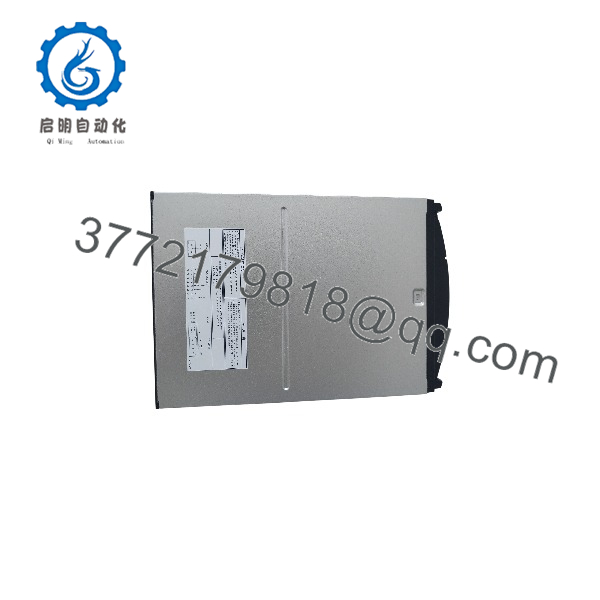
XM-5701B
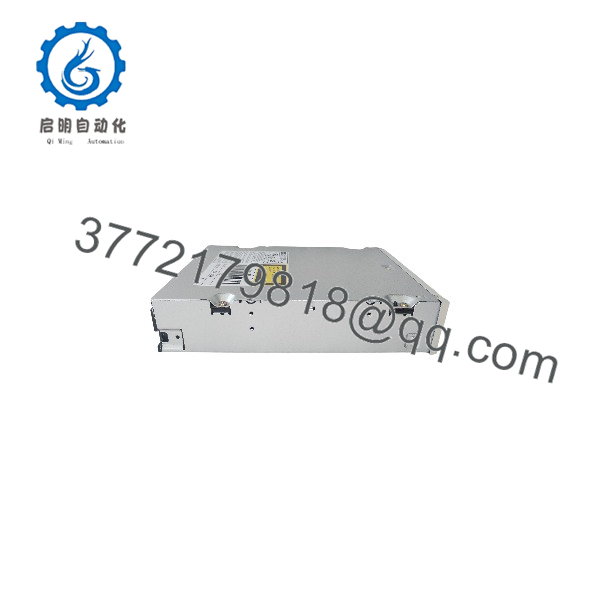
XM-5701B
Engineering Selection Highlights
- Native SCSI-2 Interface: Utilizes a standard 50-pin SCSI connector to integrate directly into legacy server, industrial, and workstation SCSI buses.
- 12X Optical Read Speed: Delivers up to 12X CD read speed with consistent data access times for legacy media formats.
- Hardware Jumper Configuration: Integrated rear jumper blocks provide physical setup for SCSI ID selection, parity, and active termination.
- Standard 5.25-Inch Bay Fit: Fits into standard half-height 5.25-inch optical drive slots using standard side mounting screw patterns.
- Integrated Analog Audio: Includes a rear 4-pin analog audio header along with a front-panel 3.5mm headphone jack and volume wheel.
- Dual-Voltage Operation: Powered via a standard 4-pin Molex connector accepting standard 5V and 12V DC system supply lines.
System Compatibility & Integration Requirements
| Item / Dependency | Verified Compatibility or Requirement | Practical Note |
| Host Interface | 50-pin Narrow SCSI Controller / Host Bus Adapter | Connects via a 50-pin ribbon cable to a SCSI-2 host controller. |
| Power Input | Standard 4-pin Molex LP4 Power Connector | Accepts 5 VDC and 12 VDC power supply leads from system PSU. |
| Form Factor Fit | 5.25-inch half-height internal drive bay | Requires standard side-mounting M3 screws. |
| SCSI Bus ID Assignment | Configurable via rear jumpers (ID 0 to ID 7) | Select an unassigned SCSI ID on the target SCSI bus prior to boot. |
| Bus Termination | Configurable via internal jumper settings | Enable termination if the XM-5701B is the last device on the SCSI cable. |
Dimensions, Mounting & Connection Notes
- Physical Form Factor: Standard 5.25-inch half-height internal optical drive size.
- Drive Mounting: Includes standard side and bottom threaded mounting holes for securing inside a 5.25-inch drive chassis.
- Rear Connectors: 50-pin male SCSI pin header, 4-pin Molex power socket, 4-pin analog audio connector, and configuration jumper block.
- Front Panel Controls: Eject button, emergency eject pinhole, optical disk tray, LED status indicator, volume control wheel, and 3.5mm phone jack.
- Orientation Constraints: Can be mounted horizontally or vertically depending on chassis drive cage orientation.
FAQ
What is the Toshiba XM-5701B?
The Toshiba XM-5701B is a 12X internal 50-pin SCSI CD-ROM drive built for legacy desktop computers, workstations, and industrial control systems.
What interface standard does the XM-5701B use?
It uses a 50-pin Narrow SCSI-2 interface standard.
How is the SCSI ID set on the Toshiba XM-5701B?
The SCSI ID is set physically using jumpers on the pin block located on the rear panel of the drive.
What power connector is required for the drive?
It uses a standard 4-pin Molex LP4 power connection supplying 5 VDC and 12 VDC.
Can the XM-5701B read CD-R media?
Yes, it reads standard CD-ROM discs, CD-R media, and audio CDs (CD-DA).
What media loading mechanism does it use?
The drive uses a motorized front-loading disc tray equipped with a manual emergency eject hole.
Verification & Troubleshooting Notes
- SCSI ID Conflict Verification: If the host system fails to detect the drive or halts during BIOS initialization, verify that the XM-5701B rear jumper setting does not conflict with another device on the same SCSI bus.
- SCSI Bus Termination Check: Ensure the SCSI bus is properly terminated. If the XM-5701B is the final physical device on the ribbon cable, enable its rear termination jumper or attach an active external terminator block.
- Power Cable Connection: Ensure the 4-pin Molex power cable is firmly connected to provide stable 5V and 12V rails.
- Manual Emergency Eject: If a disc becomes stuck inside the drive during power disruption, insert a straightened paperclip into the emergency eject pinhole on the front bezel to mechanically open the tray.