
 WhatsApp: +86 16626708626
 Email:
  Phone: +86 16626708626
Description
Key Technical Specifications
| Parameter | Value |
|---|---|
| Part Number | 4000206-520 |
| Manufacturer | TRICONEX / Invensys |
| System | Tricon SIS |
| Module Association | Tricon 3720 Analog Input |
| Product Type | Analog Input Module |
| Architecture | Tricon Triple Modular Redundancy (TMR) |
| Application | Safety-related analog signal acquisition |
| Typical System Use | Process measurement and safety instrumentation |
| Chassis Interface | Tricon system backplane |
| Replacement Verification | Required against installed 3720 revision and termination assembly |
The available sources do not provide a sufficiently reliable OEM-level specification set for parameters such as exact channel count, input range, accuracy, isolation, or terminal assignment. I would not publish the conflicting third-party values as confirmed specifications.
Product Introduction
The TRICONEX 4000206-520 is associated with the Tricon 3720 analog input module, used for acquiring analog process signals within a Tricon safety instrumented system. It belongs to the Tricon TMR architecture, where redundant processing and diagnostics are used for safety-related control applications.
For a replacement, do not select the module by part number alone. Verify the installed module’s nameplate, 3720 revision, terminal arrangement, field signal range, and Tricon configuration before installation. Third-party listings currently contain contradictory descriptions for 4000206-520, making physical identification particularly important.
Installation & Configuration Guide
Stage 1: Pre-Installation Preparation — 5–10 Minutes
- ⚠️ Place the affected safety system/process in the approved maintenance state.
- Follow the site’s LOTO and bypass/override procedure.
- Confirm the exact replacement number: 4000206-520.
- Photograph the existing module, rack position, termination assembly, and wiring.
- Record the existing 3720 module revision and system configuration.
- Prepare an ESD wrist strap and suitable hand tools.
- Do not rely on a supplier listing for the terminal pinout. Use the installed system documentation.
Stage 2: Removing the Existing Module — Approximately 5 Minutes
- Confirm the approved maintenance condition.
- Record the module’s exact rack position.
- Label field wiring if the termination arrangement requires disconnection.
- Release the module using the Tricon chassis procedure.
- Pull the module straight out to avoid stressing the backplane connector.
- Inspect the connector and adjacent chassis position for contamination or mechanical damage.
⚠️ Keep the original module until the replacement has completed functional testing.
Stage 3: Installing 4000206-520 — Approximately 5 Minutes
- Compare the old and replacement nameplates.
- Confirm that both modules correspond to the same Tricon 3720 application.
- Check the module revision against the approved configuration.
- Verify the termination assembly and field wiring arrangement.
- Insert the replacement module straight into the chassis.
- Secure the module according to the Tricon chassis procedure.
- Recheck all wiring before restoring the safety function.
Self-Checklist:
- 4000206-520 verified
- Tricon 3720 application verified
- Revision checked
- Rack position correct
- Termination assembly compatible
- Wiring checked
- Module fully seated
Stage 4: Power-On & Functional Testing — 10–20 Minutes
- Restore power according to the approved maintenance procedure.
- Check module status LEDs and Tricon diagnostics.
- Verify that the Tricon controller recognizes the module.
- Check each configured analog channel against a known test signal where permitted.
- Confirm engineering-unit values at the controller/application level.
- Check for channel, communication, or configuration diagnostics.
- Complete the required safety-function verification before returning the system to normal operation.
⚠️ Do not bypass a Tricon diagnostic simply to clear an alarm. If the replacement produces an unexpected diagnostic, compare the module revision and configuration before changing software parameters.
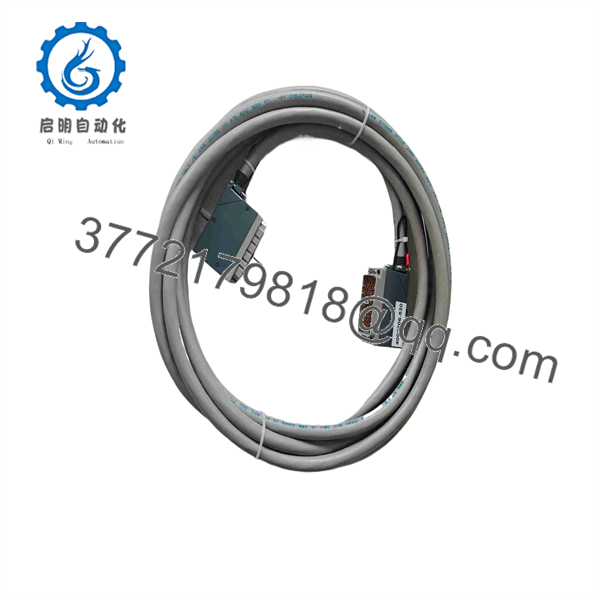
4000206-520
Frequently Asked Questions (FAQ)
Q1: What is TRICONEX 4000206-520?
The strongest available identification is Tricon 3720 Analog Input Module. Several current listings associate this exact part number with the 3720, and a recent procurement listing specifically identifies 4000206-520 as the terminal cable associated with a 3720 analog input module.
Q2: Is 4000206-520 a digital input module?
There are conflicting third-party listings claiming that it is a digital-input module. Another listing calls it a Tricon 3008 processor. Those descriptions conflict with sources associating the part number with the 3720 analog-input system. Do not use those descriptions as the basis for a safety-system replacement. Check the physical nameplate and the installed Tricon documentation first.
Q3: Is 4000206-520 the same as a Tricon 3720?
Available evidence strongly associates the part number with the 3720 analog input module, but I would still verify the exact module revision before treating it as a direct replacement. Legacy Tricon systems can contain revision-specific hardware and configuration requirements.
Q4: Can I hot-swap this module?
Do not assume that it is safe to remove the module under power merely because a supplier describes the Tricon platform as hot-swappable. The correct procedure depends on the installed Tricon architecture, configured safety function, and site maintenance procedure. Follow the approved Tricon maintenance documentation.
Q5: Will replacing 4000206-520 erase the safety logic?
The module itself is not the Tricon application processor. A physical I/O module replacement does not normally constitute replacement of the controller’s application logic. However, verify the module configuration and diagnostics after replacement and retain a current system backup before maintenance.
Q6: Is this an obsolete Triconex part?
It should be treated as a legacy Triconex spare rather than assumed to be current-production hardware. For procurement, request the actual nameplate, serial number, revision information, and condition. This is particularly important because online listings currently contain contradictory technical descriptions for 4000206-520.
Q7: What should I verify before purchasing?
Ask the supplier for:
- Clear photograph of the 4000206-520 nameplate
- Exact module revision
- Confirmation that it is for the Tricon 3720
- New Original/New Surplus or Refurbished condition
- Serial number and traceability information
- Test report, if the unit is refurbished
- Warranty terms
- Photos of the actual inventory item rather than a catalog image
For this particular part number, I would make nameplate verification a purchasing requirement, because the public listings are materially inconsistent.



