
 WhatsApp: +86 16626708626
 Email:
  Phone: +86 16626708626
Description
Key Technical Specifications
- Manufacturer: UniOP (Exor)
- Model: EKDC-16
- Part Number: 6ZA933-7
- Device Class: Industrial operator interface (HMI)
- Power Supply: 24 VDC
- Operator Input: 33-key ASCII keyboard
- Status Indicators: User-programmable LEDs
- Mounting: Panel-mount operator station
- Communication: Serial (RS-232/RS-485) to PLC/controller (driver-dependent)
- Display: Monochrome or low-color character/graphic display (legacy type)
- Lifecycle Status: Discontinued / legacy product
Product Introduction
The UniOP EKDC-16 (6ZA933-7) is a legacy operator panel from Exor’s UniOP line, used as the human–machine interface on older PLC-controlled machines. It provides a 33-key ASCII keyboard and user LEDs for command entry, status display, and basic diagnostics in industrial environments.
This unit is typically kept in service for machine retrofits where the existing PLC, wiring, and operator workflow are unchanged. Replacing it with an identical 6ZA933-7 panel avoids HMI application rewrites, panel cutout changes, and new driver configuration that a modern touchscreen HMI would require.
Troubleshooting Quick Reference
| Symptom | Possible Cause | Relevance to this Part | Quick Check Method | Recommendation |
|---|---|---|---|---|
| Panel dead, no display or LEDs | 24 VDC supply missing, blown fuse, or reversed polarity | ✅ High | Measure 24 VDC at panel power terminals; check polarity and inline fuse | Restore correct 24 VDC and verify fuse before condemning the panel |
| Display garbled or flickering | Failing backlight, bad contrast setting, or internal power rail fault | ✅ Medium | Adjust contrast (if available); observe behavior at power-up and after warm-up | If display is unreadable even with correct supply, panel likely needs replacement |
| Some keys do not respond | Worn membrane/keyboard matrix fault or contamination | ✅ High | Test multiple keys across the ASCII keyboard; note specific non-responsive keys | For critical missing keys, replace the operator panel rather than attempting field repair |
| Communication errors with PLC | Wrong baud/parity, cable fault, or driver mismatch | ✅ Medium | Check serial cable continuity and pinout; verify PLC port settings match panel config | Correct comms parameters and cabling first; hardware swap only if comms still fail |
| User LEDs not lighting as expected | Configuration issue or output fault in controller logic | ❌ Low–Medium | Force LED outputs from PLC logic; verify wiring if LEDs are externally driven | If LEDs never respond despite correct forcing, panel I/O section may be faulty |
If you are unsure, photograph the nameplate (EKDC-16 / 6ZA933-7), capture wiring details, and share PLC model and comms settings with technical support before ordering a replacement.
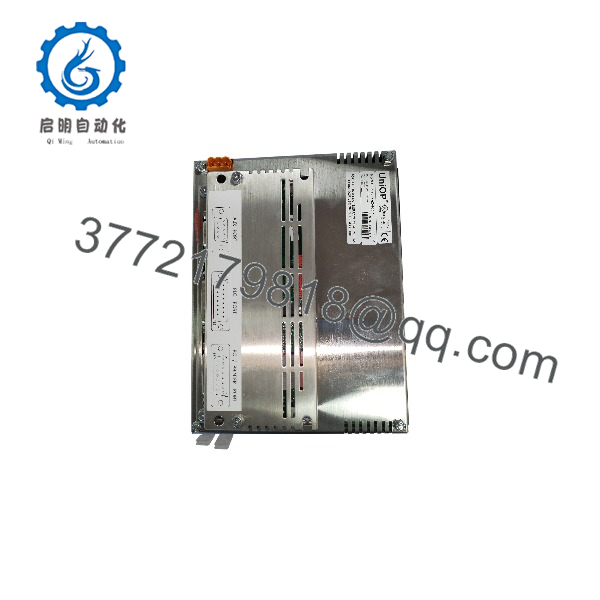
EKDC-16 6ZA933-7
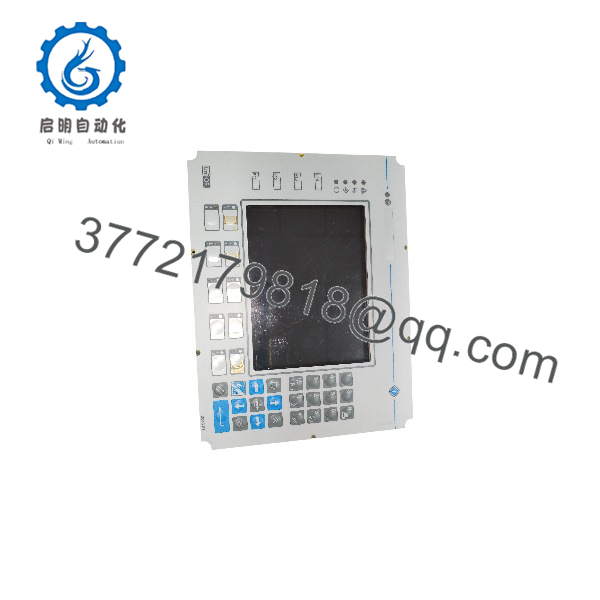
EKDC-16 6ZA933-7
Frequently Asked Questions (FAQ)
Q: Is 6ZA933-7 the same as the UniOP EKDC-16?
A: Yes. The 6ZA933-7 part number is specifically tied to the EKDC-16 operator panel. Do not mix it with other EK-series models like EKDL-16, EKDR-16, or EKDC-46—they are not guaranteed drop-in replacements.
Q: Does this panel have a touchscreen?
A: No. The EKDC-16 6ZA933-7 is a 33-key ASCII keyboard operator interface, not a touchscreen HMI. Later UniOP panels added touchscreens, but this legacy unit is keyboard-based.
Q: What voltage does it need—24 VDC or AC?
A: The documented identification specifies 24 VDC. Always verify the nameplate and machine wiring before applying power; do not assume all UniOP panels use the same supply.
Q: Can I replace it with a modern UniOP touchscreen?
A: Not as a simple drop-in. A modern HMI may require changes to the panel cutout, power wiring, communication configuration, and the HMI application itself. For legacy machines, matching the exact 6ZA933-7 is usually the lowest-risk option.
Q: Is this still a current-production product?
A: No. The / 6ZA933-7 is discontinued. Procurement should be treated as a legacy-parts purchase, with emphasis on exact part-number matching and functional testing.
Q: What should I check before buying a replacement?
A: Confirm the full model and part number ( / 6ZA933-7), power supply (24 VDC), keyboard condition (all keys), LED operation, connector type, and compatibility with your existing machine application and PLC.
Q: Do you sell these as new, refurbished, or repaired?
A: Available units are typically new old stock, refurbished, or repair-exchange from surplus. Condition should be clearly stated per listing (e.g., “Refurbished & Tested” or “New Surplus”). Always request test details for critical applications.



