 WhatsApp: +86 16626708626
 Email:
  Phone: +86 16626708626
Description
3. Key Technical Specifications
- Display type: TFT LCD
- Display size: 12.1 inch
- Resolution: 800 x 600 pixels
- Touch type: Resistive
- Backlight: CCFL
- Input power: 24 V DC, +10% / -15%
- Operating temperature: 0 to 45 C
- Category: Operator interface / HMI
- Weight: 7.94 lb
- Series: UniOP eTOP40B
4. Product Introduction
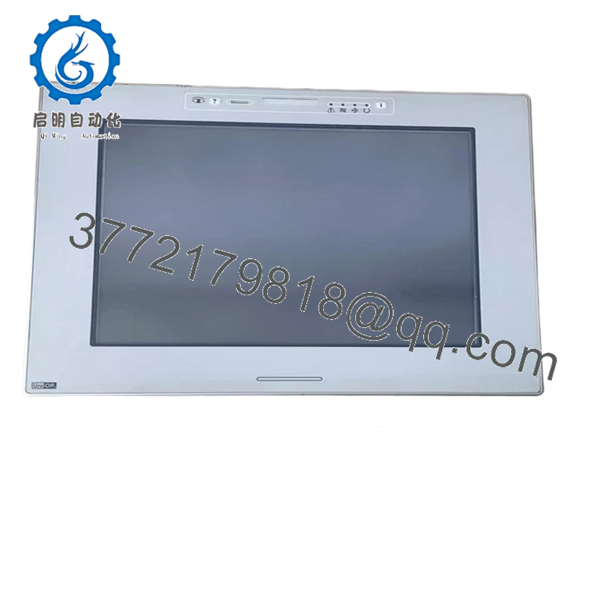
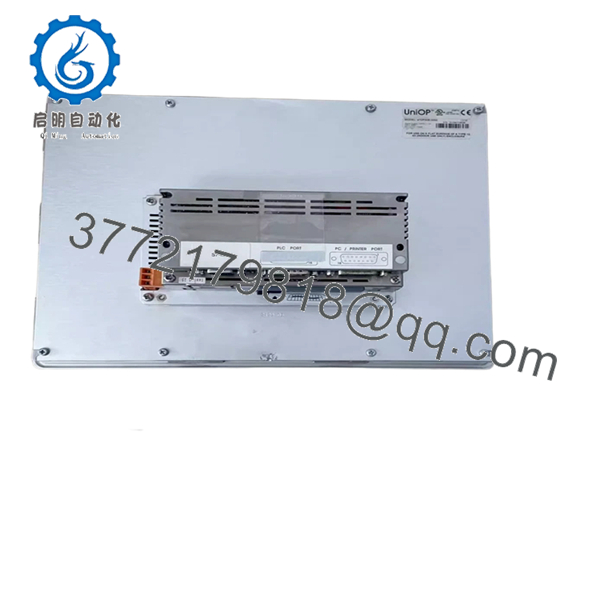
The UNIOP eTOP40B-0050 is a 12.1-inch industrial HMI operator interface used for machine control and plant visualization. It runs on 24 V DC and belongs to the UniOP eTOP40B series, which is commonly used in legacy automation systems.
For replacement work, the main value is exact panel matching: display size, touch type, and electrical input all need to line up with the existing installation. The unit uses a resistive touchscreen and 800 x 600 TFT layout, so it fits many older machine cabinets without a full redesign.
5. Troubleshooting Quick Reference
| Symptom | Possible Cause | Relevance to this Part | Quick Check Method | Recommendation |
|---|---|---|---|---|
| Screen stays black, no backlight | Missing 24 V DC input or failed power feed | ❌ Low | Measure 24 V DC at the panel power terminals with a meter | Check cabinet power, fuse, and wiring before replacing the HMI |
| Backlight is on but no image | LCD panel fault, contrast issue, or controller problem | ✅ High | Confirm supply voltage and inspect startup screen behavior | Compare against a known-good unit before ordering a replacement |
| Touch does not respond | Worn resistive layer, bad calibration, or cable fault | ✅ High | Test touch calibration and inspect the front overlay for damage | Replace the touch panel if calibration fails repeatedly |
| Random presses or ghost touches | Damaged touch overlay, moisture, or contaminated front film | ✅ High | Clean the surface and check for physical pressure points | Inspect the overlay and seal condition first |
| Communication alarm on startup | Wrong driver, cable mismatch, or PLC-side parameter issue | ❌ Low | Check serial/Ethernet settings and verify the PLC connection | Verify host settings before blaming the panel hardware |
| Display flickers or dims | Aging CCFL backlight or unstable supply voltage | ✅ High | Measure input voltage and observe startup brightness | Backlight wear is common on older HMIs; plan for replacement |
Contact technical support with photos of the nameplate, connector layout, cable marks, and any startup alarms if the issue is still unclear.

- eTOP40B-0050
- eTOP40B-0050
6. Frequently Asked Questions (FAQ)
Q: Is this a direct replacement for my existing eTOP40B-0050?
A: Usually yes, if the model code and connector layout match. With UniOP panels, the exact suffix matters because display size, touch layer, and mounting details have to align.
Q: Is the eTOP40B-0050 a 12.1-inch panel?
A: Yes. The listed unit is a 12.1-inch TFT LCD HMI with 800 x 600 resolution.
Q: What type of touchscreen does it use?
A: It uses a resistive touchscreen. That is common on older industrial HMIs and works well with gloves, but it does wear over time.
Q: Can I swap it while the cabinet is powered?
A: No. Shut the system down first. Hot-swapping an HMI can cause wiring damage or corrupt the session on the PLC side.
Q: Why is this cheaper than a factory-new unit?
A: Because this is typically surplus or legacy stock, not current production. The lower price is normal, but you should still verify the exact part number and condition before installation.
Q: What usually fails on these panels?
A: The backlight and touch layer are the usual wear points, not the logic board. If the screen is dim or the touch is drifting, those are the first things I would check.
Q: What should I verify before ordering?
A: Match the full model number, display size, touch type, and power input. If the old unit has any special firmware or communication settings, capture those before removal.