WhatsApp: +86 16626708626
 Email:
 Phone: +86 16626708626
Description
Core Product Summary (Brand / Model / Key Attributes)
The UniOP ETT-VGA-0045 is an industrial Human-Machine Interface (HMI) operator terminal designed for real-time visualization and machine control. Manufactured within the established UniOP operator interface family by Exor International, this panel features a 10.4-inch TFT color graphic display with a resolution of 640×480 pixels paired with an analog-resistive touchscreen and an integrated 11-key keypad.
Engineered for factory floor integration, the unit is equipped with onboard user memory, multiple serial communication ports for direct PLC interfacing, and a robust front bezel providing IP65 dust and moisture protection. It serves as a reliable operator station for monitoring industrial processes, managing alarm logs, and handling machine parameter adjustments across diverse manufacturing and process control environments.
Key Technical Specifications
| Specification | Verified Parameter |
| Manufacturer / Brand | UniOP (Exor International) |
| Product Family | ETT-VGA Series Operator Interface |
| Display Type | 10.4-inch TFT Color Graphic Display |
| Resolution | 640 x 480 pixels (VGA) |
| Touchscreen Type | Analog-Resistive |
| Input Keypad | 11 Function / Navigation Keys |
| User Memory | 32 MB Flash User Memory |
| Communication Ports | Serial PLC Port, PC/Printer Port, and Auxiliary Port |
| Enclosure Rating | IP65 / NEMA 4X equivalent front panel protection |
Detailed Product Overview
The UniOP ETT-VGA-0045 acts as a centralized operator control window for industrial machinery, interfacing directly with programmable logic controllers (PLCs) and automated system components. By combining a clear 10.4-inch TFT display with tactile physical keys, it provides operators with reliable input options even when wearing protective industrial gloves.
The hardware architecture supports customized screen layouts, recipe management, and comprehensive alarm handling developed using legacy UniOP programming software tools. Its flexible serial connectivity layout allows direct connection to multiple industrial controller brands without requiring complex protocol translation hardware. For maintenance teams managing legacy infrastructure, deploying an exact-match unit ensures seamless drop-in replacement without requiring panel cutout modifications or PLC program rewrites.
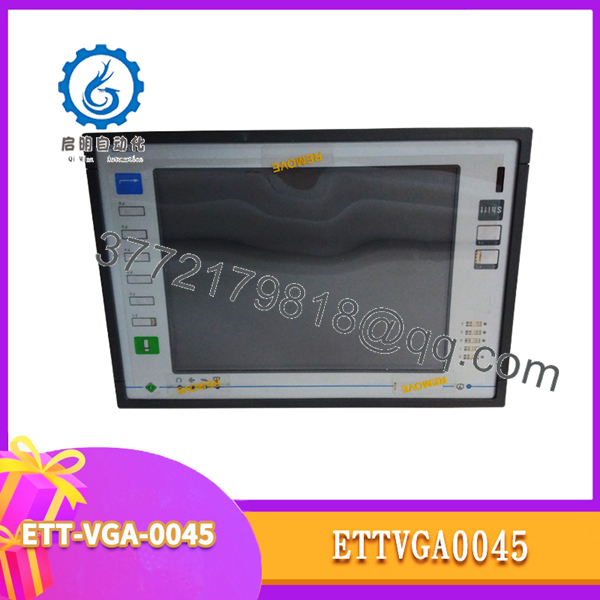
ETT-VGA-0045
Engineering Selection Highlights
- Panel Integration Match: Fits standard industrial enclosure cutouts designed for the 10.4-inch UniOP ETT-VGA form factor, maintaining existing mechanical mounting layouts.
- Dual Input Interface: Combines a responsive analog-resistive touch surface with an 11-key physical keypad for flexible operator interaction under varying plant conditions.
- Direct PLC Connectivity: Features dedicated multi-protocol serial communication ports to interface cleanly with established automation controllers.
- Visual Clarity: Offers a bright 640×480 VGA TFT color matrix suitable for rendering process graphics, graphical data trends, and clear status indicators.
System Compatibility & Integration Requirements
| Item / Dependency | Verified Compatibility or Requirement | Practical Note |
| Controller Platforms | Multi-brand industrial PLCs and controllers via native serial drivers | Verify protocol selection and cable wiring requirements against the target PLC port layout. |
| Programming Software | UniOP Designer development software package | Required for downloading, modifying, or backing up application project files. |
| Power Supply | Standard 24 VDC industrial power source | Ensure voltage stability and proper grounding to prevent communication noise or panel reboots. |
Dimensions, Mounting & Connection Notes
- Panel Cutout: Requires a precision cutout matching standard 10.4-inch UniOP ETT series specifications; secure using the provided mounting brackets evenly to maintain the front panel seal.
- Enclosure Sealing: The front bezel achieves an IP65 protection rating when properly clamped against a clean, flat enclosure wall using the integrated gasket.
- Wiring Practices: Separate low-voltage communication and power cables from high-voltage AC lines or motor VFD cabling to prevent electromagnetic interference (EMI) on serial lines.
FAQ
What is the UniOP ETT-VGA-0045?
It is a 10.4-inch industrial operator interface terminal (HMI) featuring a color TFT display, resistive touchscreen, and physical function keys for machine control.
Which product series does it belong to?
It belongs to the UniOP ETT-VGA operator interface family manufactured by Exor International.
What primary job does it perform?
It provides visualization, data entry, alarm monitoring, and control capabilities for industrial automation equipment and PLCs.
What display resolution does the unit feature?
The display features a VGA resolution of 640 x 480 pixels on an active-matrix TFT color screen.
What communication interfaces are available?
It includes standard serial communication ports configured for PLC connection, programming, and auxiliary device integration.
Verification & Troubleshooting Notes
- Blank Screen / Power Failure: If the display remains unlit upon power-up, check that the 24 VDC supply voltage is present at the terminal block and verify terminal polarity.
- Communication Timeout: If the HMI displays communication error faults with the PLC, inspect the physical RS-232/RS-485 cable integrity, connector pinouts, and verify that the correct PLC protocol driver is selected in the project configuration.
- Touch Responsiveness Issues: If touch inputs fail to register accurately, initiate the built-in UniOP calibration sequence from the system menu to realign the resistive touch grid.