
 WhatsApp: +86 16626708626
 Email:
  Phone: +86 16626708626
Description
3. Key Technical Specifications
| Parameter | Value |
|---|---|
| Display Type | 10.4″ TFT color LCD |
| Resolution | 640 × 480 pixels (VGA) |
| Colors | 256 |
| Text Capacity | 30 rows × 80 columns |
| Touchscreen | Resistive (analog) |
| Function Keys | 8 |
| System Keys | 3 |
| User LEDs | 8 |
| System LEDs | 6 |
| User Memory | 8 MB (SSFDC), expandable |
| PLC Port | RS-232 / RS-422 / RS-485 / CL 20 mA |
| Power Supply | 18–30 VDC |
| Typical Power Consumption | ~700 mA at 24 VDC |
| Front Protection | IP65 / NEMA 4/12 |
4. Product Introduction
The UniOP ETT-VGA is a 10.4-inch color graphic operator panel from Exor’s UniOP family. It uses a TFT active-matrix display with true VGA (640 × 480) resolution and a resistive touchscreen, supporting both graphic pages and 30 × 80 character text.
Eight programmable function keys, system keys, and dual LED banks give operators direct access to common functions. Serial ports (RS-232/422/485) allow direct connection to most PLCs, while an auxiliary port supports optional fieldbus modules. The panel is designed for industrial environments and carries IP65 front protection when properly mounted.
5. Troubleshooting Quick Reference
| Symptom | Possible Cause | Relevance to this Part | Quick Check Method | Recommendation |
|---|---|---|---|---|
| Blank or dark screen | Backlight failure or power issue | ✅ High | Measure 24 VDC at supply terminals; check fuse | Replace unit if voltage is present and screen stays dark |
| Touchscreen unresponsive | Calibration lost or damaged overlay | ✅ High | Run touch calibration in Designer software if available | Recalibrate or replace front overlay |
| No communication with PLC | Wrong protocol, baud rate, or cable | ✅ High | Verify port settings and cable pinout | Match communication parameters exactly |
| Function keys do nothing | Project not loaded or key macros missing | ✅ Medium | Confirm project is downloaded and keys are assigned | Reload application project |
| Dim or uneven display | Aging CCFL backlight | ✅ High | Compare brightness to a known-good unit | Plan replacement; backlight life is limited |
If the panel fails basic power and communication checks, record the exact LED status and any error messages, then contact support with clear photos of the rear connectors and nameplate.
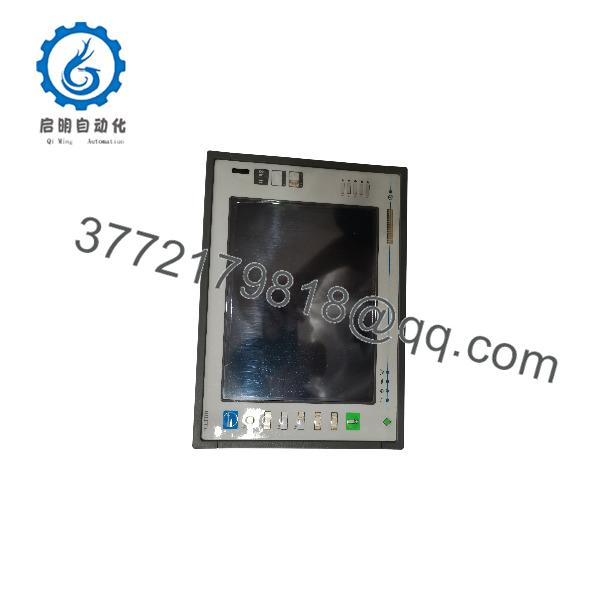
ETT-VGA
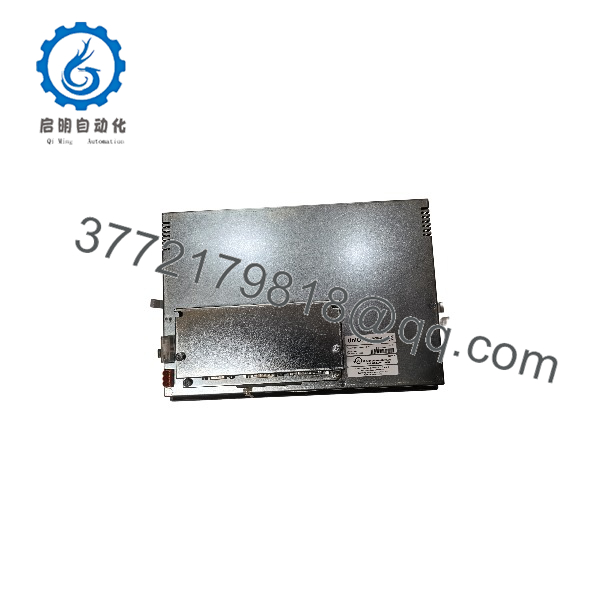
ETT-VGA
6. Frequently Asked Questions (FAQ)
Q: What is the difference between ETT-VGA and ECT-VGA?
A: ETT-VGA uses a TFT active-matrix color display. ECT-VGA uses a passive STN color display. Both share the same mechanical footprint and software environment, but the TFT version offers better contrast and viewing angles.
Q: Which software is used to program the ETT-VGA?
A: UniOP Designer for Windows (or later compatible versions). Projects created for the ETT-VGA family are generally portable within the same series.
Q: Can I expand the memory?
A: Yes. The base unit has 8 MB user memory on an SSFDC card. Optional expansion cards increase available project and recipe storage.
Q: What PLCs can it talk to?
A: Most major brands via the serial PLC port (RS-232/422/485 or current loop). Optional fieldbus modules add higher-speed network connectivity. Confirm protocol driver availability for your specific PLC.
Q: Is the backlight replaceable?
A: The CCFL backlight has a finite life. In practice most users replace the entire panel rather than attempt a field backlight swap.
Q: What is the Siemens cross-reference?
A: Some units carry the Siemens OEM number 6ZA1005-7. Always verify the exact UniOP part number and revision when ordering a replacement.
Q: Is this model still in production?
A: The ETT-VGA is a legacy UniOP panel. Remaining stock is new surplus or carefully tested used units. Newer Exor eTOP or JMobile panels are the current equivalents for new designs.



