
 WhatsApp: +86 16626708626
 Email:
  Phone: +86 16626708626
Description
Key Technical Specifications
| Parameter | Specification |
| Module Designation | CPU-40-16M Processor Board |
| Part Number / Cross-Ref | A413044 / 65425317A-VAT |
| Processor Architecture | High-performance embedded controller |
| Onboard RAM Capacity | 16 MB high-speed volatile memory |
| Physical Weight | 1.30 lbs (0.59 kg) |
| Bus Interface Support | Parallel multi-drop local bus backplane connection |
| Logic Supply Voltage | 5 VDC (\pm 5%) internal bus power |
| Diagnostic Interface | Dedicated serial configuration and debugging ports |
| Status Monitoring | Multi-LED array for RUN, ERR, and Network activity |
| Operating Temperature | 0 to +55 °C (32 to 131 °F) ambient limits |
Product Introduction & Supply Chain Strategy
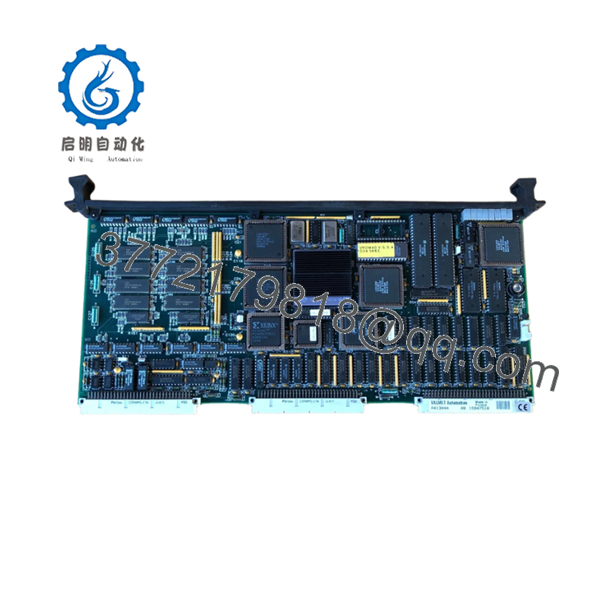
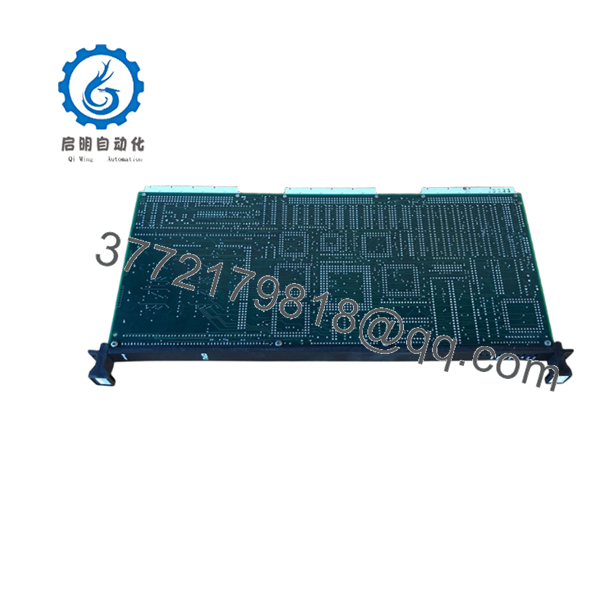
The Valmet A413044 (CPU-40-16M) is the primary central processing module running system logic for legacy Damatic xD and associated Metso Automation distributed control architectures. This processor handles advanced control computations, inter-module data routing, and real-time database coordination across demanding industrial environments like paper mills, marine propulsion units, and petrochemical plants. By executing the compiled control loops and supervising the surrounding local I/O rack communication, the A413044 serves as the critical brain of the node.
Because the factory has officially discontinued this processing unit, sourcing a replacement through original OEM channels is no longer a viable path. Procuring the A413044 as New Surplus provides a reliable way to defend your mill or vessel against devastating stock-out incidents. Choosing a verified new surplus card over a refurbished item avoids the hidden dangers of thermal exhaustion in vintage microprocessors and dried-out logic bus decoupling capacitors. This proactive storage step secures absolute process continuity and keeps your Total Cost of Ownership (TCO) low by eliminating the threat of long, multi-day system outages.

- A413044
- A413044
Installation & Configuration Guide
Stage 1: Pre-Installation (Prep & Safety)
- Complete a comprehensive system backup of the controller database, node application files, and operational parameters from the DCS engineering station.
- Implement strict lock-out/tag-out (LOTO) commands on the power supply units feeding the processor chassis partition.
- Fasten a grounded ESD wrist strap to your arm and clamp it to an unpainted grounded cabinet rail; take reference photos of the front port connections and specific firmware variation label configurations on the circuit frame.
Stage 2: Removal
- Unplug all attached serial lines or programming communication cables from the front interface ports.
- Unlock the module faceplate retaining screws at the top and bottom positions of the processing sub-rack slot.
- Actuate the card ejection levers simultaneously to release the dense backplane pins, then pull the module outward evenly along its plastic tracking rails.
Stage 3: Installation (Clone & Seat)
- Inspect the new A413044 board to ensure that its hardware jumper blocks and memory layout exactly match the configuration of the card being replaced.
- Insert the processing board into the card track guides, keeping the module level to avoid grinding components against neighboring slots.
- Slide the unit forward firmly until the backplane contacts seat into place, secure the top and bottom extraction handles, and fasten the lock screws tightly.
Stage 4: Power-On & Testing
- Re-energize the rack control power supply and follow the startup diagnostic display routines on the front faceplate.
- Confirm the green RUN light establishes a steady state while the fault indicators clear entirely after completing the initial internal verification pass.
- Open your engineering work tool to re-establish communication, check node synchronization status, and safely download the application software configuration to the 16 MB processor space.
Firmware/Software Versions & Upgrade Notes
The A413044 processor executes compiled control code dependent on the boot software built into its physical memory matrix.
- Version Tracking: This unit is verified for application builds matching version 05 through version 08.
- Compatibility Matrix: Ensure your engineering terminal system software matches the specific revision (e.g., Ver. 08) noted on the side label of the incoming module. Running misaligned software revisions can trigger immediate database reload errors or loop initialization failures upon system boot.
- Firmware Modification Risks: Avoid running an application version upgrade on a new card during a crisis hardware replacement. Complete your hardware swap using a matching version code first, verify process stability, and only then proceed with planned database updates to avoid complicating your troubleshooting steps.
Frequently Asked Questions (FAQ)
Is this Valmet A413044 processor card a repaired unit or a used part?
This A413044 processor is a genuine New Surplus unit. It has never run an industrial plant system, contains no repaired circuit paths, and has not been pulled from a dismantled mill cabinet. The item is sourced directly from overstocked spare inventory storage and has only been taken out of its anti-static shield package for basic visual inspection and entry quality control testing.
Why should we pay more for a New Surplus card when used versions cost less?
A primary CPU card is the single most critical asset in your control rack. Sourcing a cheap, used, or poorly refurbished processor puts your entire process loop at risk, as internal semiconductor aging can trigger sudden system lockups under high thermal conditions. Buying a New Surplus card removes these vulnerabilities, providing standard operational lifespans and true peace of mind that a used board cannot match.
Does this CPU card require a battery backup to hold its program?
Yes, the 16 MB volatile storage layout inside the A413044 relies on backing power to retain application files when local rack energy is cut off. Always trace and verify the condition of the external battery connection module or the chassis lithium supply link before cycling power during a card replacement, preventing accidental memory drops.
Can I hot-swap this processing board while the plant node is operating?
No. You must never hot-swap the primary A413044 controller while the system rack power is engaged. Pulling or inserting a core CPU module while the local bus lines are live will create transient power surges. This action risks corrupting the board’s boot block memory or damaging the communication chips on adjacent I/O modules across the backplane.
Does the A413044 come with a functional performance warranty?
Yes. We back this New Surplus processor module with an explicit 2-year warranty program that completely handles your functional support needs. Every processor passes our multi-stage inspection procedure—including a physical pin scan, power rail balance test, and bus data link confirmation—before shipment.



