
 WhatsApp: +86 16626708626
 Email:
  Phone: +86 16626708626
Description
Key Technical Specifications
- Manufacturer: Vibro-Meter, formerly Meggitt Sensing Systems
- Part Number: 200-566-000-112
- Model Designation: IOCN
- Product Type: Communication interface board / PCB assembly
- System Family: VM600 machinery protection and condition monitoring platform
- Primary Function: System-level communication and interface support within a VM600 rack
- Typical Application: Monitoring and protection systems for turbines, compressors, generators, pumps, and other critical rotating machinery
- Rack Platform: VM600 rack system; verify the specific ABE04x rack, backplane, and slot location before installation
- Compatibility Requirement: Confirm associated front/rear card arrangement, hardware revision, installed firmware, host CPU configuration, and configured communication interface
- Replacement Requirement: Match the exact ordering number 200-566-000-112; do not substitute a 200-566-000-012 or 200-566-000-113 card without documented compatibility confirmation
- Service Classification: Legacy / discontinued spare part; availability is typically limited to used, refurbished, or new-surplus inventory
- ESD Requirement: Handle only with a grounded wrist strap, ESD-safe mat, antistatic packaging, and power removed from the applicable rack
- Condition Verification: Request exact-unit photos showing model label, hardware revision, connectors, card-edge condition, and any installed daughterboards or configuration labels
Public supplier listings identify 200-566-000-112 as a Vibro-Meter / Meggitt VM600 IOCN communications interface module or PCB circuit board. Available references are limited and reseller descriptions conflict on detailed I/O and power functions, so verify the card’s exact interface, firmware, and rack role from the installed unit and OEM VM600 documentation before purchase or replacement.
Product Introduction
The Vibro-Meter 200-566-000-112 is a VM600 IOCN communication-interface PCB used within machinery protection and condition-monitoring systems. It supports system-level communication and integration functions in a rack used for critical rotating assets such as steam turbines, gas turbines, compressors, generators, and pumps. Public listings identify the card as an IOCN communications interface module.
This is a configuration-sensitive replacement. The correct card must match the original part number, hardware revision, rack architecture, communication method, firmware, and system configuration. A similar-looking IOCN board can fit the rack but still fail to communicate with the CPU, monitoring software, or connected protection cards. Verify every label before installation.
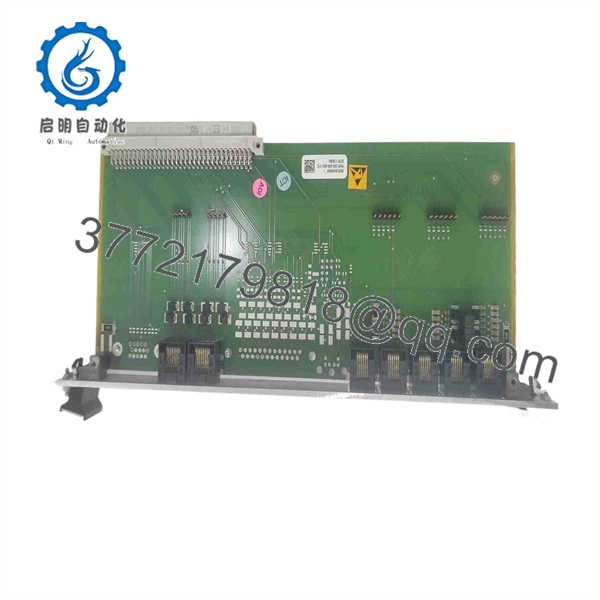
200-566-000-112
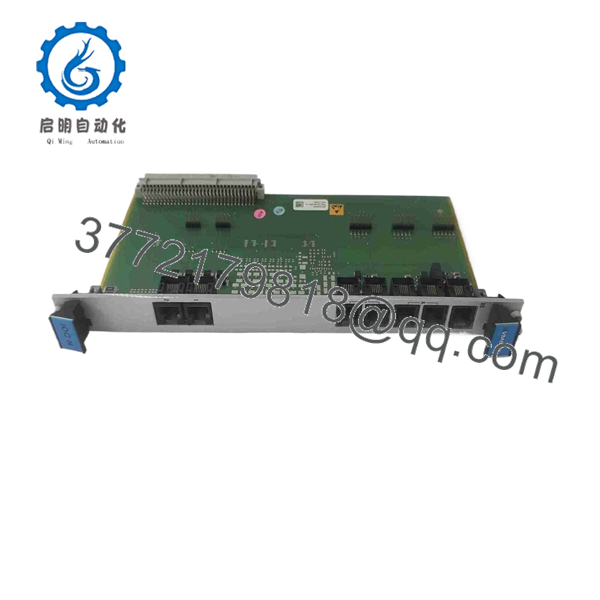
200-566-000-112
Troubleshooting Quick Reference
| Symptom | Possible Cause | Relevance to this Part | Quick Check Method | Recommendation |
|---|---|---|---|---|
| IOCN card shows no signs of operation after rack startup | Missing rack supply, failed rack power supply, loose card seating, bent backplane connector, failed IOCN card | ✅ High | Check the rack power supply indications; use the rack wiring diagram and a calibrated Fluke 115 to verify required backplane rails at approved test points | Verify rack power, fuses, backplane condition, and card seating before replacing 200-566-000-112 |
| software cannot communicate with the rack | Incorrect workstation network settings, damaged communication cable, wrong interface selection, CPU configuration problem, IOCN fault | ✅ High | Check physical cable link status, IP or serial settings as applicable, software communication setup, and host CPU diagnostics | Correct cabling and configuration first; replace IOCN only if communication failure follows the card |
| Communication drops intermittently during operation | Loose connector, damaged shield, grounding problem, electrical noise, rack-power dip, thermal fault | ⚠️ Medium | Inspect and reseat external and card-edge connectors with power removed; check shield termination and chassis bonding; trend rack supply and cabinet temperature during events | Eliminate cabling, grounding, power-quality, and cooling problems before replacing the module |
| Protection cards remain operational but data is unavailable at the host | Network/interface issue, IOCN communications fault, CPU software issue, incorrect bus configuration | ✅ Medium | Compare local card health indications with host communication status; review software logs and confirm the configured communications path | Check host CPU and external communication path before replacing the IOCN card |
| Rack reports a new fault immediately after replacement | Wrong IOCN variant, firmware mismatch, incompatible configuration, card installed in wrong slot, damaged connector | ✅ High | Compare original and replacement labels, revisions, installed firmware identifiers, slot location, and any jumper or switch positions | Restore the original configuration and use only an exact compatible replacement |
| Monitoring trend values freeze while field signals remain normal | Data-acquisition software issue, network interruption, CPU overload, IOCN interface failure | ⚠️ Medium | Verify local card status and compare live values at the rack with the host display; check timestamp progression and communication logs | Determine whether data stopped at the card, CPU, or workstation before replacing hardware |
| Multiple cards show communication errors together | Rack power disturbance, backplane fault, host CPU failure, network fault, configuration corruption | ❌ Low to Medium | Check rack power rails, CPU health, backplane connectors, and common communication wiring; compare another rack if available | Do not replace only the IOCN until common-cause faults are ruled out |
| Card faults after prolonged high-temperature operation | Restricted airflow, failed fan, contaminated rack, power-supply degradation, aging electronic component | ✅ Medium | Inspect rack ventilation, filters, fan tray, and installed-card spacing; trend temperature and supply voltage while the machine operates | Correct cooling and power problems first; replace IOCN if failure consistently follows the card |
| Card-edge contacts show corrosion, damage, or contamination | Poor storage, moisture exposure, improper handling, connector damage | ✅ High | Isolate power, remove using ESD controls, inspect card-edge contacts and rack connector with adequate lighting and magnification | Do not install a physically damaged board; replace it and inspect the mating connector |
| System behavior changes after a firmware or software update | IOCN firmware incompatibility, changed protocol settings, host configuration mismatch | ⚠️ Medium | Document current software versions, controller firmware, and communication settings; compare against the approved site baseline | Roll back or align to an approved version set before replacing the card |
❗ Do not assume all IOCN boards are interchangeable. The suffix matters. Public listings identify distinct IOCN part numbers such as 200-566-000-012 and 200-566-000-113, in addition to 200-566-000-112. A board that fits physically may have a different hardware revision, firmware, communication interface, or system requirement.
❗ Take photos before removal. Capture the installed card label, hardware revision, slot position, rear connections, cable labels, network settings, and any switches or jumpers. This is the easiest way to prevent a replacement from becoming a commissioning problem.
❗ Treat communication faults as system faults first. A dead trend screen does not automatically mean the IOCN card failed. Check rack power, host CPU status, software services, network or serial wiring, grounding, and environmental conditions before replacing a card.
Keep these checks in mind and you will save yourself most of the usual rework time. If diagnostics remain unclear, provide technical support with full card photographs, rack model, slot position, installed CPU model, communication logs, software version, active alarms, and a description of what changed before the fault started.
Frequently Asked Questions
What is Vibro-Meter 200-566-000-112?
Vibro-Meter 200-566-000-112 is a IOCN communications-interface PCB or circuit board used in a machinery protection and condition-monitoring system. Available supplier listings describe it as an IOCN communications interface module rather than a field vibration sensor or standalone power supply.
Is 200-566-000-112 an exact replacement for IOCN 200-566-000-012 or 200-566-000-113?
No, not without documented confirmation. Different IOCN suffixes can indicate a different revision, firmware requirement, communication interface, connector population, or compatible system generation. Compare the complete original label, board revision, firmware, card slot, associated rear interface, CPU model, and software configuration before buying.
Can I hot-swap the IOCN board?
Do not hot-swap it unless the specific rack documentation and your site’s approved maintenance procedure explicitly allow it. This board can support communication and monitoring functions tied to critical machinery protection systems. Removing it under power can cause loss of monitoring data, nuisance alarms, communication faults, or equipment damage.
Place the affected machinery protection system in an approved maintenance state, coordinate with operations, follow lockout/tagout procedures, and use appropriate bypass and proof-test controls before servicing the rack.
Will I lose my configuration when replacing this card?
Do not assume that configuration will remain available automatically. The system configuration may be held in the CPU, workstation software, card firmware, or a combination of these elements. Export the configuration, capture diagnostic logs, record software and firmware versions, and photograph all settings before replacing the IOCN card.
Why does the new IOCN card power up but fail to communicate?
The most common reasons are part-number mismatch, incompatible firmware, incorrect slot placement, incorrect network or serial configuration, damaged cabling, or a host CPU configuration issue. I have seen a card with normal power indications waste a full shift because its firmware did not match the site’s software baseline. Start by matching every label and configuration detail, then verify the external communication path.
Is 200-566-000-112 obsolete and difficult to source?
Treat it as a legacy spare part. Supplier listings show the specific board as used stock or out of stock, which means availability can change quickly and may depend on surplus inventory. Confirm the exact condition, quantity, hardware revision, lead time, test status, warranty, and return terms before releasing a purchase order.
Is the available unit New Original / New Surplus or Refurbished?
The condition depends on the exact unit being offered. For a New Original / New Surplus IOCN card, request high-resolution photographs of the exact product label, packaging, card edge, connectors, revision markings, and traceability labels. For a Refurbished (tested) card, request a written test report showing controlled power-up, rack recognition, communication checks, configuration verification, extended powered operation, and inspection results.
A credible test process begins with incoming inspection and traceability checks, then uses a compatible rack to verify boot behavior, card recognition, host communication, and stable operation under normal rack load. The card should be packaged in an antistatic bag, protected with ESD-safe material, and shipped in a rigid corrugated box. Test photos and videos should be available upon request.



